home chevron_right Apps chevron_right Photos & Videos chevron_right Flud Plus


Video Compressor &Video Cutter
v2.0.30
• Premium
| Updated On | |
|---|---|
| Google Play ID | com.delphicoder.flud.paid |
| Category | Photos & Videos |
| Version | 2.1.0 |
| Size | 17 MB |
| MOD Features | Unlocked |
| Requires | Android |
| Price | |
| $3.99 | |
| Content Rating | |
| Everyone | |
| Internet Required | |
| Unknow | |

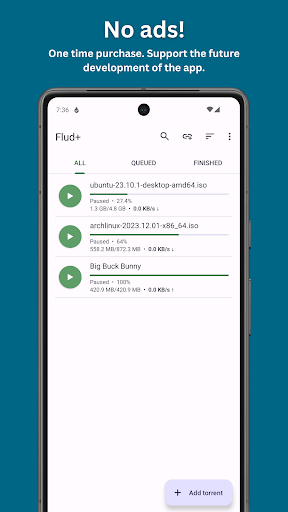
Flud Plus is a mobile torrent client designed for users who want to manage torrent downloads directly from an Android device. It provides tools for adding torrent files, handling magnet links, monitoring download activity, and organizing completed content. The app can be useful for downloading Linux distributions, open-source projects, public-domain media, and other content that users are authorized to access. Its mobile-focused approach makes torrent management possible without relying on a desktop computer.
The main purpose of the app is to provide a practical way to manage BitTorrent transfers from a smartphone or tablet. Users can add torrent files or magnet links and monitor their progress from a mobile interface. This can be convenient when downloading authorized files without having to keep a computer running.
A torrent client can also provide more control than a basic file downloader. Users can monitor download and upload activity, check transfer status, and manage active tasks from one place. The experience is especially useful for people who already understand how torrent-based file sharing works.
Magnet links provide a convenient way to start a torrent without first downloading a separate torrent file. The app can handle this type of link as part of a typical torrent workflow. Users can also add torrent files when they already have them stored on their device.
Before starting a transfer, it is important to understand what the content contains and whether downloading it is permitted. Torrent technology itself is neutral, but files shared through it can be subject to copyright or other restrictions.
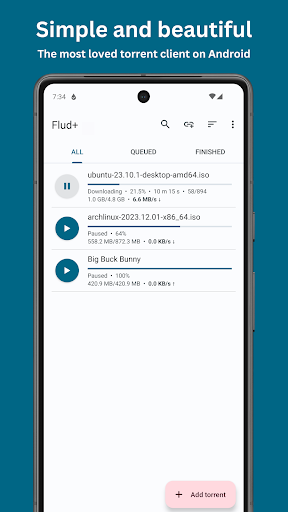
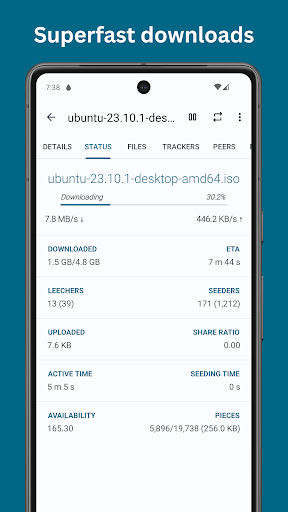
Managing torrents requires more than simply starting a download. Users may want to check transfer speeds, remaining data, and overall progress. Having these details available on a mobile device makes it easier to understand how active transfers are performing.
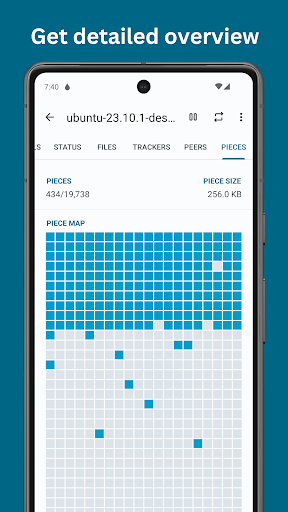
Upload activity is also an important part of the BitTorrent system because users can share pieces of files with other peers. Monitoring both directions can help users understand their network usage and manage transfers more responsibly.
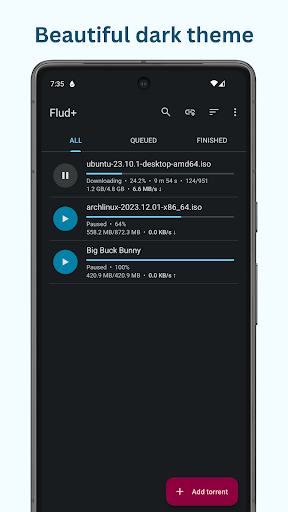
Mobile torrent management can be useful when several transfers are running at the same time. Users can review active tasks and decide which downloads should continue. Pausing unnecessary transfers can also help reduce network usage or free resources for other activities.
Storage management is another consideration. Large torrent files can quickly consume available space, especially when several downloads are active. Checking storage capacity before starting a transfer can help prevent unexpected interruptions.
Using a torrent client on a phone can make file management more flexible. Users can select appropriate storage locations and organize completed downloads according to their needs. This is useful for larger authorized files that may not be convenient to download through traditional methods.
However, mobile torrenting can consume significant battery power, storage, and network data. Performance may also depend on the device, connection quality, and torrent availability. Users should consider these factors before leaving large transfers active for long periods.
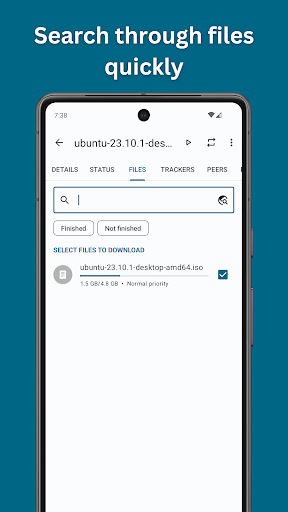
Open Flud Plus and add an authorized torrent file or magnet link. Review the available files and choose an appropriate storage location. Check the transfer details before starting the task, especially when downloading a large amount of data.
Once a transfer begins, monitor its progress and network activity. Pause or remove tasks when necessary, and check available storage regularly. After completion, verify the downloaded files and keep them organized. Only download or share content that you have the legal right to access.
Flud Plus provides a mobile solution for users who need to manage BitTorrent downloads on Android. Its support for torrent files and magnet links can make authorized file transfers more convenient, while transfer monitoring helps users keep track of active tasks. The ability to manage downloads directly from a phone can also be useful when desktop access is unavailable.
At the same time, torrent downloads can require substantial storage, bandwidth, and battery resources. Users should also pay attention to privacy, network usage, and the legal status of the content they access. For legitimate torrent-based transfers, the app offers a practical way to manage files and monitor sharing activity from a mobile device.