home chevron_right Apps chevron_right Photos & Videos chevron_right PLAYit

Video Compressor &Video Cutter
v2.0.30
• Premium

| Updated On | |
|---|---|
| Google Play ID | com.playit.videoplayer |
| Category | Photos & Videos |
| Version | 2.7.55.1 |
| Size | 48 MB |
| MOD Features | VIP Unlocked |
| Requires | Android 5.1 |
| Price | |
| Free | |
| Content Rating | |
| Teen | |
| Internet Required | |
| Not Required | |
| Languages | |
| English, Assamese, Bengali, French, Gujarati, Hindi, Indonesian, Portuguese, Spanish, Tamil, Telugu | |

PLAYit APK combines video playback, music streaming, and media downloading in one convenient Android application. Its flexible playback controls, file management tools, and support for multiple media formats make everyday entertainment easier to manage. Explore its standout features, discover the MOD version, and find out how to download PLAYit safely through APKMODY.
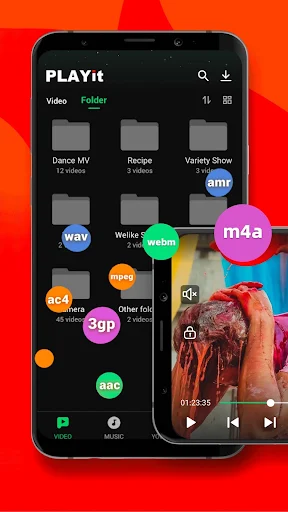
Inspired by the convenience of desktop media players such as VLC Media Player, PLAYit brings a comprehensive entertainment experience to smartphones. Rather than focusing exclusively on video playback, this application combines several useful tools, allowing users to watch movies, listen to music, browse local files, and manage downloaded content from a single interface.
Its growing popularity comes from the way it simplifies everyday media activities without requiring multiple applications. Whether you enjoy watching online videos, organizing personal collections, or listening to your favorite tracks, PLAYit provides a practical environment for handling different entertainment needs.
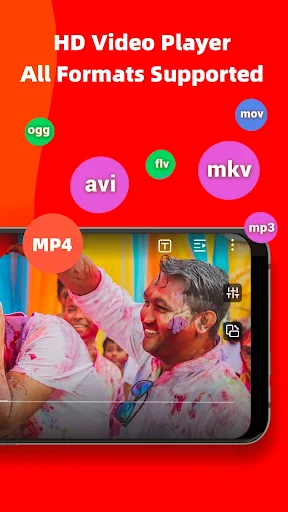
PLAYit goes beyond traditional video playback by offering a collection of adjustable controls and convenient viewing options. Users can modify brightness, contrast, and volume directly while watching a video. Playback speed can also be adjusted to suit different situations, whether you want to review a tutorial slowly or skip through familiar scenes more quickly.
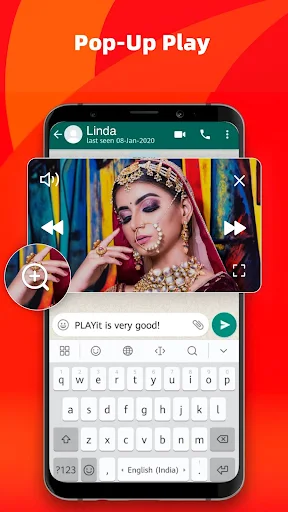
Another useful addition is background and floating-window playback. This functionality allows supported media to continue playing while you browse other applications or handle different tasks on your smartphone. Instead of constantly switching between screens, you can keep your entertainment accessible through a compact playback window.
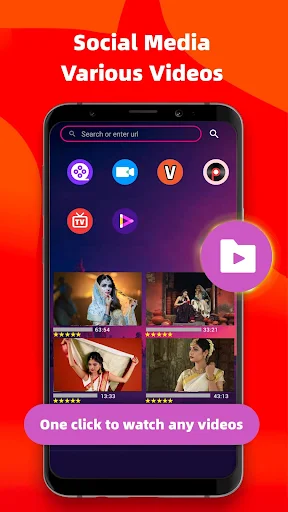
One of PLAYit’s most appealing capabilities is its combination of playback and media downloading. Depending on the supported source and platform restrictions, users can discover online videos and save compatible content for offline viewing. This makes it easier to organize entertainment collections without relying entirely on an internet connection.
The application also provides download management tools that help users monitor their saved files. You can check available download information, locate completed media, and organize content within accessible folders. Its integrated browsing and media discovery features further simplify the process of finding videos from supported sources.
PLAYit supports access to content from several popular platforms, including Facebook, Instagram, Twitter, and TikTok. However, available downloading options may vary according to platform policies, regional restrictions, and changes to individual services.
PLAYit is not limited to visual entertainment because it also includes an integrated music player. After granting the necessary storage permissions, the application can scan compatible audio files on your device and organize them into a convenient music library. This means you can access your favorite songs without installing a separate player.
Finding specific tracks is equally straightforward thanks to its library browsing and search functions. Music can be explored through available categories such as artists, albums, and playlists, making larger collections easier to navigate. Users can also enjoy playback controls designed for listening sessions, including convenient track navigation.
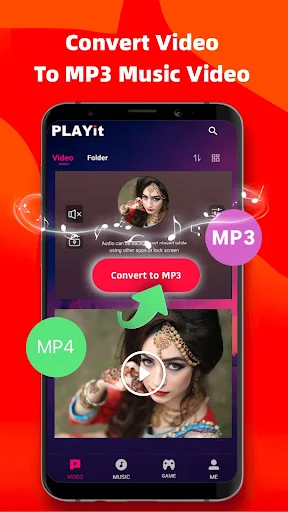
Another noteworthy feature is audio extraction from supported video files. When the source format and application version allow it, users can convert video content into MP3 audio, creating separate music files for convenient listening. This is particularly useful when you want to keep the soundtrack or audio portion of a compatible video.
A straightforward interface makes PLAYit accessible to users with different levels of technical experience. Its main sections are organized around media categories, helping you locate videos, music, and downloaded files without navigating through complicated menus.
The application also offers customization options that make the viewing experience more comfortable. Depending on the version, users can adjust playback settings, select available themes, and modify certain interface elements. Combined with touchscreen-friendly controls, these features create a more flexible environment for enjoying digital entertainment.
For Android users interested in additional conveniences, the PLAYit MOD APK provides several modified features compared with the standard release. These additions focus primarily on reducing interruptions and expanding access to selected functions.
VIP Unlocked: Provides access to selected premium features without the usual subscription restrictions, depending on the MOD build.
No Ads: Removes supported advertising displays to create a less interrupted experience.
Torrent Support: Includes additional torrent-related functionality in compatible versions.
Keep in mind that modified applications are unofficial releases. Their features, compatibility, and security cannot be guaranteed by the original developer, so users should review the APK source and permissions before installation.
PLAYit brings together several entertainment tools in one application, making it a convenient option for people who regularly watch videos and listen to music on their smartphones. If you want to explore its features, follow these steps to get the installation file from APKMODY:
Open your browser and visit the APKMODY website.
Enter PLAYit APK in the website’s search bar to find the application page.
Review the available version, Android compatibility, and release information.
Select the download option for the version you prefer and wait for the APK file to finish downloading.
Open the downloaded file, enable installation from the relevant unknown-app source if Android requests permission, and proceed with the installation.
Launch PLAYit and grant the necessary permissions to start managing your media library.