home chevron_right Apps chevron_right Photos & Videos chevron_right Video Compressor &Video Cutter


All Video Downloader & Browser
v2.2.3
• Premium
| Updated On | |
|---|---|
| Google Play ID | com.idea.videocompress |
| Category | Photos & Videos |
| Version | 2.0.30 |
| Size | 29 MB |
| MOD Features | Premium |
| Requires | Android 6.0 |
| Price | |
| Free | |
| Content Rating | |
| Everyone | |
| Internet Required | |
| Unknow | |

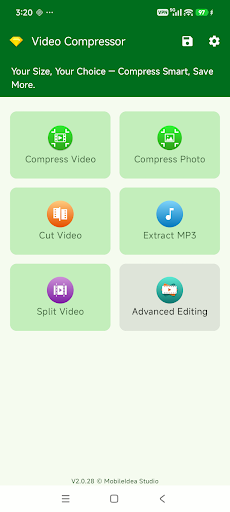
Video Compressor & Video Cutter is a mobile utility designed for users who want to reduce video file sizes and perform simple video edits directly on their smartphones. Instead of transferring files to a computer, users can compress, trim, and process videos on the device. This makes the app useful for people who frequently record videos, share media online, or need to save storage space.
Video Compressor & Video Cutter focuses on two common video management needs: reducing file size and removing unwanted sections. High-resolution videos can consume significant storage space and may take longer to upload or send through online platforms. Compression can address this issue by reducing the size of a video before it is stored or shared.
The trimming feature provides another practical tool by allowing users to remove unnecessary sections from the beginning, middle, or end of a video. Combining these functions in one application creates a convenient workflow, especially when quick edits are needed on a mobile device.
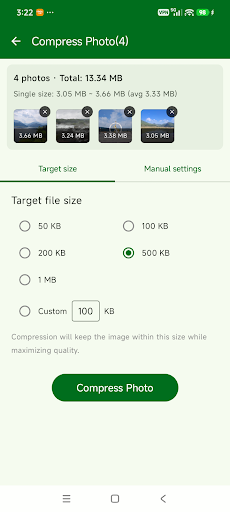
The main function of Video Compressor is to reduce video file sizes. Users can process large videos before saving or sharing them. Smaller files can help free up storage space and make it easier to send videos through platforms or services that impose file-size limits.
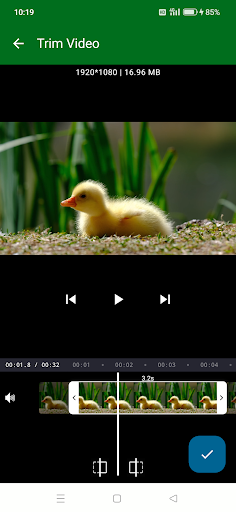
The trimming tool allows users to select the section they want to keep. Unwanted introductions, endings, or other parts can be removed without requiring professional video editing software. This is useful when users simply need a shorter version of an existing video.
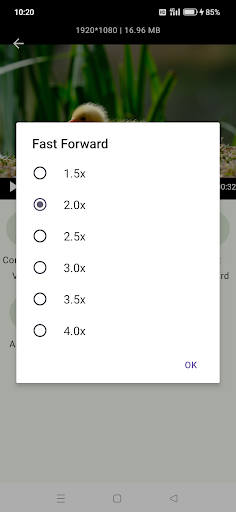
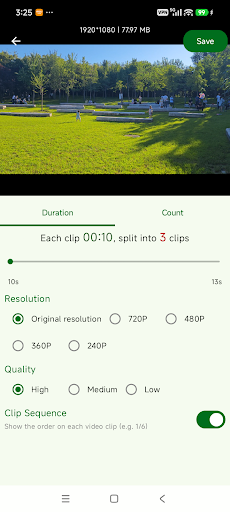
Video Compressor & Video Cutter is designed for quick editing directly on a smartphone. Users can select a video from their gallery, perform the required operation, and save the processed version without transferring the file to another device. This approach is convenient for simple tasks that need to be completed quickly.
One of the main strengths of Video Compressor & Video Cutter is its focus on essential tools. Users do not need to learn a complicated editing system when their goal is simply to reduce a file size or remove part of a video. The straightforward workflow can also make the app accessible to people with limited video-editing experience.
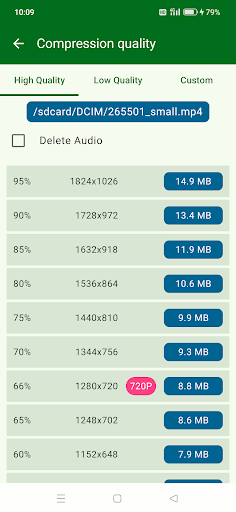
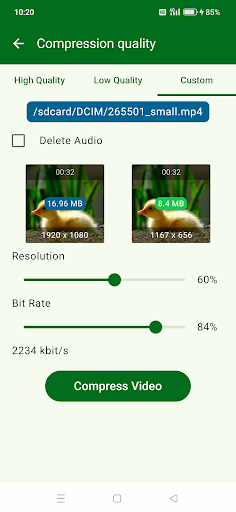
However, video compression can affect visual quality. The result depends on factors such as compression settings, resolution, and the quality of the original recording. Users should therefore consider the balance between the desired file size and output quality, particularly when processing important videos.
Processing time can also vary depending on video length, resolution, and device performance. Longer videos and high-resolution recordings may require more time to complete compression or trimming.
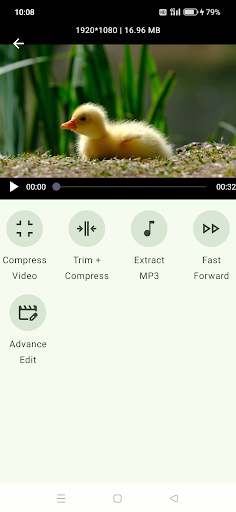
First, open Video Compressor & Video Cutter and select the video you want to process from your device gallery. If you want to reduce the file size, choose the compression feature and adjust the available quality or size settings. Start the process and wait for the app to create the compressed version.
To trim a video, open the trimming tool and select the starting and ending points for the section you want to keep. Preview the result before saving it to make sure important content has not been removed accidentally. For valuable recordings, it is recommended to keep the original file before making any edits.
Video Compressor & Video Cutter is a practical mobile utility for users who need to reduce video file sizes or trim recordings quickly. Its focus on essential editing functions makes it relatively easy to use for everyday video management. Although it does not replace professional video editing software, the app can be useful when you need to optimize a file for storage or sharing or remove unwanted sections before saving and distributing a video.