home chevron_right Apps chevron_right Photos & Videos chevron_right AI video GPT

PureStatus: ByeBye Blur Status
v2026.25
• Premium
| Updated On | |
|---|---|
| Google Play ID | ai.video.generator.text.video |
| Category | Photos & Videos |
| Version | 1.9.9 |
| Size | 78 MB |
| MOD Features | Premium Unlocked |
| Requires | Android 7.0 |
| Price | |
| Free | |
| Content Rating | |
| Everyone | |
| Internet Required | |
| Required | |

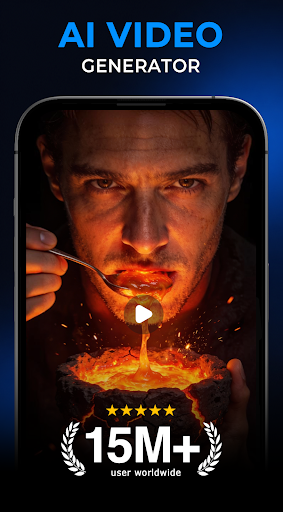
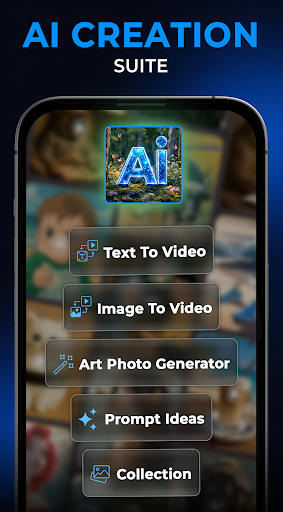
AI Video GPT MOD APK makes video production easier by transforming written ideas into engaging visual content with artificial intelligence. You don’t need expensive recording equipment, professional editing software, or advanced technical knowledge to start creating your own videos. From generating scenes based on text descriptions to adding AI-powered voiceovers, this application provides convenient tools for exploring your creativity.
Developed by AI Tech Labs, AI Video GPT is a video creation application designed for users who want to turn their concepts into visual content. Instead of manually recording scenes and editing every detail, you can provide a written description and let artificial intelligence handle much of the production process.
The application is particularly useful for beginners, social media creators, and small businesses that want to experiment with AI-generated videos. Its straightforward workflow reduces the number of steps involved in producing content, making video creation more accessible to a wider audience.
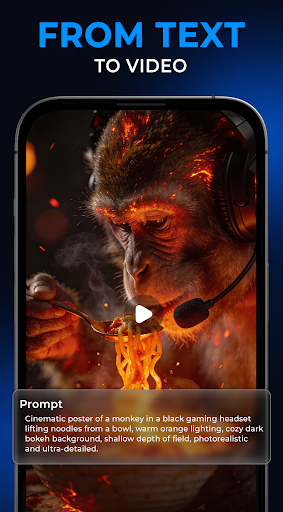
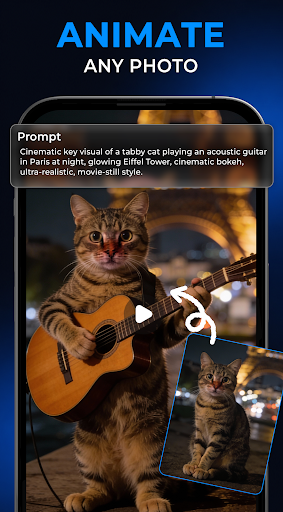
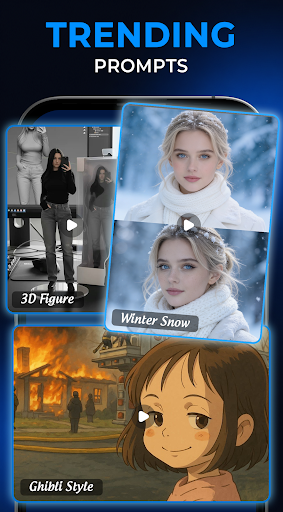
Text-to-video generation is the central feature of AI Video GPT. You simply prepare an idea, describe the scene you want to create, and submit your prompt to the AI system. The application then interprets your instructions and generates corresponding visual content.
The quality of the result largely depends on how clearly you communicate your idea. Including details about characters, environments, actions, lighting, and visual styles can help the AI understand your expectations more accurately. Depending on the generation capabilities, the resulting video may also include transitions and other visual elements to create a more complete presentation.
If the first result does not match your expectations, you can refine the description and generate another version. This makes experimentation easier because you can gradually adjust the concept without starting an entirely new editing project. However, AI-generated scenes are interpretations of your instructions rather than recordings of real events, so certain details may not always appear exactly as intended.
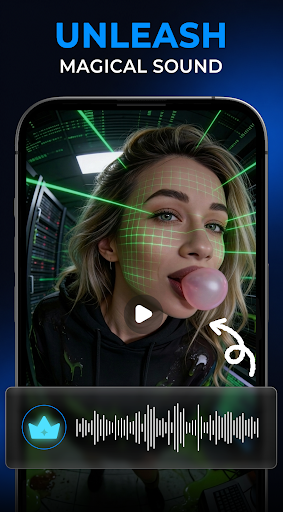
Visual content becomes more engaging when accompanied by suitable narration. AI Video GPT incorporates text-to-speech technology, allowing you to transform written scripts into spoken audio without recording your own voice.
You can prepare the dialogue or narration and let the system generate an accompanying voiceover. Depending on the available options, the selected voice may be adjusted to better suit the context or character represented in the video. This is particularly helpful when creating storytelling clips, educational materials, or promotional presentations.
Combining generated visuals with synthesized speech also reduces the need for additional recording equipment. Instead of recording separate audio tracks and synchronizing everything manually, you can simplify much of the production process through the application’s AI-powered tools.
AI Video GPT provides an accessible environment for experimenting with different creative concepts. You can transform short descriptions into visual stories, develop promotional ideas, or produce entertaining clips for online platforms.
One advantage of this approach is the reduced production workload. Traditional video creation often requires cameras, lighting equipment, editing applications, and considerable preparation. With AI assistance, you can focus more on developing the concept while the application handles parts of the visual generation process.
The tool may also be useful for creators who regularly need fresh content. Rather than repeating the same recording process, you can explore different prompts, visual directions, and storytelling approaches to produce varied results.
The ability to generate visual material from text opens up opportunities in several professional and educational fields. AI Video GPT can serve as a supplementary creative tool for people who need illustrative content but lack the resources to produce traditional videos.
Some potential applications include:
Education: Create visual explanations, illustrated lessons, and supplementary learning materials that make complex subjects easier to understand.
Marketing: Develop promotional concepts, product presentations, and short advertising clips for different campaigns.
Social media: Experiment with entertaining videos, storytelling formats, and attention-grabbing content for online audiences.
Business presentations: Turn written ideas into visual demonstrations that help communicate information more effectively.
Personal projects: Bring imaginative stories, fictional scenes, and creative concepts to life without recording physical footage.
Although these applications can save time during content production, generated videos should still be reviewed before publication. This is especially important when the content involves factual information, educational material, or commercial claims.
Despite its convenient features, AI Video GPT is not a perfect replacement for professional video production software. Artificial intelligence may occasionally misunderstand prompts, generate inconsistent visual details, or produce scenes that differ from the original concept.
Another limitation involves advertisements. The free application may display promotional content while you are working, which can interrupt the creative process and increase the time needed to complete a project.
You should also remember that generating a video does not automatically guarantee professional quality. The final result still depends on your descriptions, the application’s generation capabilities, and how carefully you review the output. For projects requiring precise visual continuity or detailed editing, additional tools may still be necessary.
The modified edition offers an upgraded experience through an unlocked premium feature, giving users access to additional application capabilities without following the standard upgrade process.
With Premium Unlocked, the modified version provides access to premium features that would otherwise require an upgrade. This can make the creative workflow more convenient for users who want to explore the application’s enhanced capabilities.
Depending on the supported premium functions, you can benefit from a more flexible video creation experience and spend more time experimenting with different ideas. Keep in mind that the exact benefits may depend on the application version and the available MOD implementation.
You can find the AI Video GPT installation package through APKMODY by following the instructions below. Before starting, make sure your Android device has sufficient storage and supports the application version you intend to install.
Open APKMODY: Launch your mobile browser and enter the APKMODY website address.
Search for the application: Use the search bar to find AI Video GPT MOD APK, then access its dedicated download page.
Inspect the MOD information: Read the application description and check whether Premium Unlocked is included in the listed modification features.
Choose the APK package: Navigate to the download section and select the available installation file compatible with your device.
Complete the download: Wait until the APK file has been saved successfully before opening it.
Allow installation: If Android blocks the installation, open your device settings and authorize your browser or file manager to install unknown applications from that source.
Launch AI Video GPT: Return to the downloaded file, complete the installation, and open the application to explore its video creation tools.