home chevron_right Apps chevron_right Photos & Videos chevron_right Mivo


Enhance it – AI Photo Editor
v4.2.2
• Premium

| Updated On | |
|---|---|
| Google Play ID | ins.story.unfold |
| Category | Photos & Videos |
| Version | 3.35.881 |
| Size | 175 MB |
| MOD Features | Premium Unlocked |
| Requires | Android 5.0 |
| Price | |
| Free | |
| Content Rating | |
| Teen | |
| Internet Required | |
| Required | |
| Languages | |
| English | |

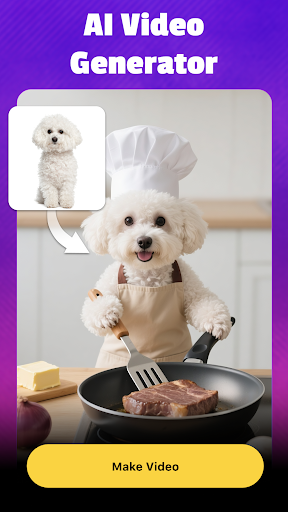
Mivo turns ordinary photos and videos into eye-catching creations with AI-powered editing tools. From swapping faces in short clips to applying artistic templates and colorful visual effects, the app offers plenty of ways to refresh your social media content. Its ready-made designs also make creative editing more accessible, even for users without professional video-editing experience.
Artificial intelligence has introduced new possibilities for mobile photo and video editing. Mivo takes advantage of this technology to help users transform their appearance, experiment with different visual styles, and create entertaining clips directly on their smartphones.
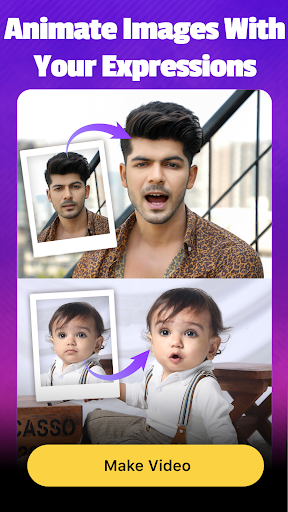
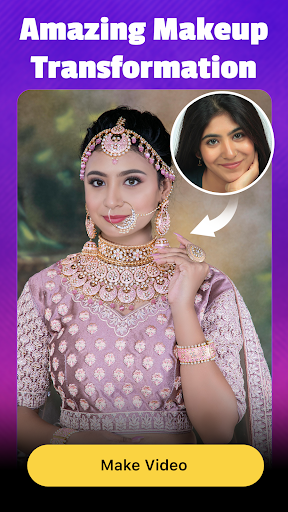
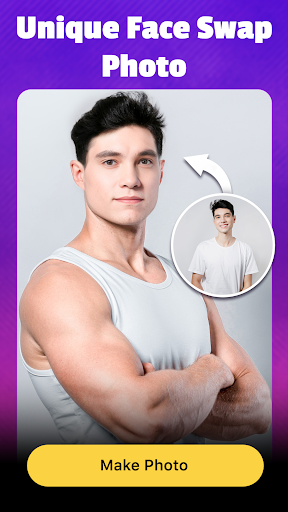
The app focuses on face swapping, AI templates, and facial effects. You can place your face into selected videos, turn portraits into stylized artwork, or add striking details to existing images. These features make Mivo suitable for creating short-form entertainment content, sharing playful edits with friends, or giving your social profiles a fresh look.
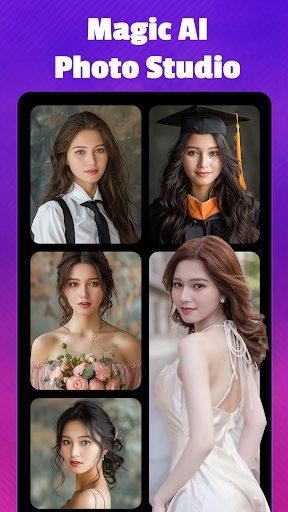
Mivo offers a collection of AI-powered templates that simplify the creative process. Instead of adjusting every detail manually, you can select a design and let the app process your photo. The result can look noticeably different from the original portrait, depending on the selected style.
There are various visual themes to explore, including cute illustrations, fantasy-inspired designs, princess looks, seasonal concepts, and comic-style artwork. This variety gives you room to experiment with different appearances without having to learn complicated editing techniques. You can try several templates before choosing the version that best matches your intended style.
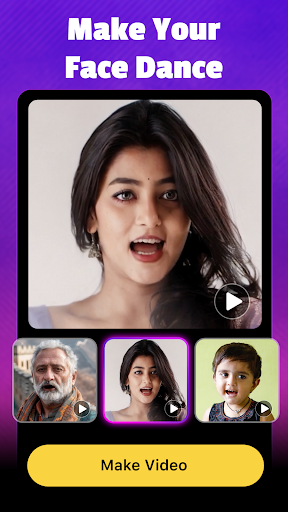
Face swapping is one of Mivo’s main attractions. The app uses AI-based processing to place a selected face into a video, allowing you to appear in scenes featuring different expressions and movements. Depending on the source clip, the result may show you talking, laughing, dancing, singing, or reacting to a particular situation.
Creating a face-swap video is relatively straightforward. Choose a suitable portrait, select a video from the available templates or your device, then start the face-swapping process. Once processing is complete, preview the result and decide whether it is ready to save or share.
If you do not have a suitable clip, Mivo’s sample video collection provides additional material to experiment with. These ready-made options help reduce the time spent searching for source footage, especially when you simply want to create a quick and entertaining edit.
Beyond face replacement, Mivo includes visual effects that give portraits a more dramatic appearance. Some effects emphasize the eyes, while others add colorful lighting, glowing details, or imaginative accents around the face. These touches can make an otherwise ordinary image look more vibrant.
You can experiment with different effects to find a style that suits the mood of your content. Whether you prefer a playful appearance or a more eye-catching fantasy aesthetic, the available options provide a simple way to personalize your photos and clips.
Face-swapping technology can be entertaining, but it also requires careful use. Always make sure you have permission before using another person’s face in an edited image or video. Avoid creating misleading content, impersonating someone, or sharing manipulated media in ways that could damage another person’s privacy or reputation.
Users should also review Mivo’s current privacy policy and permissions before uploading personal images. Do not assume that any app guarantees complete data protection simply because it provides privacy-related statements. Being selective about the photos you submit and the content you share is an important part of using AI editing tools responsibly.
The MOD version is presented as an option for accessing premium editing features without following the standard subscription route. Depending on the modified package, this may include additional templates, effects, or editing options that are normally restricted to VIP users. However, modified APKs are unofficial releases, so their features and reliability are not guaranteed. They may also introduce security or privacy risks, making it important to check the source carefully before installation.
Mivo may offer a limited free trial of its premium features, while continued access can require a subscription. The original app’s trial period and pricing may change by region or over time, so check the payment details displayed in the app before subscribing. Avoid relying on outdated price lists when comparing plans.
The app’s safety depends partly on its permissions, privacy practices, and the way you use it. Download the official version from a trusted source whenever possible, review its privacy policy, and avoid uploading sensitive photos. Unofficial MOD packages carry additional risks because their files may have been altered by third parties.
Ready to experiment with AI portraits and face-swap videos? You can look for Mivo on APKMODY and review the available package information before downloading. Use the following file-checking guide to prepare your Android device:
| Checkpoint | What to do |
|---|---|
| App information | Confirm that the page matches Mivo and review the listed version. |
| File details | Check the APK size and any additional installation requirements. |
| Device compatibility | Make sure your Android version meets the stated requirements. |
| Security | Scan the downloaded file and avoid packages from unfamiliar sources. |
| Installation | Open the APK, follow Android’s installation prompts, then launch the app if setup completes successfully. |