home chevron_right Apps chevron_right Photos & Videos chevron_right Avatoon
GPS Map Camera
v1.9.47
• Premium Unlocked
| Updated On | |
|---|---|
| Google Play ID | face.cartoon.picture.editor.emoji |
| Category | Photos & Videos |
| Version | 1.7.6 |
| Size | 59 MB |
| MOD Features | Pro Unlocked |
| Requires | Android 5.0 |
| Price | |
| Free | |
| Content Rating | |
| Everyone | |
| Internet Required | |
| Required | |
| Languages | |
| English | |

Give your online identity a creative makeover with Avatoon, a photo editing app that transforms ordinary portraits into personalized cartoon characters. From adjusting facial features and choosing outfits to adding stickers and artistic effects, the app offers plenty of ways to create images that reflect your personality. Whether you need a distinctive profile picture or simply enjoy experimenting with digital art, Avatoon makes the process entertaining and accessible.
A profile picture is often the first thing people notice when visiting your social media account. Instead of using the same ordinary portrait everywhere, why not create a cartoon version that captures your appearance and personal style? Avatoon provides a collection of customization and editing tools to help you build a more recognizable online identity.
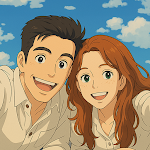
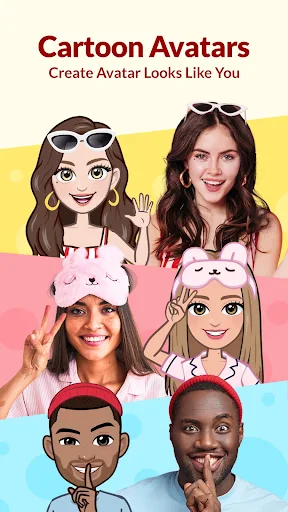
Avatoon turns personal portraits into cartoon-style avatars, giving users an alternative way to represent themselves on social platforms. The transformation provides a playful appearance while retaining recognizable facial characteristics, making the finished character feel more personal than a random cartoon illustration.
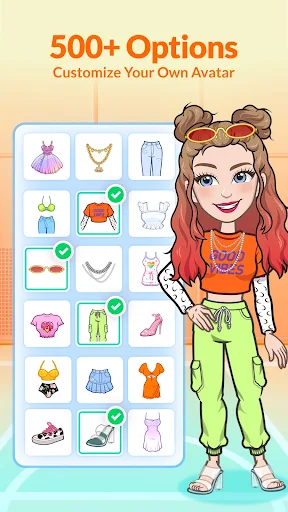
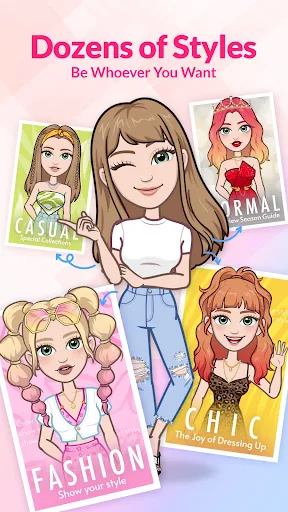
You can customize different elements of your avatar, including hairstyles, clothing, facial shapes, eyes, and other appearance details. Additional options for features such as freckles and skin imperfections allow you to adjust the character more precisely. By combining these elements, you can create an avatar that resembles your real appearance or experiment with an entirely different look.
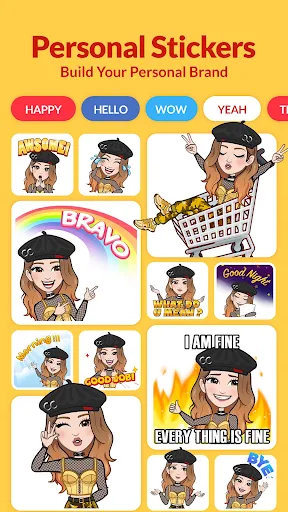
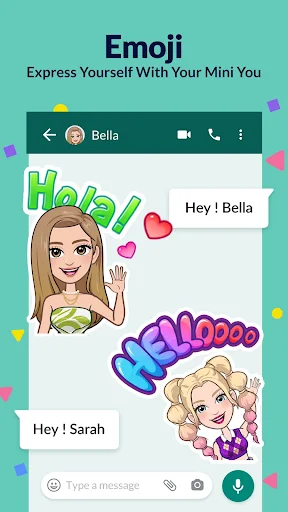
Once your design is complete, use it as a profile picture, share it with friends, or incorporate it into your social media conversations. A distinctive cartoon portrait adds personality to your online presence without requiring professional illustration skills.
Looking for another way to transform portraits into cartoons? Try ToonApp for more creative photo effects.
Avatoon goes beyond applying a basic cartoon filter to an existing photograph. Its avatar creation tools let you adjust the final appearance, giving you more control over how your digital character looks and feels.
The goal is to preserve recognizable details while introducing an illustrated style. Facial expressions, visual characteristics, and other individual features contribute to the personality of the finished image. You can experiment with different combinations until the result matches the mood you want to express.
This approach works well for users who enjoy refreshing their profile pictures, preparing personalized graphics, or creating cartoon representations of themselves and their friends. Rather than settling for a generic effect, you have room to develop a character with its own visual identity.
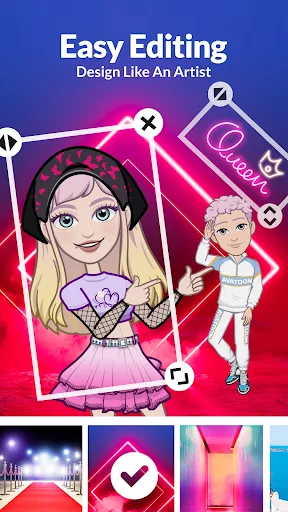
Creating an avatar is only the beginning. Avatoon also provides editing options that help refine your images before sharing them. You can adjust filter effects, experiment with different color treatments, add decorative stickers, and include text to make each creation more expressive.
These tools are useful when you want to turn a simple portrait into a complete social media graphic. For example, a cartoon avatar can become a playful greeting image with a short message, while stickers and visual effects can add more personality to an otherwise plain composition.
You can combine several editing elements and make adjustments until the image looks right. This flexibility gives users a convenient way to produce personalized content without switching between multiple editing applications.
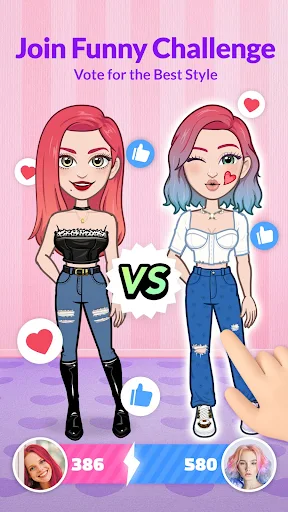
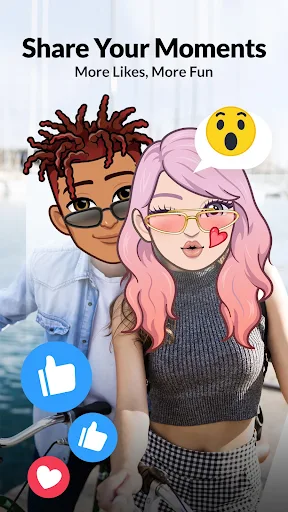
Avatoon also offers a social space where people who enjoy cartoon-style artwork can interact and share their creations. Instead of keeping every finished avatar in your personal gallery, you can participate in a community centered on character design and creative photo editing.
The available community activities include:
Share original creations: Post cartoon portraits, customized characters, emojis, and edited pictures for other members to discover.
Explore other artwork: Browse creations from fellow users and find inspiration for your next avatar.
Interact with creators: Like and comment on shared images to express your appreciation and connect with people who have similar interests.
For users who enjoy experimenting with character concepts, this community can also provide inspiration for simple comic-style projects and other creative ideas. It adds a social dimension to the editing experience, making Avatoon more than just a tool for changing profile pictures.
The MOD edition of Avatoon is designed for users who want access to additional editing resources without the restrictions found in the standard release. Its advertised modification unlocks the Pro feature set, providing a broader selection of premium options.
Access premium features: The MOD version advertises unlocked Pro functionality, allowing users to explore additional creative tools and resources included in the modified release.
Keep in mind that available features may differ depending on the app version. MOD packages are also unofficial, so check the file details before installation and use them at your own discretion.
Ready to create a cartoon version of yourself? Choose the edition that matches your needs on APKMODY, then use the appropriate installation route below.
For the standard APK:
Open APKMODY and search for Avatoon.
Select the standard release and check its version information and Android requirements.
Tap the download option to save the APK package to your device.
For the MOD edition:
Find the Avatoon MOD APK page on APKMODY.
Review the listed modification, especially the Pro Unlocked feature.
Download the MOD package if its details meet your expectations.
Finish setting up either edition:
Open your device’s Downloads folder and locate the APK file.
If Android blocks installation, allow permission to install apps from that source in your device settings.
Tap the package and follow the installation prompts.
Launch Avatoon, grant the necessary permissions, and start designing your cartoon avatar.