home chevron_right Apps chevron_right Photos & Videos chevron_right VideoShow Pro

X Downloader & Video Player
v2.3.19
• Unlocked
| Updated On | |
|---|---|
| Google Play ID | com.xvideostudio.videoeditorpro |
| Category | Photos & Videos |
| Version | 11.0.4.1 |
| Size | 138 MB |
| MOD Feature | Not available |
| Requires | Android 5.0 |
| Price | |
| $29.99 | |
| Content Rating | |
| Everyone | |
| Internet Required | |
| Not Required | |

Turning ordinary recordings into eye-catching videos does not require complicated software or professional editing experience. VideoShow Pro brings together practical editing tools, creative effects, music, and customizable export settings in one mobile application. Whether you want to prepare short clips for social media or combine multiple recordings into a polished production, this editor makes the process more convenient.
Creating engaging videos has become increasingly important for people who enjoy sharing their daily activities, memorable occasions, or creative projects online. However, complicated editing interfaces and excessive manual adjustments can make the process frustrating, particularly for beginners.
VideoShow Pro addresses these challenges with an accessible interface and a collection of tools designed for different editing requirements. You can make quick adjustments using ready-made features or explore more detailed options to personalize every part of your project.
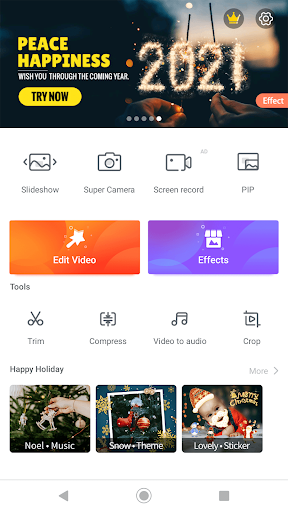
VideoShow Pro is a mobile video editing application that combines basic editing functions with more advanced creative capabilities. Its workflow allows users to import existing recordings, arrange clips, add visual effects, and prepare finished videos without switching between multiple applications.
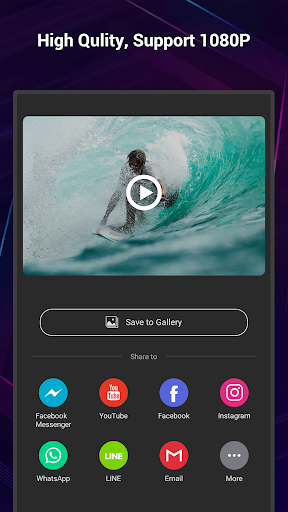
One of its notable advantages is the flexibility offered during video export. Depending on device compatibility and the available settings, users can select different output resolutions, including 1080p and higher-quality options such as 2K or 4K. This makes it easier to prepare content for different platforms while maintaining suitable visual quality.
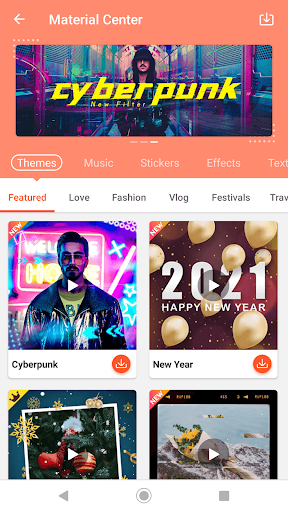
The application also provides numerous built-in resources, reducing the amount of time required to search for external editing materials. From decorative elements to background music, everything is organized to support a more streamlined creative process.
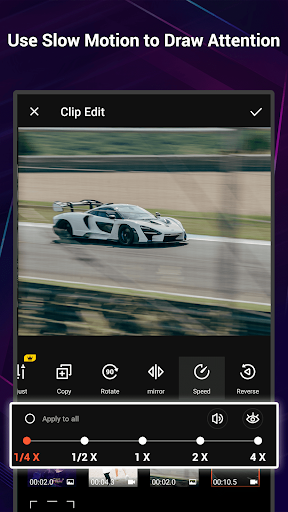
VideoShow Pro provides several convenient functions for arranging and modifying video footage. You can zoom in or out, combine separate recordings, adjust their presentation, and reposition clips through straightforward drag-and-drop controls.
The built-in camera also allows users to record footage directly within the application and apply available filters during the creative process. This is particularly useful when you want to capture a moment and immediately turn it into a shareable video.
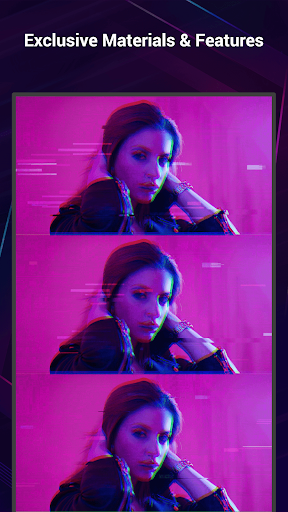
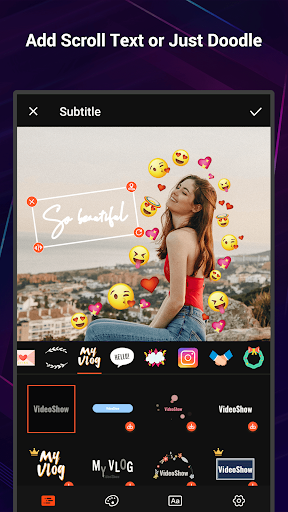
Another interesting component is Fantastic Materials, a collection of ready-to-use resources organized around different themes. It includes decorative effects, text styles, music, and popular meme elements that help make your projects more expressive. An integrated music library with search functionality also makes it easier to find suitable background tracks for different video styles.
Precise editing becomes easier with the dedicated Ultra Cut feature. This tool allows users to divide recordings into smaller sections, remove unwanted portions, and arrange selected segments in a preferred sequence.
You can use it to eliminate unnecessary footage, shorten lengthy recordings, or combine the most interesting moments into a compact presentation. Splitting videos into smaller clips is also useful when preparing files for sharing through platforms with size restrictions or when working with limited internet connectivity.
Instead of keeping every second of an original recording, you have greater control over the final structure and pacing. This makes Ultra Cut a practical option for anyone who wants cleaner, more focused video content.
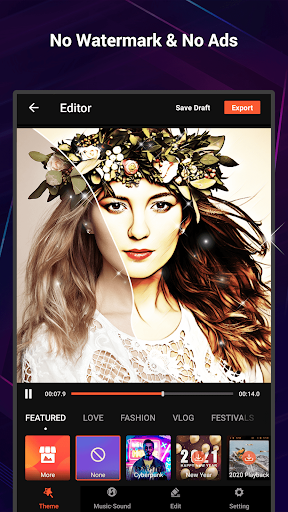
The premium edition introduces additional conveniences for users who want greater control over their editing projects. One of its main benefits is the removal of advertisements, allowing you to work without frequent interruptions.
It also eliminates the standard watermark from exported videos, helping finished projects maintain a cleaner appearance. Furthermore, the Pro package provides access to additional effects, including more than 20 exclusive options alongside a broader collection of general editing resources.
Export flexibility is another important advantage. Depending on the supported version and device, users can select output resolutions ranging from 480p and 1080p to higher-quality formats such as 4K. These options are useful when preparing content for different viewing environments, from lightweight mobile sharing to larger screens.
Getting the application onto your Android smartphone is straightforward through APKMODY. Rather than following the usual store installation route, you can use the website’s download page to obtain the APK package.
Use this alternative installation method:
Open your browser and navigate to the APKMODY website.
Enter VideoShow Pro in the search field to locate the correct application page.
Review the available release information, including the version number, file size, and Android compatibility.
Choose the download option and wait for the APK package to finish downloading.
Open your device’s file manager, locate the downloaded installer, and tap it to continue.
Approve the installation permission if requested by Android, then wait for the process to finish.
Launch VideoShow Pro and start creating your first video.