home chevron_right Apps chevron_right Photos & Videos chevron_right X Downloader & Video Player


IPTV Smart Player Pro
v3.0.1
• Unlocked

| Updated On | |
|---|---|
| Google Play ID | video.downloader.tiktok.instagram.file.saver.vault |
| Category | Photos & Videos |
| Version | 2.3.18 |
| Size | 108 MB |
| MOD Features | Unlocked |
| Requires | Android 7.0 |
| Price | |
| Free | |
| Content Rating | |
| Mature 17+ | |
| Internet Required | |
| Unknow | |

By combining downloading and playback features, the app can simplify everyday media tasks without requiring multiple separate utilities. Its straightforward approach may appeal to users who prefer quick access to saved videos, flexible playback, and an organized way to handle media files on a mobile device.
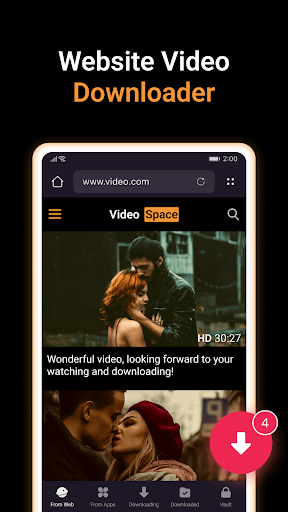
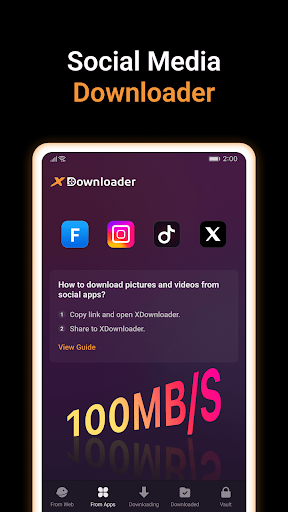
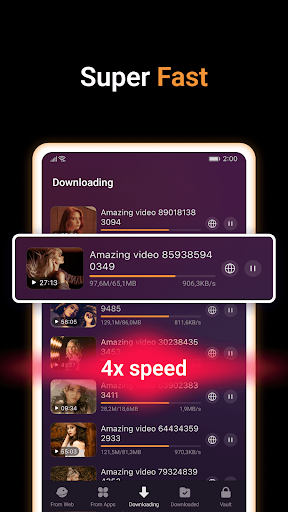
The main feature of the app is its ability to download videos from compatible sources. Users can provide a supported video link and use the available download options to save content to their device. This can be useful when a video needs to be viewed later without relying on continuous internet access. Download availability depends on the source, platform restrictions, and the type of content being accessed.
After downloading supported content, users can keep their media files available for convenient access. A dedicated video management workflow can make it easier to locate recently saved clips and organize personal media. Depending on the device and app version, downloaded files may also be accessible through the system file manager or gallery. Users should always respect copyright rules and download only content they are authorized to save.
The built-in player adds another useful function to the experience. Instead of switching between a downloader and a separate media application, users can play supported files within the same tool. This can make the process more convenient when checking a newly downloaded clip. Basic playback controls can also help users pause, resume, seek through a video, and adjust their viewing experience.
One benefit of saving compatible videos is easier offline access. Once a file is stored locally, playback does not necessarily require an active connection to the original source. This can be useful during travel, in areas with unstable connectivity, or whenever users want to reduce repeated streaming. However, storage space should be considered because high-resolution videos can occupy significant amounts of device memory.
Open X Downloader & Video Player and provide the link to the supported video you want to access. Review the available download options and select the preferred quality when choices are provided. Start the download and wait for the file to finish processing. Once saved, open the video through the built-in player or another compatible media application. If a link does not work, check whether the source is supported and whether the content is publicly accessible. Avoid entering private account credentials into unofficial download tools.
X Downloader & Video Player combines video downloading and playback into a simple mobile workflow. Its ability to save supported content and provide convenient local playback can be useful for everyday media management. The app may be particularly practical for users who frequently handle video links and want an alternative to repeated online streaming. At the same time, compatibility, download availability, video quality, and performance can vary depending on the source and device. Using the tool responsibly and saving only authorized content helps create a safer and more reliable experience.