home chevron_right Apps chevron_right Photos & Videos chevron_right XEFX


AnyLink XGet Video Downloader
v1.2.5
• Photos & Videos
| Updated On | |
|---|---|
| Google Play ID | com.ryzenrise.xefx |
| Category | Photos & Videos |
| Version | 2.2.7 |
| Size | 46 MB |
| MOD Features | VIP Unlocked |
| Requires | Android 5.0 |
| Price | |
| Free | |
| Content Rating | |
| Everyone | |
| Internet Required | |
| Unknow | |

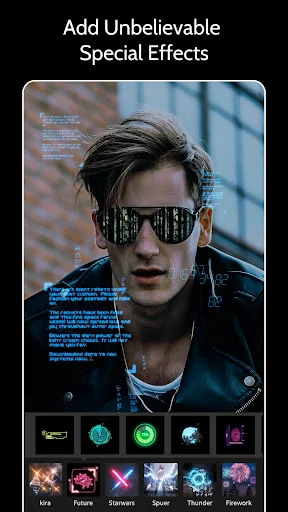
Want to turn ordinary pictures into eye-catching visual creations? XEFX is a photo editing application that takes a different approach by combining traditional editing tools with animated effects. From moving flowers and flowing water to dramatic skies and atmospheric filters, it gives you creative options to make static images feel more alive.
XEFX is a photo editing application designed for users who want more than basic adjustments and conventional filters. Its main attraction is the ability to add motion effects and visual elements to still photographs, creating results that look closer to short animated scenes.
The application has attracted attention from mobile photography enthusiasts thanks to its collection of effects and relatively accessible editing tools. Whether you enjoy experimenting with artistic images or simply want to make your social media posts more interesting, XEFX offers several features worth exploring.
The mobile photo editing market is filled with applications offering everything from simple brightness adjustments to advanced professional tools. With so many choices available, finding something genuinely different can be difficult.
Many users don’t necessarily need complicated editing software. They want an application that offers attractive results without requiring extensive technical knowledge. This is where XEFX takes a slightly different direction.
Instead of focusing exclusively on conventional filters and image corrections, the application emphasizes animated overlays and visual transformations. These features give users another way to express their creativity without having to learn complicated editing techniques.
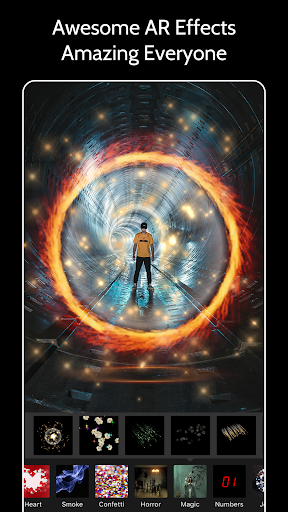
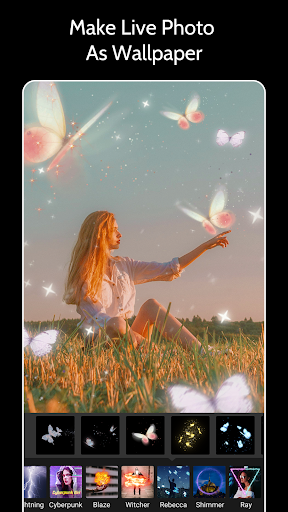
One of XEFX’s most recognizable features is its collection of animated elements. Unlike ordinary stickers that remain fixed in one position, many of the application’s visual effects include movement, allowing you to create more dynamic compositions.
Imagine adding gently falling rain to a city photograph, moving flowers to a portrait, or atmospheric lighting to a landscape. These effects can change the overall feeling of an image and make it more visually engaging.
The editing process is designed to be accessible. Choose a photo from your gallery, browse the available animation categories, and select an effect that matches your idea. You can then adjust its placement and appearance to create a composition that feels natural.
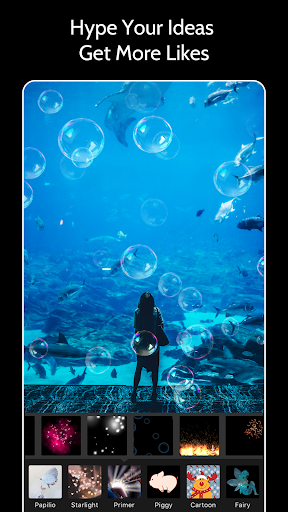
XEFX provides a broad collection of animated effects, with more than 200 options described across different themes and categories. These visual elements cover a variety of subjects, including flowers, plants, animals, environmental details, and decorative animations.
Rather than applying a single effect to the entire image, you can select individual elements and position them where they work best. This gives you greater control over the final composition.
For example, a landscape can become more atmospheric with moving clouds or environmental effects, while a portrait can gain a distinctive appearance through carefully placed animated decorations. Combining multiple elements also lets you experiment with different visual styles.
The result is a creative editing experience that goes beyond simply changing colors or adding static stickers.
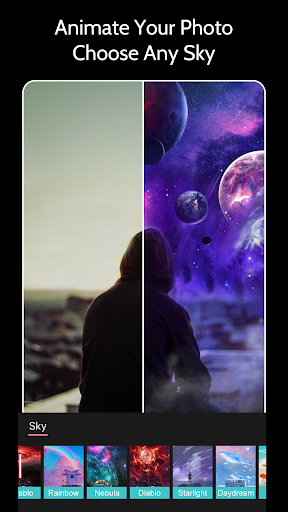
Sometimes, the original weather or lighting conditions don’t match the atmosphere you want to capture in a photograph. XEFX addresses this with its Change Weather and Sky feature.
Using this tool, you can transform the appearance of the sky and create different moods for your pictures. A regular daytime landscape can become a colorful sunset, a bright rainbow scene, a peaceful sunrise, or a star-filled night.
Lighting and environmental effects can also help change the overall tone of an image. With a few adjustments, you can turn an ordinary outdoor photograph into something more dramatic, romantic, or imaginative.
This feature is especially useful for landscape photography and travel pictures where the background plays an important role in the final result.
Water can add a beautiful visual element to photographs, but a completely static surface sometimes makes an image feel less natural. XEFX includes animated water effects that help simulate gentle movement across rivers, lakes, and coastal scenes.
By applying these effects to the appropriate area, you can create the impression of flowing or rippling water. The movement adds another layer of depth and makes the scene feel more dynamic.
You can experiment with different placements to match the direction and composition of the original photograph. When used carefully, these effects can make a landscape look more atmospheric without overwhelming its original details.
XEFX also provides options for combining visual content with audio or video elements, giving users another way to create shareable multimedia posts.
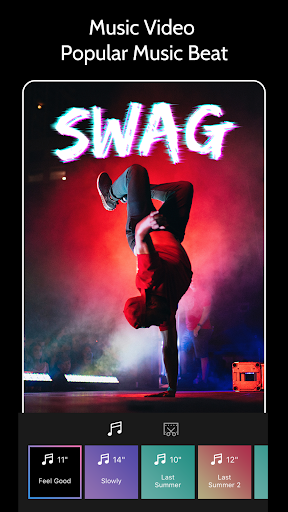
Adding music can make an edited image feel more expressive, especially when preparing content for social platforms. Depending on the available tools and export options, you can turn your creation into a more dynamic presentation instead of keeping it as a conventional static photograph.
The application may also provide music options and audio-related resources to support different editing styles. Availability can vary by version and region, so check the tools inside the app for the options currently offered.
Animated elements aren’t the only reason to explore XEFX. The application also includes a variety of filters and visual effects for users who want to adjust the overall appearance of their photographs.
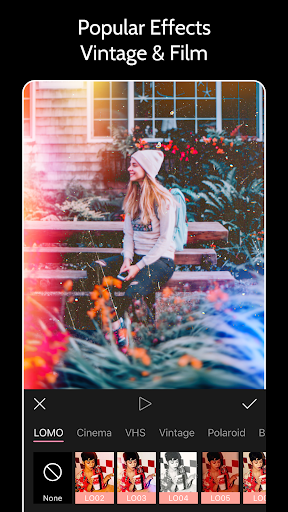
You can experiment with styles such as Vintage, Retro, VHS, and Light Leak, alongside other modern effects. Each style creates a different atmosphere, allowing you to match your pictures to a particular theme or personal preference.
These tools are useful for transforming ordinary photographs into more distinctive images. Whether you prefer nostalgic colors, cinematic tones, or contemporary visual styles, you can combine different effects to develop your own editing approach.
The modified version of XEFX is designed for Android users who want to explore the application’s upgraded editing tools.
VIP Unlocked: Unlocks VIP features included in this modified release, giving users access to additional editing options.
The exact availability of unlocked tools may depend on the MOD version. This is an unofficial modified application and is not affiliated with or supported by the original developer.
With its animated overlays, sky transformations, water effects, artistic filters, and customizable text, XEFX offers plenty of ways to experiment with your favorite photographs. If you want to try its VIP features, follow the download instructions below to get the APK through APKMODY.
Installation guide:
Find the application: Open APKMODY and search for XEFX using the website’s search function.
Check the available edition: Open the download page and select the VIP MOD APK rather than the standard release if you want to try the unlocked features.
Save the APK file: Use the download link provided on the page and wait for the file to finish downloading.
Open the downloaded package: Go to your phone’s Downloads folder or file manager and locate the XEFX APK.
Install the application: Tap the file and follow Android’s installation instructions. If prompted, allow your file manager or browser to install applications from that source.
Start editing: Launch XEFX, grant access to the photos and media you want to edit, and begin experimenting with its animation effects and VIP tools.