home chevron_right Apps chevron_right Photos & Videos chevron_right Movepic

VRTV VR Video Player
v4.1.0
• Unlocked
| Updated On | |
|---|---|
| Google Play ID | com.ryzenrise.movepic |
| Category | Photos & Videos |
| Version | 3.7.4 |
| Size | 84 MB |
| MOD Features | VIP Unlocked |
| Requires | Android 5.0 |
| Price | |
| Free | |
| Content Rating | |
| Teen | |
| Internet Required | |
| Not Required | |

Movepic turns ordinary photographs into eye-catching visual creations by adding realistic motion, animated elements, and artistic effects. With AI-powered editing tools, users can animate portraits, transform sky backgrounds, apply 3D overlays, and create lively GIFs without requiring professional editing skills. Whether you want to refresh your selfies or bring old memories back to life, Movepic offers plenty of creative possibilities.
A beautiful photograph does not always need to remain static. Sometimes, a few moving details are enough to give an ordinary image an entirely different atmosphere. Movepic makes this possible through a collection of animation effects, AI-powered features, and visual editing utilities that help users experiment with their pictures in exciting ways.
Movepic is a photo animation application that focuses on transforming still images into dynamic visual content. Instead of limiting users to traditional adjustments such as cropping, brightness, or color correction, it introduces motion effects that make selected parts of a photograph appear alive.
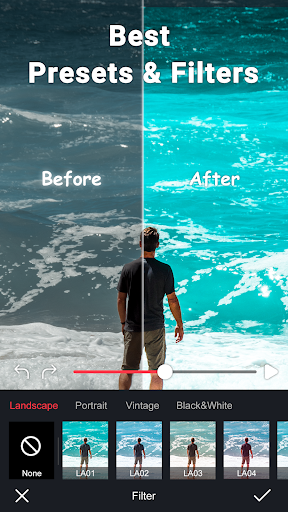
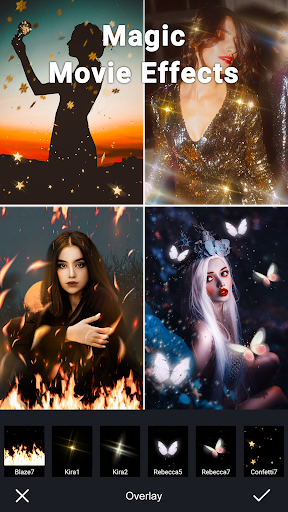
The application combines AI-assisted editing with a broad collection of creative resources. According to the provided feature information, its library includes approximately 170 sky effects, 230 animated 3D stickers, and 140 filters and overlays. These resources allow you to experiment with different visual styles, ranging from subtle atmospheric movements to imaginative animated compositions.
You can also combine multiple effects, adjust animation speed, and add music to create more engaging results. Once the editing process is complete, your creations can be exported into suitable animated formats, such as GIFs or video clips, depending on the selected tool.
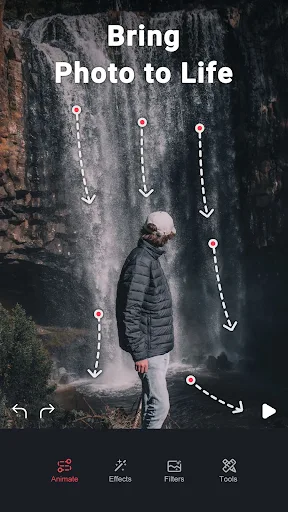
One of Movepic’s most recognizable functions is its ability to animate specific areas of a static photograph. Rather than applying movement to the entire image, you can decide which elements should remain still and which ones deserve a little motion.
The editing process starts by selecting a photograph and choosing an animation effect. Next, use your finger to draw motion paths across the areas you want to animate. For example, you can make clouds drift across the sky, create flowing water, or add movement to smoke and other atmospheric elements. Directional controls and speed adjustments help refine the result until the animation looks natural.
To make the final composition more attractive, Movepic also provides additional filters, stickers, and overlays. Combining these resources allows you to create personalized animations without having to learn complicated editing techniques.
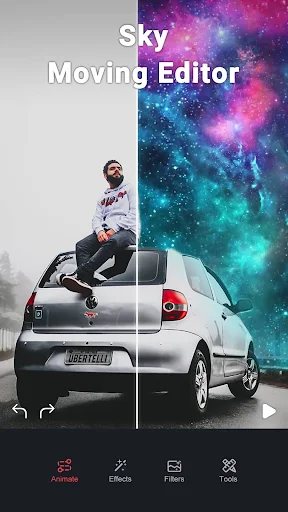
A photograph’s background plays an important role in determining its overall atmosphere. However, an otherwise beautiful picture may look less impressive when the sky appears dull or lacks visual variety. Movepic addresses this problem through its animated sky replacement and enhancement tools.
You can experiment with different sky appearances, including colorful sunsets, dramatic cloudy scenes, atmospheric dawns, and other imaginative backgrounds. Some effects introduce additional animated elements, such as floating clouds, celestial objects, or decorative visuals, giving the original photograph a completely different mood.
The adjustment process is straightforward: import your image, explore the available sky presets, and select the appearance that best matches your creative idea. Depending on the selected effect, you can further refine the composition to make the new background blend more naturally with the original scene.
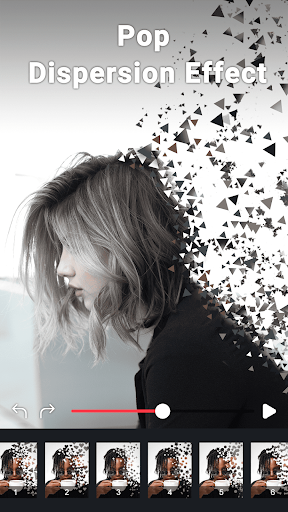
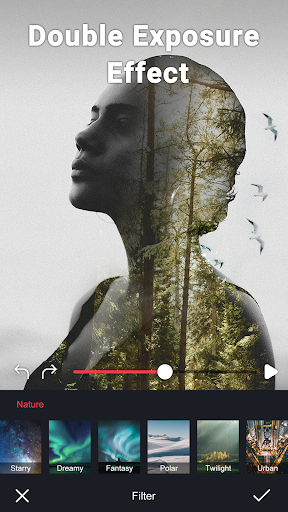
Beyond motion editing, Movepic offers a diverse collection of visual resources for users who enjoy experimenting with photography. Its 3D effects can introduce depth, movement, and unusual visual details, transforming ordinary portraits or landscapes into more imaginative compositions.
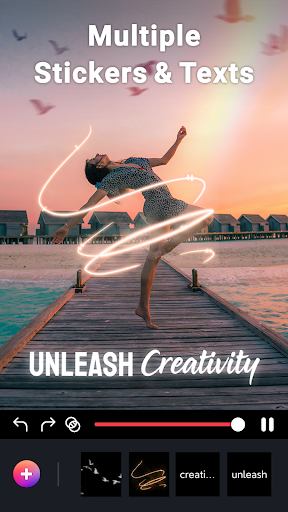
The sticker library provides another way to personalize your creations. You can decorate photographs with animated objects, expressive illustrations, and playful elements to create content suitable for social media. Meanwhile, the overlay collection adds atmospheric details such as sparkling particles, glowing effects, and colorful motion patterns.
Different combinations produce different results, allowing you to explore styles ranging from dreamy and romantic to futuristic and dramatic. You can also adjust the overall appearance with available filters to maintain a consistent visual direction throughout your creation.
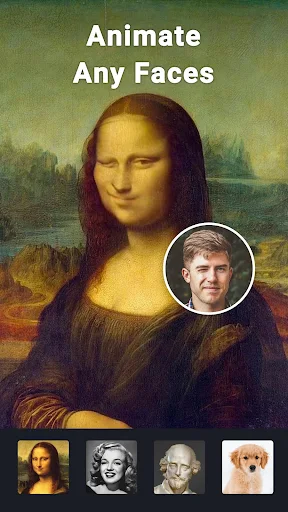
Movepic also introduces AI-assisted facial animation, a feature that brings an additional layer of creativity to portrait editing. Rather than manually drawing movement across an entire photograph, you can select a supported facial animation preset and let the application process the portrait.
For example, certain effects can simulate expressions such as smiling or smirking. The technology analyzes facial features and generates corresponding movements while attempting to preserve the person’s recognizable appearance. This creates an interesting way to experiment with selfies, portraits, and older photographs.
Beyond entertainment, the feature can also help users create more expressive versions of meaningful memories. However, the final result depends on image quality, facial visibility, and the capabilities of the selected effect. Always obtain permission before animating or sharing photographs of other people, especially when creating realistic facial movements.
<badge color=”success”>VIP Unlocked</badge>
The modified edition of Movepic is advertised as providing access to VIP features, giving users an opportunity to explore additional editing resources beyond the standard application experience. These premium benefits may include expanded creative effects, exclusive filters, stickers, and other advanced customization options, depending on the specific release.
With more editing materials available, you can experiment with different animation styles and develop more distinctive visual content. However, the actual unlocked features may vary between MOD versions. Since modified packages are unofficial, their safety, compatibility, and functionality are not guaranteed.
Want to start creating animated photographs on your Android device? Use this download checklist to locate Movepic on APKMODY and complete the installation:
Locate The Application: Open your browser and access APKMODY. Search for Movepic to find the dedicated application page.
Inspect The Available Packages: Review the release information, Android requirements, and available editions. Choose between the regular APK and VIP MOD version according to your preferences.
Get The Installation File: Open the download section and select the corresponding link. Wait until the APK package has been completely saved to your device.
Prepare For Installation: Navigate to your Downloads folder and tap the downloaded file. If Android displays a security prompt, review the source and grant installation permission only when you trust the package.
Launch Movepic: Finish the installation, open the application, and provide the necessary photo or media permissions. You can now import a picture and begin experimenting with animation effects.