home chevron_right Apps chevron_right Photos & Videos chevron_right M3U IPTV

ihancer – AI image enhancer
v1.0.65
• Premium

| Updated On | |
|---|---|
| Google Play ID | de.herber_edevelopment.m3uiptv |
| Category | Photos & Videos |
| Version | 3.1.0 |
| Size | 15 MB |
| MOD Features | Premium |
| Requires | Android 7.0 |
| Price | |
| Free | |
| Content Rating | |
| Everyone | |
| Internet Required | |
| Unknow | |

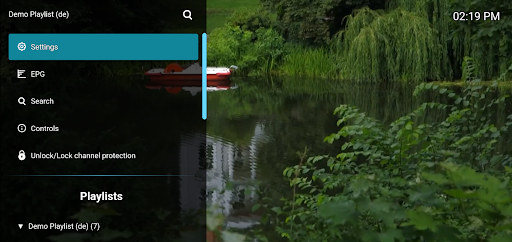
M3U IPTV is an Android media player designed for users who want to manage and play IPTV playlists through the M3U format. Instead of providing its own television channels, the app can serve as a convenient player for compatible playlists supplied by the user or an authorized IPTV provider. This approach gives viewers a flexible way to organize internet television content in one place. It can be useful for people who already have legitimate M3U playlist sources and want a straightforward viewing experience on their Android devices.
M3U IPTV focuses on playing streaming content through M3U playlists. The format is commonly used to organize links to online media streams, allowing multiple channels or sources to be collected in a single playlist. Rather than searching for individual streams every time, users can load a compatible playlist and browse its available entries. The actual content and channel availability depend on the playlist source and its provider.
One of the main advantages of an M3U-based player is the ability to keep multiple streaming entries together. M3U IPTV provides a dedicated environment for loading and accessing compatible playlists. This can be useful when users have different playlists for various purposes or providers. Keeping the information organized in one application can make switching between available channels more convenient.
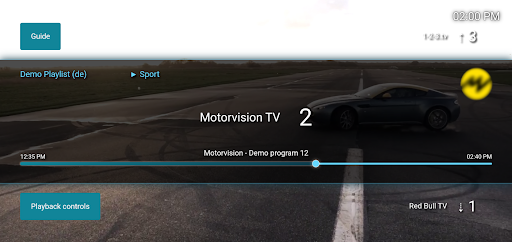
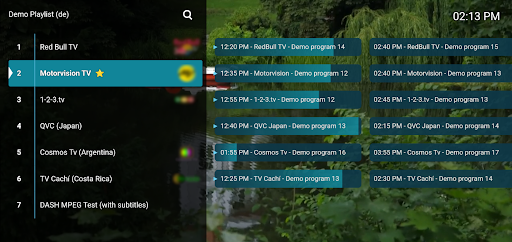
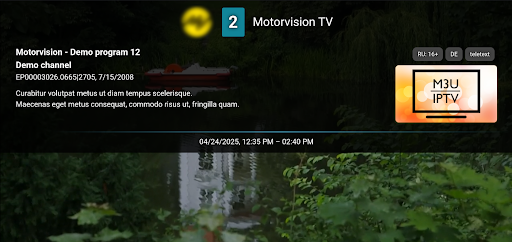
After a valid playlist has been added, users can browse the available entries and select a channel or stream to play. The playback experience depends heavily on the quality and reliability of the source. A stable internet connection is also important for reducing interruptions during streaming. If a particular stream is unavailable, the issue may originate from the playlist or provider rather than the player itself.
An IPTV player is most useful when it keeps the process of loading and browsing streams relatively simple. M3U IPTV focuses on playlist-based viewing rather than trying to replace every form of television service. Users can work with compatible M3U sources and manage their available content from an Android device. This can provide a flexible option for viewers who already use authorized IPTV services.
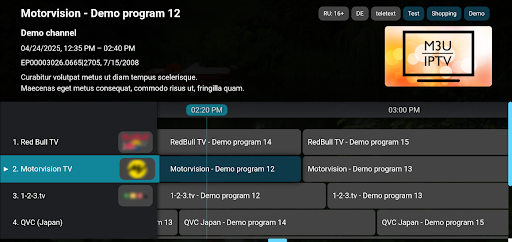
Large playlists can contain many channels, making manual searching inconvenient. A dedicated player can provide a more focused interface for browsing the available entries. Users can review the playlist and select the content they want to watch without repeatedly entering individual stream addresses. Keeping playlists updated is important because channel links can change or become unavailable over time.
Using an Android device as an IPTV player provides flexibility for watching compatible streams in different locations. Depending on the device and application support, users may be able to enjoy content on a smartphone, tablet, or Android-based media device. Playback quality will depend on the stream, network connection, and hardware. For the best experience, users should rely on stable connections and legitimate content sources.
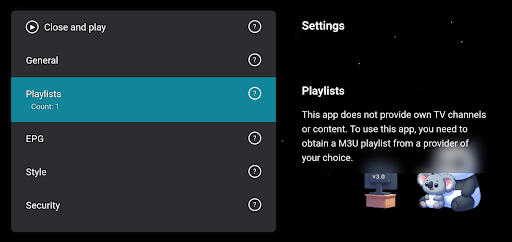
Begin by installing M3U IPTV on your Android device. Prepare an M3U playlist from a legitimate IPTV provider or another authorized source. Open the application and use its playlist-loading function to add the file or compatible playlist address. Once the playlist has been processed, browse the available channels and select a stream to begin playback.
If playback is interrupted, first check your internet connection and confirm that the playlist is still valid. Outdated or inactive stream links may prevent certain channels from loading. Avoid using unknown sources that distribute unauthorized content or request unnecessary permissions. Keeping your playlists current and using trusted providers can provide a safer and more reliable viewing experience.
M3U IPTV provides a straightforward way to play compatible IPTV playlists on Android devices. Its M3U-focused approach can help users organize streaming sources and access available channels from a centralized interface. Since the application depends on external playlist sources, the quality, legality, and availability of content are determined by those sources rather than the player itself. For users with authorized M3U playlists, M3U IPTV can be a practical tool for managing and watching internet television content.