home chevron_right Apps chevron_right Photos & Videos chevron_right Kling AI

ToonTap
v1.381.92
• Pro Unlocked
| Updated On | |
|---|---|
| Google Play ID | kling.ai.video.chat |
| Category | Photos & Videos |
| Version | 3.6.30.378 |
| Size | 169 MB |
| MOD Feature | Not available |
| Requires | Android 9 |
| Price | |
| Free | |
| Content Rating | |
| Teen | |
| Internet Required | |
| Required | |
When it comes to a revolution in AI-driven video creation, Kling AI is undoubtedly a name that deserves a seat at the table with giants like Runway or Genmo. This app comes from Kuaishou (also the creator of Kwai, a super popular video platform in China), and unlike many other AI image-generation apps, Kling AI boasts a truly solid technological foundation.
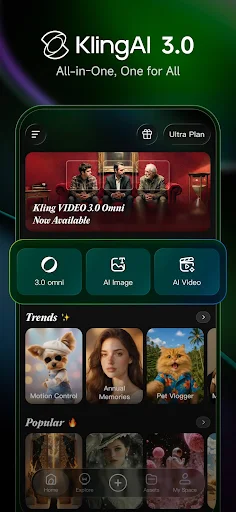
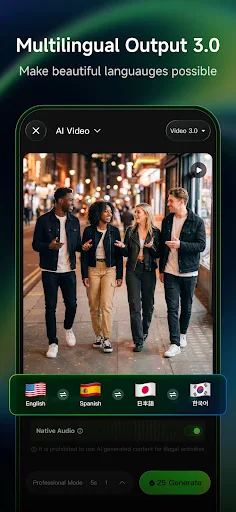
From the moment you open the app, you’ll notice Kling AI’s clean interface, featuring two main sections: Text to Video and Image to Video. Each section comes with clear instructions, and every action is just a few taps away. Mid-range phones like the Galaxy A52 or Xiaomi Redmi Note 12 can run it smoothly, with no lag or crashes. This is a big plus, as many other AI apps often demand high-end hardware or require complex web interfaces.
In the “Text to Video” section, you get a prompt box and options like video length (1s to 5s), camera angle (static, tracking shot, drone view), and visual style (cinematic, anime, realistic, 3D). These options directly impact the output. For example, choosing the Anime style and tracking shot angle with a prompt like “a warrior girl running through a forest during sunset” produces a short clip with the camera skimming the ground, sunlight filtering through leaves, and smooth anime effects, far less chaotic than some other AI apps.
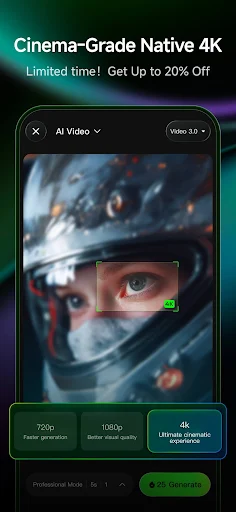
This is where Kling AI shines brightest. You enter a detailed description, choose a style, hit Generate, and wait about 30-60 seconds. The resulting video will be 3-5 seconds long, with quality ranging from HD to full HD, smooth frames, and no pixelation. Here are some prompts I boldly recommend you try:
The more specific your prompt, the better the result. Kling AI uses a custom AI model fine-tuned for dynamic visuals, so its semantic understanding is superior to typical Diffusion-based apps. However, vague prompts like a beautiful place will yield generic results.
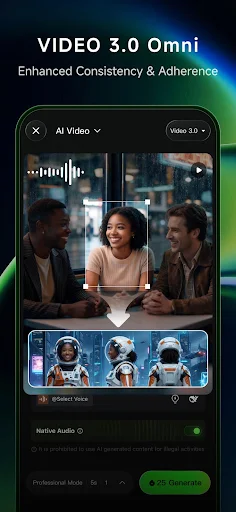
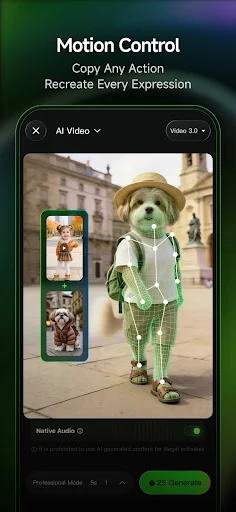
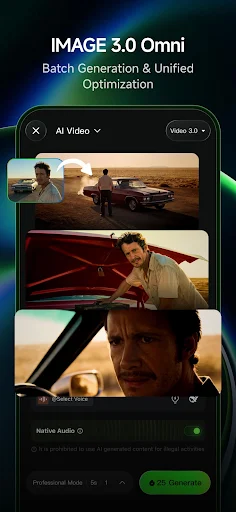
This feature is somewhat like AnimateDiff but more beginner-friendly. You pick any photo (taken from your device or uploaded), describe the desired action, choose a style, and hit Generate. Your photo transforms into a moving video, not just a lazy zoom but actual motion.
For example, try a photo of a model posing sideways with the prompt “turning to the camera and smiling, hair flows in the wind”. The result shows the character turning, smiling lightly, with hair flowing naturally in the breeze. There might be minor artefacts around the shoulders, but compared to similar apps, Kling AI performs much better.
One thing to note: the clearer and more analyzable the photo’s angle, the better the result. Selfies at odd angles or overly dark photos tend to produce slightly awkward movements.
Kling AI lets you customize various elements before generating a video:
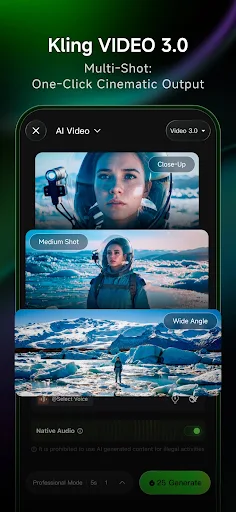
Combining style with camera angle gives Kling AI’s videos a depth that surpasses simple animated GIFs. For example, with the prompt “a knight walking into the fog”, selecting the “realistic” style and “over the shoulder shot” angle, the resulting video looks like a scene from The Witcher, with hazy lighting and gently moving fog in the foreground.
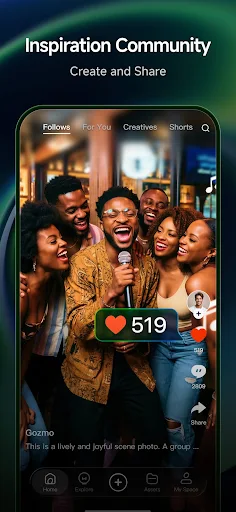
Kling AI recently added an Inspire section with dozens of sample templates. Each template is a demo video paired with a suggested prompt, and you can tweak a few words to create a new video in a similar style. For example:
These templates save you time brainstorming and help you learn to write more effective prompts. New templates are added weekly, covering genres from fantasy and sci-fi to slice-of-life.
All generated videos are saved in the app’s library. You can download them (with a watermark in the free version) or share directly to TikTok, Instagram, WeChat… Kling AI also supports project management, letting you name each video, add tags, and save the prompt and style used. This makes it easy to revisit, edit, or recreate in a different way. It’s a handy feature for those producing content in bulk.
If you’re still struggling with video content creation, feeling overwhelmed by complex editing apps, Kling AI is what you need to change the game. With the ability to turn simple text into fully animated videos in seconds, this app saves you time without sacrificing quality. From ads to funny social media clips or even creative work projects, Kling AI is ready to meet all your needs.