home chevron_right Apps chevron_right Photos & Videos chevron_right IPTV Smart Player Pro


OldSoul – Film Camera
v1.0.26
• Premium
| Updated On | |
|---|---|
| Google Play ID | com.iptv.smart.smarters.player.stream.tv.live.watch.streaming.chromecast |
| Category | Photos & Videos |
| Version | 3.0.2 |
| Size | 12 MB |
| MOD Features | Unlocked |
| Requires | Android 10 |
| Price | |
| Free | |
| Content Rating | |
| Everyone | |
| Internet Required | |
| Unknow | |

IPTV Smart Player Pro is a paid IPTV media player designed for users who want to manage and watch their own playlists on compatible devices. The app does not provide television channels, movies, or playlists itself. Instead, it works as a player for content added by the user. It supports several common IPTV and media formats, including M3U playlists, live streams, and various video and audio files. The Pro version is also advertised as an ad-free option, making it suitable for users who want a cleaner viewing interface while managing their own legal IPTV content.
The main purpose of IPTV Smart Player Pro is to provide a convenient place for playing user-provided IPTV content. Users can add their own playlists and stream links instead of searching for channels inside the application. The player supports M3U and M3U8 playlists as well as IPTV streams, allowing users to organize different sources in one interface. This approach is useful for people who already have a legitimate IPTV service or personal media sources and need a dedicated player to access them.
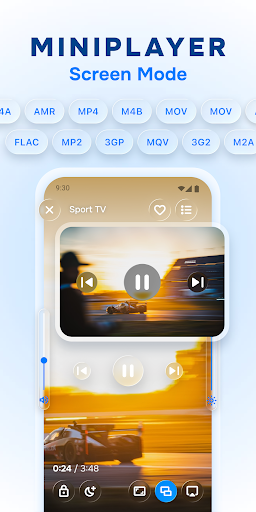
One of the notable aspects of the application is its broad format compatibility. According to its Google Play listing, the player supports a large selection of audio and video formats. It can handle common files such as MP4, AVI, MOV, MP3, FLAC, AAC, and other formats. IPTV streaming is also supported. Video quality can include SD, HD, 720p, 1080p, and 4K when the source and device support the required resolution. This gives users flexibility when working with different types of media.
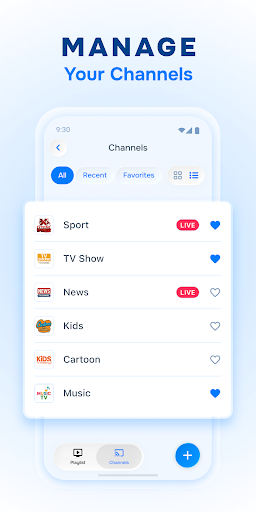
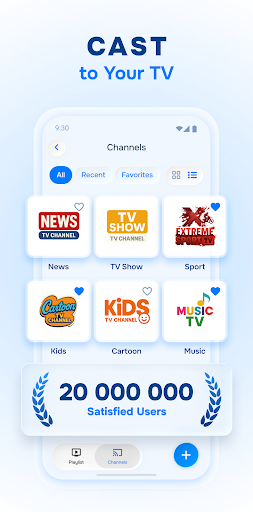
IPTV Smart Player Pro includes tools for organizing playlists and personal media libraries. Users can add their own sources and arrange content in a way that makes frequently watched channels or videos easier to access. Filtering and search functions can also help locate specific items without manually browsing through a long playlist. This can be especially useful when a source contains a large number of channels or videos.
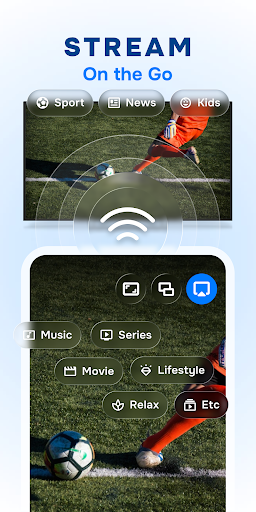
The player is designed to provide a straightforward viewing experience across different types of content. Users can watch live IPTV streams or play compatible video files from their available sources. Support for different resolutions allows playback quality to depend on the original stream and the capabilities of the device. The application is intended to work with smartphones, tablets, and other compatible Android devices. The Pro version removes advertisements, which can make navigation less distracting during playback.
A key point to understand is that IPTV Smart Player Pro does not supply IPTV subscriptions or content. The official FAQ states that users need to provide their own playlists or media. The developer also explains that the application is not responsible for content uploaded by users. Therefore, users should only add playlists and streams they are legally entitled to access. The availability and performance of a stream can also depend on the provider, internet connection, device, and supported media format.
Start by installing and opening IPTV Smart Player Pro on a compatible device. Prepare a legal IPTV playlist or media source that you are authorized to use. Add the playlist or stream through the available import options, then wait for the content to load. Once the source is available, browse the playlist and select a channel or video to start playback. Use the search and filtering tools when working with larger playlists. If a stream does not play correctly, check the internet connection and confirm that the source uses a format supported by the device.
IPTV Smart Player Pro is a straightforward solution for users who already have their own IPTV playlists or media sources. Its support for M3U playlists, IPTV streams, and numerous audio and video formats gives it a flexible role as a dedicated media player. Playlist organization and search tools can make large collections easier to navigate, while the paid Pro version provides an ad-free viewing experience. However, the application does not include television content or IPTV subscriptions, so its usefulness depends on the sources provided by the user. For anyone looking for a player rather than a content provider, it offers a focused way to organize and play personal IPTV content.