home chevron_right Apps chevron_right Photos & Videos chevron_right Video Player All Format


VRTV VR Video Player
v4.0.1
• Unlocked
| Updated On | |
|---|---|
| Google Play ID | com.videoplayer.arcplayer |
| Category | Photos & Videos |
| Version | 1.4.0.138 |
| Size | 15 MB |
| MOD Features | Premium |
| Requires | Android 6.0 |
| Price | |
| Free | |
| Content Rating | |
| Everyone | |
| Internet Required | |
| Unknow | |

Video Player All Format solves an annoying situation: receiving a video file from a friend or downloading one somewhere, opening it in the default player, and getting an “unsupported format” error. The app focuses on playing nearly any type of video file without needing extra codecs or a format conversion first.
The app is developed by Arc Tech Limited, a company based in Hong Kong, under the Arc Player brand, and has passed 1 million downloads on Google Play with a 4.9-star rating, notably high for a video player app. The app is free, ad-free, and doesn’t collect or share user data with third parties, according to the Data Safety section on Google Play.
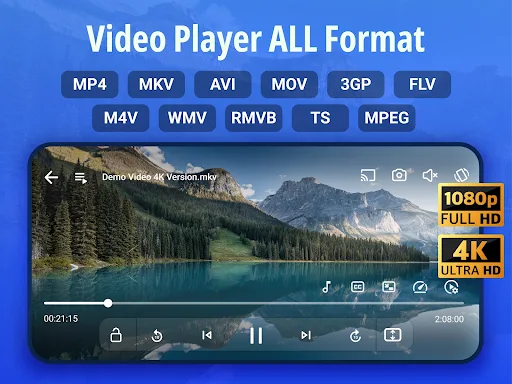
Video Player All Format supports most common video formats, including MKV, MP4, MOV, FLV, AVI, 3GP, RMVB, M4V, WAV, WMV, and TS, using hardware acceleration to play 4K, Ultra HD, and Full HD files smoothly without stuttering. The app automatically scans and detects video files on both the device and SD card, organizing them into a library instead of requiring a separate file manager. Users can also build playlists to group favorite videos together.
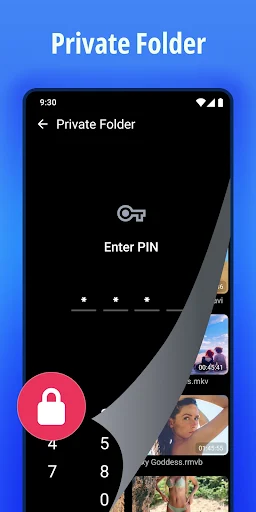
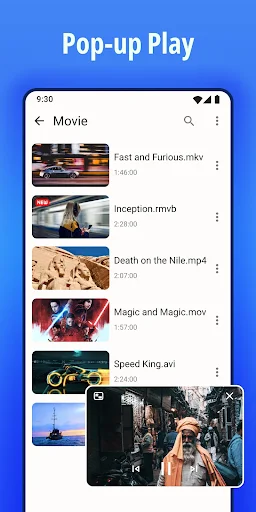
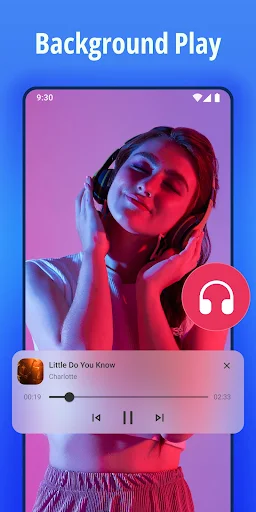
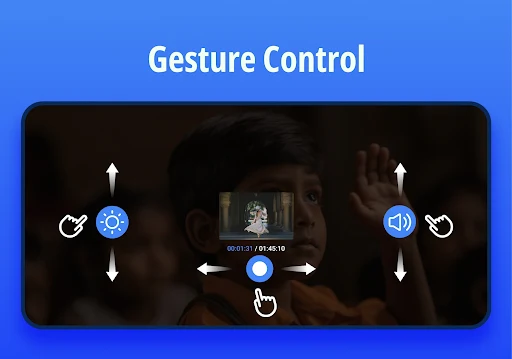
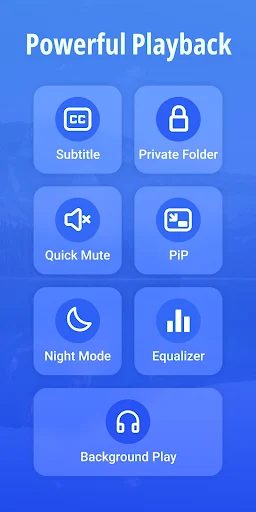
For in-video controls, the app supports swipe gestures for adjusting volume, brightness, and seeking, along with several playback modes such as auto-rotation, adjustable aspect ratio, screen lock while watching, mirror flip, playback speed control, and repeating a specific segment. The Private Folder feature hides personal videos from the main library, protecting them from being seen by others or accidentally deleted on a shared device. The app also supports floating pop-up window playback for multitasking while watching, and a background play mode that keeps audio running even with the screen off, similar to how a music player works.
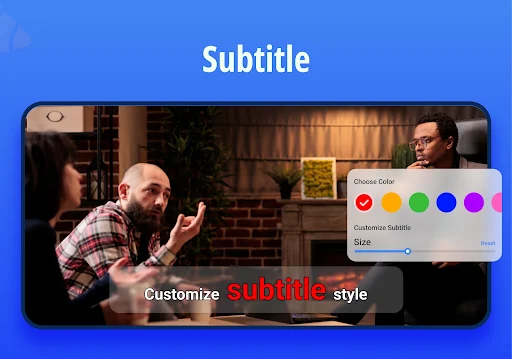
For videos missing subtitles, the app includes a built-in subtitle downloader with customizable text styling, plus a separate equalizer for improving audio quality when needed. One point frequently praised in reviews is the one-time payment model that removes all limits, instead of forcing a recurring subscription like most other video player apps today; the developer also responds directly to individual reviews, including feedback about playback stuttering or file organization not being fully optimized.
It’s worth turning on automatic library scanning right after installation so the app picks up every video already on the device and SD card before diving in. For sensitive videos, moving them into Private Folder right away rather than just hiding them elsewhere on the device is worth doing, since that feature is specifically built to avoid accidental deletion during a device cleanup. If a heavy file stutters during playback, toggling hardware acceleration off and back on in settings is worth trying, or reaching out directly by support email, since the developer appears to respond fairly actively to specific bug reports.
Overall, Video Player All Format suits anyone who regularly runs into unusual video formats the default player can’t read, or who wants a lightweight player with built-in privacy features. The one-time payment model instead of a subscription is a clear advantage over many competitors in the same category, along with broad format support and flexible viewing features. It’s worth trying for anyone who needs a well-rounded video player without recurring fees.