home chevron_right Apps chevron_right Photos & Videos chevron_right MX Player Pro


Video Player – AnyPlay
v1.6.7
• Unlocked

| Updated On | |
|---|---|
| Google Play ID | com.mxtech.videoplayer.pro |
| Category | Photos & Videos |
| Version | 1.99.8 |
| Size | 37 MB |
| MOD Feature | Not available |
| Requires | Android 5.0 |
| Rating Score | |
| Price | |
| $5.99 | |
| Content Rating | |
| Everyone | |
| Internet Required | |
| Not Required | |
| Languages | |
| English | |

MX Player Pro turns an Android phone into a convenient entertainment hub, allowing users to enjoy movies, series and personal video collections whenever they want. Designed for smooth playback and flexible controls, the app supports different video formats, external subtitles and multiple decoding options. Its paid version also removes advertisements, creating a cleaner viewing environment for anyone who prefers uninterrupted entertainment.
MX Player Pro is the premium edition of the popular MX Player video player. It retains the essential playback tools while removing ads, giving users a more focused interface. Its combination of performance settings and practical controls makes it suitable for watching both downloaded videos and locally stored media.
The main distinction between MX Player and MX Player Pro is the advertising experience. While the standard edition is available with ads, the Pro version offers an ad-free interface for users who prefer fewer interruptions.
Beyond this difference, both editions share many core playback capabilities. MX Player Pro focuses on handling video files efficiently, giving users control over subtitles, screen gestures and decoding methods. Rather than relying on a complicated menu system, it places commonly used controls within easy reach during playback.
The application is particularly useful for people who keep movies, downloaded episodes or personal recordings on their phones. Instead of opening separate tools for different file types, users can manage much of their video viewing through one player.
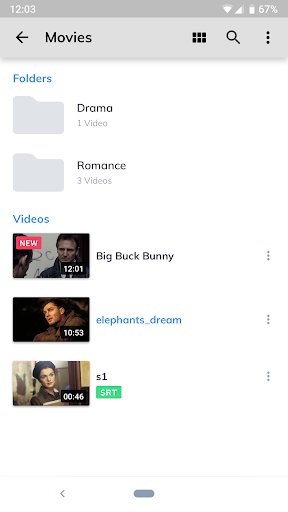
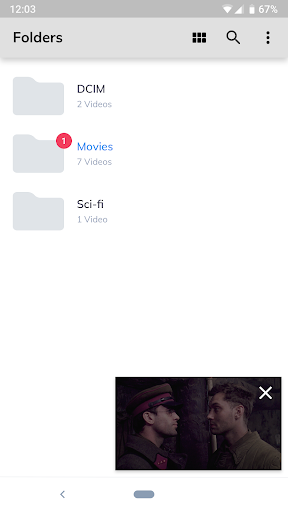
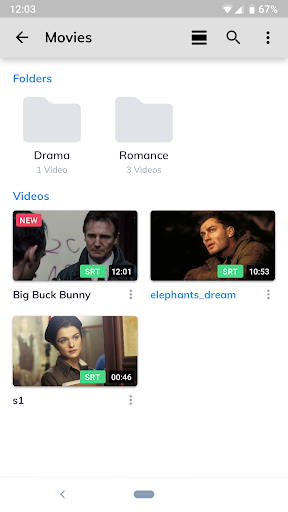
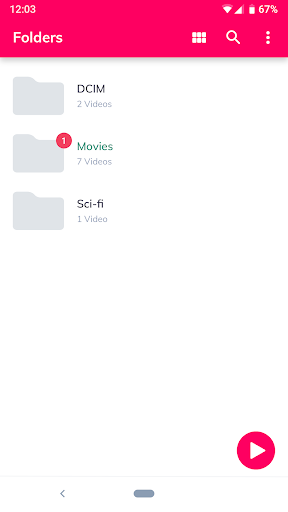
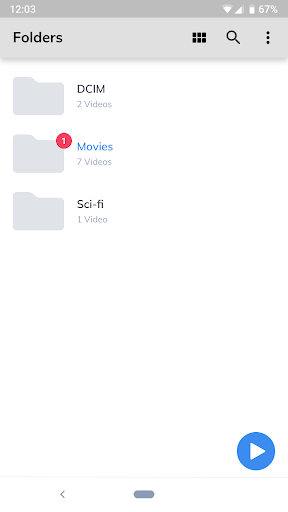
MX Player Pro supports a range of video formats and provides several options for adjusting playback. Users can open compatible files stored in their device memory, browse available folders and select the content they want to watch.
The app can also work with external subtitle files, making it easier to follow movies in different languages. When a video requires a different playback configuration, users can explore the available decoder settings to find an option that works better with their device.
These capabilities make MX Player Pro more than a basic video viewer. It offers practical adjustments for different files and viewing preferences without requiring users to learn a complicated editing process.
MX Player Pro combines playback performance with convenient controls. The following features explain why it remains a familiar choice among Android media player users.
MX Player Pro includes hardware and software decoding options to handle different video files. Its HW and HW+ modes use device hardware to process supported media, while SW decoding relies on software processing.
Choosing the appropriate decoder can improve playback compatibility and reduce unnecessary strain on the device. However, results depend on the phone’s hardware, video format and file specifications. If a video displays visual glitches, stutters or audio problems, switching to another decoding mode may help resolve the issue.
Modern smartphones use multi-core processors to handle demanding tasks, including video playback. MX Player Pro takes advantage of supported processing capabilities to improve how compatible files are decoded.
This approach can make playback more efficient, especially when handling high-resolution videos or formats that require additional processing. Actual performance varies according to the device, processor and media file, so users may notice different results across Android models.
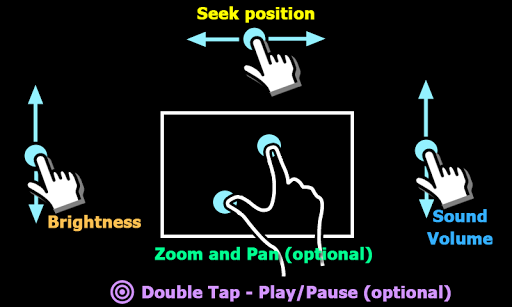
One of MX Player Pro’s most practical features is its gesture-based control system. Instead of opening a settings panel every time you want to make a small adjustment, you can interact directly with the playback screen.
Common gestures include:
Brightness: Swipe vertically along the left side of the screen to adjust display brightness.
Volume: Swipe vertically on the right side to change the sound level.
Seeking: Swipe horizontally to move forward or backward through the video.
Playback navigation: Use the on-screen controls to pause, resume or manage the current file.
These shortcuts make watching videos more comfortable, particularly when using a phone with a large display.
When children watch videos on a shared smartphone, accidental touches can interrupt playback or open other applications. MX Player Pro provides a screen-lock option that helps prevent unwanted interactions while a video is playing.
Once activated, the feature restricts ordinary touch input until the lock is disabled. Parents can therefore let children watch suitable content with fewer interruptions caused by accidental screen taps. It is still important to supervise younger viewers and choose age-appropriate videos.
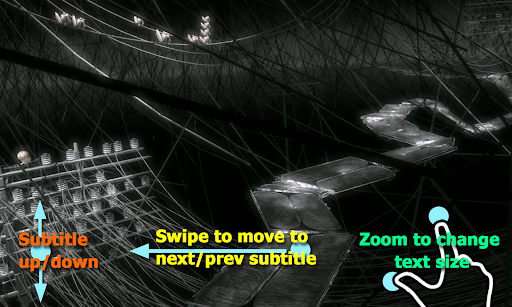
Subtitle compatibility is another useful advantage of MX Player Pro. Users can load external subtitle files when the video does not include captions, making foreign-language content easier to understand.
The player also offers basic subtitle adjustments, including changing text size and position. These options help viewers make captions more readable across different screen sizes. For the best results, choose a subtitle file that matches the video version and timing.
Does MX Player Pro require payment?
MX Player Pro is a paid edition of the standard MX Player application. Its main advantage is an ad-free experience, while many core playback functions are also available in the regular version. Pricing may vary by region and platform.
Is MX Player Pro different from the free version?
The most noticeable difference is that MX Player Pro removes advertisements. Both editions provide many of the same essential playback tools, including decoder options, gesture controls and subtitle support.
Why does a video play poorly in MX Player Pro?
Playback issues may result from an incompatible decoder, unsupported file format or limitations of the device. Try switching between HW, HW+ and SW decoding modes. If the problem continues, check whether the video file is damaged or uses an unsupported codec.
Can I add subtitles to a movie?
Yes. You can load a compatible external subtitle file and adjust its appearance through the player settings. Make sure the subtitle corresponds to the version of the video you are watching.
MX Player Pro brings together essential video playback tools in an ad-free environment. If you want to install the Android APK through APKMODY, check the available version and its compatibility information before downloading.
Use this quick checklist during installation:
| Stage | What to do |
|---|---|
| Find the app | Visit APKMODY and search for MX Player Pro. |
| Check the version | Review the release information and Android compatibility. |
| Download | Select the appropriate APK package and save it to your device. |
| Install | Open the downloaded file and follow the Android prompts. |
| Start watching | Launch the player and select a compatible video from your storage. |