home chevron_right Apps chevron_right Photos & Videos chevron_right Winkit


Panda Video Compress & Convert
v1.3.32
• Premium
| Updated On | |
|---|---|
| Google Play ID | com.starii.winkit |
| Category | Photos & Videos |
| Version | 2.0.1 |
| Size | 137 MB |
| MOD Feature | Not available |
| Requires | Android 8.0 |
| Price | |
| Free | |
| Content Rating | |
| Everyone | |
| Internet Required | |
| Required | |

Winkit makes photo and video editing easier with a collection of AI-powered tools designed for everyday creators. Whether you want to improve your appearance, remove unwanted objects, enhance video quality, or experiment with creative effects, the app provides several options without requiring advanced editing skills. Its combination of practical editing functions and automated AI features makes it a useful choice for creating content to share on social media.
Mobile editing apps such as <Link url=”https://apkmody.com/apps/capcut” title=”CapCut”/> and <Link url=”https://apkmody.com/apps/vlognow” title=”VN Video Editor”/> have made it easier to produce polished content directly from a smartphone. Winkit follows a similar approach while placing additional emphasis on AI-assisted editing. Its interface brings together familiar tools such as trimming, cropping, and combining clips with automated features that help users achieve more advanced results.
You don’t need professional editing experience to get started. Select a photo or video, choose the tool that matches your goal, and adjust the available settings. This straightforward workflow makes Winkit suitable for quick social media edits as well as more creative projects.
Winkit includes several basic editing functions that help you prepare visual content in one place. Instead of switching between different applications for simple adjustments, you can handle many common tasks directly within the editor.
Some useful tools include:
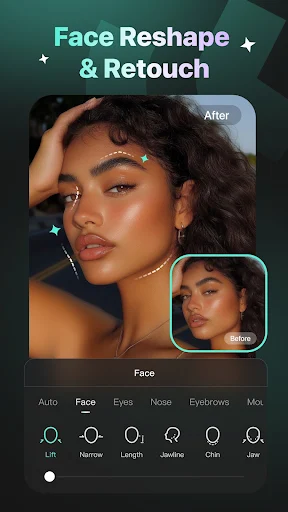
Beautify: Improve facial appearance in videos with adjustments designed to create a more polished look.
Background Removal: Separate the main subject from its original surroundings, making it easier to create videos with a different background.
Frame Capture: Extract individual frames from a video and save them as images.
Video And Photo Stitching: Combine multiple clips or pictures into a single composition that follows your preferred sequence.
Crop And Adjust: Change image dimensions and refine the framing to suit different platforms or creative layouts.
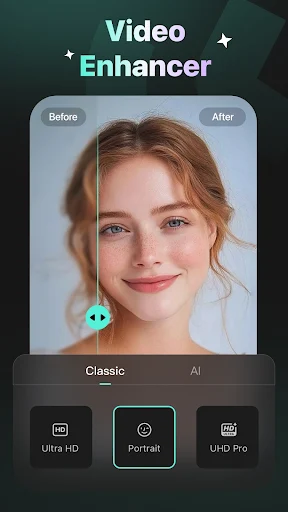
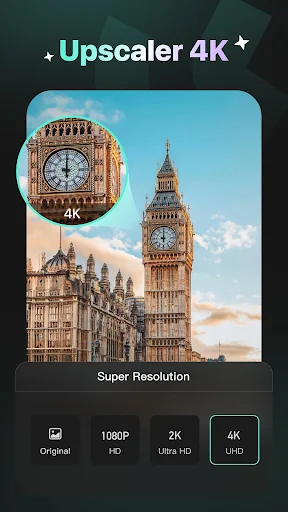
Low-resolution footage can make otherwise interesting content look less impressive, especially when viewed on larger screens. Winkit’s AI upscaling feature is designed to improve visual quality by processing existing footage and increasing its output resolution.
Depending on the available options, you can choose from several quality levels, including 1080p, 2K, and 4K. Higher resolutions may require more processing time and greater device resources. Access to certain premium output options may also depend on your subscription, so check the features available in your version before starting an export.
Sometimes a photo or video contains distracting details that take attention away from the main subject. Winkit’s Eraser tool helps clean up visual content by removing unwanted elements from the frame. It is particularly useful when you want to eliminate text, watermarks, or objects that interfere with the overall composition.
For supported AI removal functions, you can mark the area you want to erase and let the application process the selection. The system then attempts to reconstruct the surrounding details for a more natural result. Keep in mind that advanced object-removal options may require a Winkit Pro subscription.
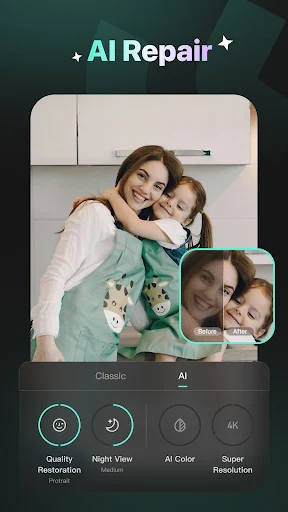
Beyond basic adjustments, Winkit offers several AI-assisted tools that simplify more detailed editing tasks. These features help users improve portraits, refine colors, and reduce visual imperfections without manually adjusting every detail.
AI Face Retouching: Apply preset appearance styles such as Attractive, Beautiful, and Young to enhance portraits.
Color Adjustment: Modify the overall color tone of photos and videos to create a balanced, atmospheric, or more distinctive appearance.
Noise Reduction: Reduce unwanted visual noise to make footage and images look cleaner.
These tools are especially useful when you want consistent results across several pieces of content. You can experiment with different settings until the final appearance matches your intended style.
If manual editing feels time-consuming, the AI Filter section offers ready-made styles that can transform your photos and videos with less effort. The available effects are organized into categories, making it easier to browse and find a suitable look.
You can explore themes such as Trending, Archi, Comics, and Games. Each category provides a different visual direction, from fashionable effects to more imaginative transformations. Trying several filters is a simple way to discover new ideas for social media posts, profile pictures, or short videos.
Winkit can be downloaded for free, but some advanced tools and resources are reserved for paying subscribers. The Pro plan is designed for users who want fewer restrictions and access to a wider range of editing options.
A Pro subscription may provide benefits such as:
Access to VIP editing tools and premium resources.
Support for longer video editing projects.
Additional AI styles and creative effects.
An ad-free editing experience.
The exact features and subscription conditions may vary by version and platform. Review the in-app plan details before purchasing to understand what is included.
To install Winkit on an Android device through APKMODY, use the following preparation guide:
Before installation:
Check your Android version and available storage space.
Open APKMODY.COM and look up the Winkit app page.
Review the APK version information to make sure you’re selecting the release you want.
After downloading:
Open your device’s Downloads folder and locate the Winkit APK.
Tap the file to start the installation process.
If Android requests permission, allow installation from the browser or file manager you used to download it.
Once setup is complete, open Winkit, grant the necessary media permissions, and start editing.