home chevron_right Apps chevron_right Photos & Videos chevron_right PicsKit


ihancer – AI image enhancer
v1.0.65
• Premium

| Updated On | |
|---|---|
| Google Play ID | com.cerdillac.phototool |
| Category | Photos & Videos |
| Version | 2.7 |
| Size | 41 MB |
| MOD Features | Pro Unlocked |
| Requires | Android 5.0 |
| Price | |
| Free | |
| Content Rating | |
| Teen | |
| Internet Required | |
| Not Required | |

PicsKit is a photo-editing app that helps turn ordinary pictures into creative visual projects using filters, layers, and a variety of retouching tools. It combines quick presets with more detailed editing options, giving users the freedom to experiment with colors, backgrounds, and individual image elements. Whether you want to enhance a selfie or combine several pictures into one composition, PicsKit offers tools to bring your ideas to life.
PicsKit is designed for users who want more flexibility than a basic photo filter app can provide. Instead of simply applying one effect to an entire image, you can work with different layers, adjust specific details, and combine visual elements to create a more personalized result.
The app brings several editing functions together in one place, including filters, background adjustments, image blending, and retouching tools. This makes it useful for everyday photo improvements as well as more artistic projects. Its range of options also gives beginners room to experiment while providing additional controls for users who already have some editing experience.
A simple photograph can become much more interesting with the right combination of effects. PicsKit provides a collection of filters and visual adjustments that let you change the mood, tone, and overall appearance of your images. You can experiment with different styles until you find one that suits your subject.
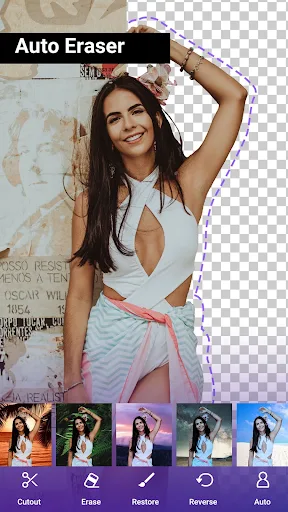
Background editing is another useful part of the experience. Tools for removing unwanted areas can help separate a subject from its original surroundings, making it easier to place that subject against a different background. Some versions may also provide automatic filling or erasing functions that use surrounding image details to make edited areas look more consistent. The quality of the result depends on the original picture and the complexity of the background.
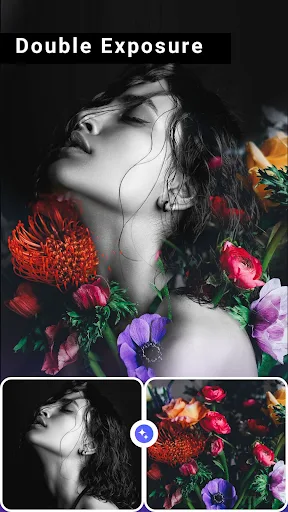
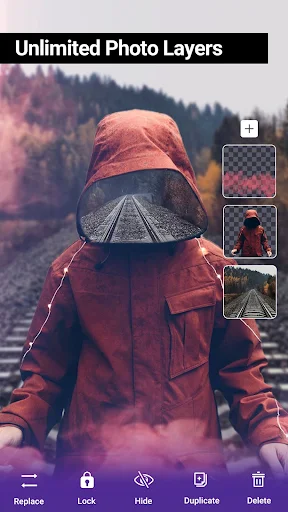
One of PicsKit’s notable strengths is its layer-based editing approach. Rather than treating an image as a single flat object, you can work with separate visual elements and combine them into a more elaborate composition.
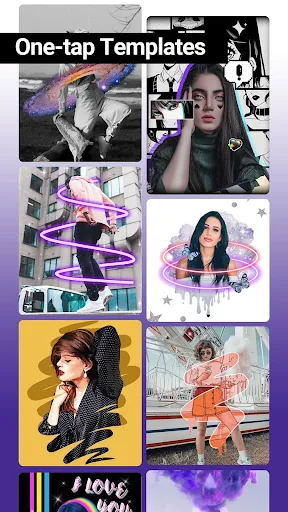
This approach is useful when blending two photos, adding overlays, or experimenting with different effects. Presets and filters can speed up the process, while manual adjustments give you more control over the final appearance. You do not need professional editing experience to get started, although learning how the different tools interact may take a little practice.
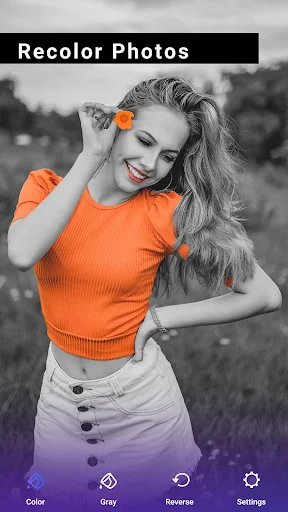
PicsKit also offers editing options for changing specific parts of an image. Depending on the available tools, users can adjust colors, apply selective effects, and create different visual treatments for separate areas of a photo.
These controls are useful when you want to emphasize one object without changing the appearance of the entire picture. You can experiment with brighter tones, monochrome effects, or other color adjustments to create a particular atmosphere. Automatic image recognition may assist with selecting certain elements, but complex images can still require manual corrections.
PicsKit includes a range of tools, so its interface may initially feel crowded to users who are accustomed to simpler photo editors. However, the editing workspace organizes its main functions into accessible tool sections, helping you locate options as you become familiar with the app.
A practical way to get started is to open a photo, try a preset, and then explore the individual adjustment tools. Working through the features gradually makes the editing process easier to understand without overwhelming you with too many options at once.
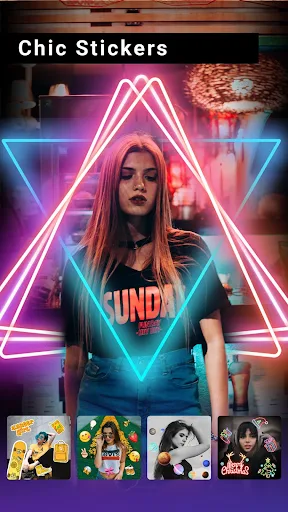
After completing an edit, you can save your creation and share it with friends or on social media. PicsKit’s combination of filters, stickers, layers, and color effects gives you several ways to prepare images for different platforms.
You can create polished selfies, artistic compositions, or eye-catching posts without switching between multiple editing applications. For the best results, check the exported image before sharing to make sure its colors, details, and dimensions look the way you intended.
The MOD version is described as offering the following benefit:
Pro Unlocked: Provides access to Pro features that may otherwise be restricted to paying users in the standard version.
The exact premium tools available can differ between releases. Since a MOD APK is an unofficial modified version, it may also carry security, compatibility, and update risks. Be careful when installing it and consider whether you are comfortable using a modified application to edit personal photos.
To get PicsKit on your Android device, you can look for its available release on APKMODY. Instead of following a long installation sequence, use this quick guide to choose and install the right file:
Before downloading: Make sure your phone has enough free storage and that you have selected the version you actually want.
Go to APKMODY: Open the website in your preferred mobile browser.
Locate PicsKit: Use the site’s search function to find the PicsKit app page.
Check the release details: Review the available version information and distinguish between the regular APK and MOD edition.
Download your choice: Tap the corresponding download option and let the file finish saving.
Install from your device: Open your Downloads folder or browser download history, select the APK, and follow the Android installation instructions. You may need to authorize installation from that browser or file manager.
Begin editing: Launch PicsKit, select an image from your gallery, and explore its filters, layers, and other editing features.