home chevron_right Apps chevron_right Photos & Videos chevron_right AI Auto Captions


CapFlow: Auto Captions AI App
v2.0
• Unlocked
| Updated On | |
|---|---|
| Google Play ID | geeks.appz.autocaptions |
| Category | Photos & Videos |
| Version | 2.0.9 |
| Size | 81 MB |
| MOD Features | Unlock |
| Requires | Android 8.0 |
| Price | |
| Free | |
| Content Rating | |
| Everyone | |
| Internet Required | |
| Unknow | |

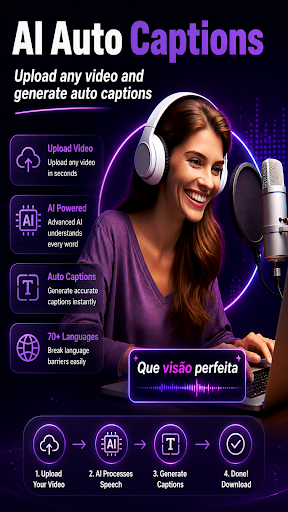
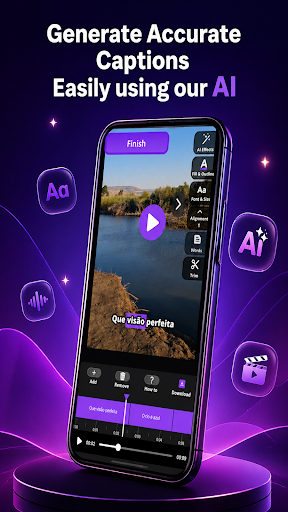
AI Auto Captions is a useful application designed to help users automatically generate captions and subtitles for videos. Instead of manually listening to every sentence and typing dialogue line by line, users can use AI caption generator technology to turn spoken words into text more quickly. This makes the app especially useful for content creators, students, influencers, and anyone who regularly creates videos for social media.
The main attraction of AI Auto Captions is its focus on automatic subtitle creation. Adding captions can make videos easier to understand, particularly when viewers watch content without sound. For creators working with short videos, tutorials, interviews, or educational content, an automatic subtitle app can significantly reduce the amount of time required for basic captioning tasks.
One of the biggest advantages of an AI caption maker is convenience. Traditional subtitle creation requires repeatedly pausing a video, listening to the dialogue, typing the words, and synchronizing the text with the audio. Automatic caption technology can simplify this workflow by analyzing speech and generating text that can then be reviewed and adjusted.
AI Auto Captions is particularly useful for short-form video creators. Platforms such as social media networks rely heavily on videos that need to capture attention quickly, and readable subtitles can make spoken content easier to follow. Captions are also helpful for viewers in noisy environments or situations where playing audio is inconvenient.
Another useful aspect of AI subtitles is the potential to make content more accessible. People who have difficulty hearing audio clearly can rely on captions to follow a video’s message. Similarly, viewers who are learning a language can use subtitles as additional support while listening to spoken content.
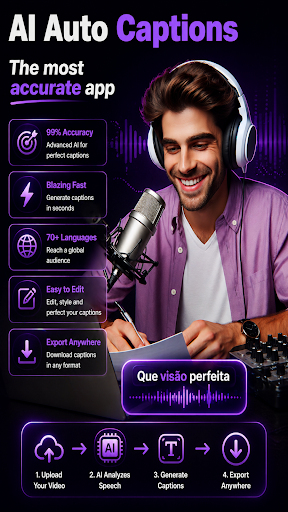
The core function of AI Auto Captions is automatic video captions. Instead of creating every subtitle manually, users can process a video and let the system recognize spoken dialogue. This can save considerable time when working with videos that contain a large amount of speech.
An AI video caption app can be especially valuable for creators producing content for social media. Adding subtitles can make short videos easier to understand when viewers have sound turned off. Captions can also highlight key phrases and make the video more engaging when used correctly.
AI-generated captions can be useful across many content categories, including tutorials, educational videos, interviews, presentations, and personal recordings. The technology allows creators to start with automatically generated text and then correct any recognition errors before publishing.
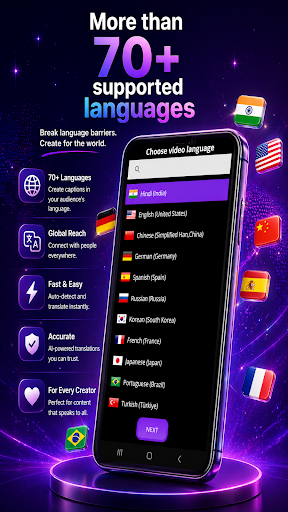
To start using AI Auto Captions, open the application and select the video you want to caption. Depending on the available options, you may need to choose the language spoken in the video before processing begins. Selecting the correct language can help improve the quality of AI speech-to-text recognition.
After processing, review the generated captions carefully. Automatic recognition is convenient, but background noise, strong accents, fast speech, unclear pronunciation, or multiple speakers can cause mistakes. Correcting names, technical terms, numbers, and important phrases is especially important before sharing the finished video.
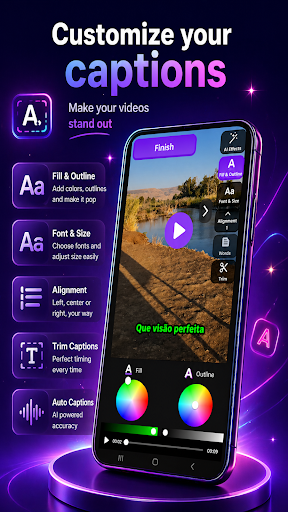
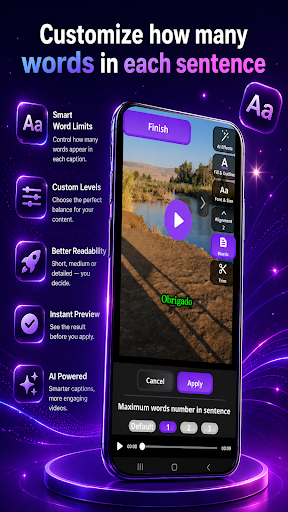
When editing video subtitles, keep each caption short enough to read comfortably. Avoid placing too much text on the screen at once, and make sure captions appear at the appropriate moments. Good timing and concise wording can make automatically generated subtitles much easier to follow.
Before exporting or publishing, watch the entire video with captions enabled. This final check can help identify spelling mistakes, incorrect timing, missing words, or sections where the subtitles do not match the spoken audio. A quick review can significantly improve the quality of your AI-generated subtitles.
AI Auto Captions is suitable for content creators, social media users, teachers, students, marketers, and anyone who needs to add text to spoken videos. It can be particularly helpful for people who regularly publish short-form content and want an automatic caption generator to speed up their editing workflow.
Overall, AI Auto Captions is a practical tool for anyone looking to create automatic subtitles without spending too much time typing dialogue manually. By using AI-based speech recognition, the app can simplify the captioning process and make video content more accessible and easier to follow. Although automatically generated text should always be reviewed for accuracy, an AI video caption app can save time and become a valuable part of a modern video editing workflow.