home chevron_right Apps chevron_right Photos & Videos chevron_right CapCut

Cast to TV+ Chromecast Roku TV
v12.312
• Premium

| Updated On | |
|---|---|
| Google Play ID | com.lemon.lvoverseas |
| Category | Photos & Videos |
| Version | 20.0.0 |
| Size | 196 MB |
| MOD Features | Pro Unlocked |
| Requires | Android 6.0 |
| Rating Score | |
| Price | |
| Free | |
| Content Rating | |
| Teen | |
| Internet Required | |
| Not Required | |
| Languages | |
| English, Filipino, French, Indonesian, Italian, Japanese, Korean, Malay, Polish, Portuguese, Russian, Simplified Chinese, Spanish, Thai, Traditional Chinese, Turkish, Ukrainian, Vietnamese | |

CapCut APK makes mobile video editing more accessible with a collection of creative tools, visual effects and ready-made templates. Whether creating short clips for TikTok, Instagram Reels or YouTube Shorts, users can arrange footage, add music and enhance visuals without complicated software. Its combination of traditional editing functions and AI-assisted features makes the application suitable for different creative projects. Discover what CapCut offers and how its tools can improve your videos.
CapCut is a video editing platform developed by ByteDance, the company behind TikTok. It provides a convenient environment for trimming footage, arranging scenes, adding captions and applying visual effects. The application supports both quick template-based projects and more detailed timeline editing, giving creators flexibility over their final results.
CapCut originally appeared in China under the name Jianying before expanding into international markets. Its development coincided with the growing popularity of short-form videos, particularly on social media platforms. The application gradually attracted creators who wanted an accessible editing solution without relying on professional desktop software.
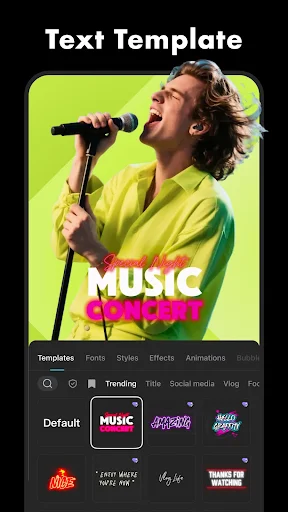
Templates are among CapCut’s most convenient features, especially for beginners who do not want to edit every detail manually. Users simply choose a suitable design, import their photos or clips and let the predefined structure arrange transitions, effects and music.
These templates work well for travel diaries, birthday videos, product presentations and social-media trends. Creators can also customize selected elements to give their projects a more personal appearance.
CapCut organizes its main functions around an accessible editing interface. Users can import media, arrange clips on a timeline, insert text, adjust audio and preview changes before exporting their projects.
The layout helps beginners understand the editing process while providing enough flexibility for more experienced creators. Basic operations such as trimming, splitting and rearranging footage are straightforward to perform.
CapCut offers various editing functions without requiring an immediate subscription. Depending on the current version and region, free resources may include:
Video trimming, splitting and merging.
Basic transitions and visual filters.
Text overlays and selected animations.
Audio editing and volume adjustment.
Templates and standard export options.
Some advanced effects, assets and AI functions may require Pro access, so availability should be checked within the application.
Soundtracks and sound effects help establish the atmosphere of a video. CapCut provides audio tools for importing music, adjusting volume, cutting recordings and synchronizing sound with specific scenes.
Creators can also combine background music with dialogue or sound effects to create more dynamic content. Adjusting audio timing is particularly useful when matching transitions to musical beats.
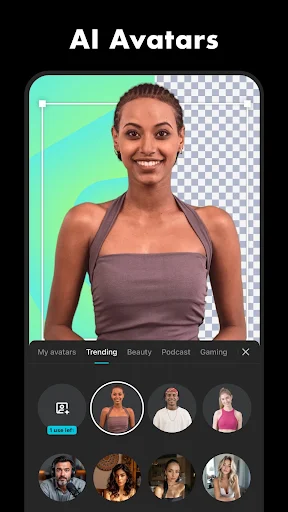
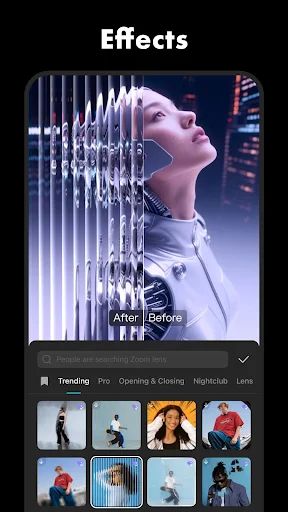
The application includes filters, overlays, transitions, animations and color adjustments that help improve the appearance of raw footage. Chroma Key is another useful function, allowing users to remove a selected background color and replace it with another visual layer.
These tools make it easier to create different styles, from cinematic sequences to playful social-media videos, without requiring extensive editing experience.
Animated stickers and 3D-style emojis provide additional ways to decorate videos. Users can resize, rotate and reposition these elements to complement captions or highlight specific moments.
When combined with text animations and visual effects, stickers help make short-form content more expressive and recognizable.
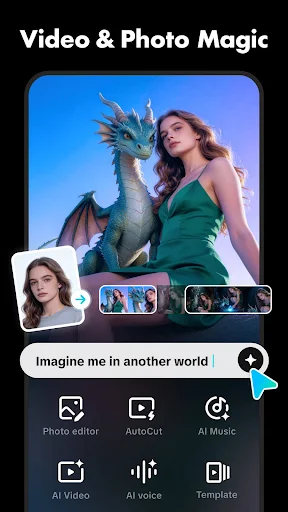
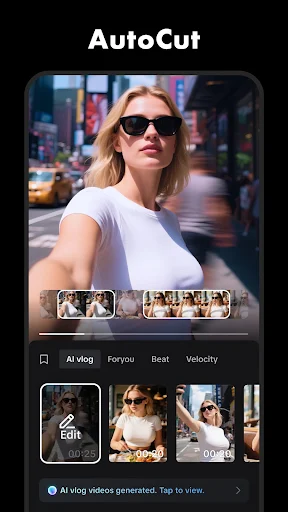
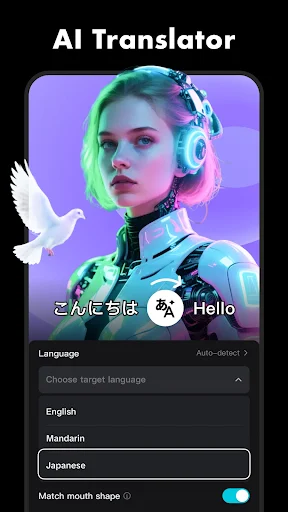
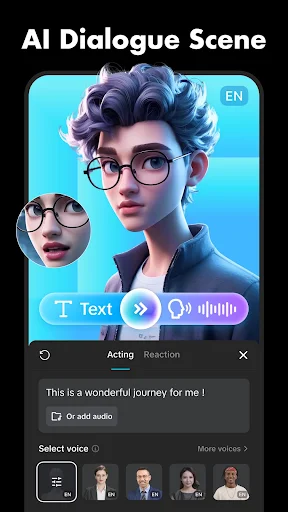
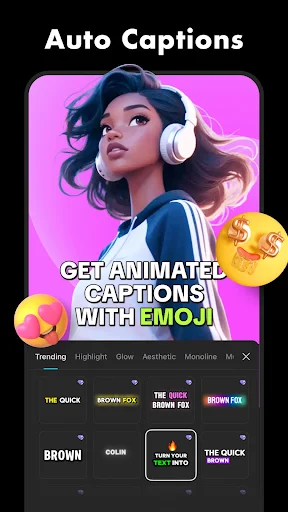
CapCut integrates AI-assisted features that simplify several editing tasks. Depending on the available version, these tools may include automatic captions, background removal, subject recognition and video enhancement.
Automatic processing can reduce repetitive work, especially when preparing content for social networks. However, generated captions and visual adjustments should still be reviewed to ensure the final result matches the creator’s expectations.
CapCut MOD APK is an unofficial modified version advertised as providing access to selected features normally associated with the Pro subscription. Its availability and performance depend on the specific APK build, Android version and modification.
The main advertised modification is Pro Unlocked, which aims to provide access to premium editing resources without the standard subscription process. Depending on the release, this may include selected effects, filters, transitions, templates and other creative assets.
Since these packages are not distributed or verified by the official developer, advertised functions are not guaranteed. Unofficial files may also contain security risks, so checking their source and requested permissions is important before installation.
Some CapCut functions may have different availability depending on the user’s region. Access can also be influenced by account settings, network conditions and local service policies.
A VPN may change the apparent network location, but it does not guarantee access to restricted features or override every regional limitation. Users should check the official availability information before attempting alternative connection methods.
Yes. CapCut provides desktop editing options in addition to its mobile application. Users can also run a compatible Android version through an emulator such as BlueStacks. A larger display, keyboard and mouse can make certain editing operations more convenient, although performance depends on computer specifications and emulator settings.
The official application is the recommended option for users who prioritize software reliability. Like other online editing services, CapCut may process account details, device information, diagnostics and content-related data depending on the features being used.
For better privacy protection, review its current privacy policy, check application permissions and avoid uploading sensitive material unnecessarily. Modified APK files require additional caution because their contents may differ from the original release.
CapCut offers a practical combination of editing tools for turning ordinary recordings into engaging videos. If you want to explore its Android version, visit APKMODY and search for CapCut to find the available releases.
Before installing, keep these points in mind:
Choose a version: Check whether you want the standard APK or an advertised MOD edition.
Review compatibility: Make sure your Android device meets the listed requirements.
Check release details: Compare version information and available features.
Verify file safety: Scan the installation package before opening it.
Complete installation: Open the downloaded APK and follow Android’s installation instructions.
You need to log in and use a VPN if the app is not available in your country.