home chevron_right Apps chevron_right Photos & Videos chevron_right Edits

SuperImage Pro
v3.24.1
• Premium
| Updated On | |
|---|---|
| Google Play ID | com.instagram.basel |
| Category | Photos & Videos |
| Version | 456.0.0.54.77 |
| Size | 154 MB |
| MOD Feature | Not available |
| Requires | Android 9 |
| Price | |
| Free | |
| Content Rating | |
| Everyone | |
| Internet Required | |
| Unknow | |

CapCut, Adobe Photoshop, and Snapseed have already made their mark in the world of digital content creation. Now, Meta is entering the competition with Edits, a dedicated video editing app built around the needs of Instagram creators. Designed to make the creative process more accessible, this mobile tool combines recording, editing, project organization, and performance insights in one place. Let’s take a closer look at what Edits brings to your smartphone.
Edits is a mobile video creation and editing application developed by Instagram, giving users a convenient way to produce content directly from their phones. An Instagram account serves as the gateway to the app, making it easier to connect creative projects with your social profile and share finished videos.
The application brings several useful tools together in a straightforward workspace. Whether you’re preparing a short clip for your feed, experimenting with visual effects, or collecting ideas for a future project, Edits provides a dedicated environment to work on your content without constantly switching between different applications.
Meta already operates several major social platforms, including Facebook, Instagram, Threads, and WhatsApp. In April 2025, the company introduced Edits as another addition to this ecosystem, focusing specifically on mobile video production and the needs of Instagram creators.
Its close connection with Instagram is one of the main reasons the app stands out. Users can work on videos in Edits before sharing them with their Instagram audience, creating a more connected workflow from the initial idea to the finished post. This approach is particularly useful for creators who regularly publish short-form videos and want to manage their content more efficiently.
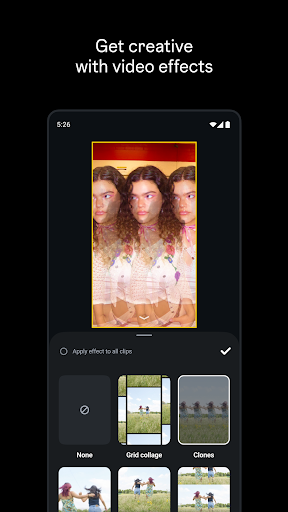
Beyond basic editing, Edits also encourages users to explore new creative directions. Its collection of production tools helps turn everyday footage into more engaging content, while its mobile-first design makes it convenient to develop ideas whenever inspiration strikes.
CapCut has become a familiar choice for short-form video creators thanks to its extensive editing resources, templates, effects, and accessible controls. Edits enters the same space with a different focus: providing a video production environment closely connected to Instagram.
Rather than competing solely through the size of its effects library, Edits emphasizes its relationship with Meta’s social platform. Instagram users can connect their accounts and move between content creation and publishing with fewer interruptions. This makes the app appealing to creators who prioritize a streamlined Instagram-focused workflow.
CapCut remains attractive for users who want a broad selection of creative resources, while Edits offers an alternative centered on Instagram integration and creator-oriented tools. The better choice depends on your editing habits, preferred features, and the platforms where you publish most often.
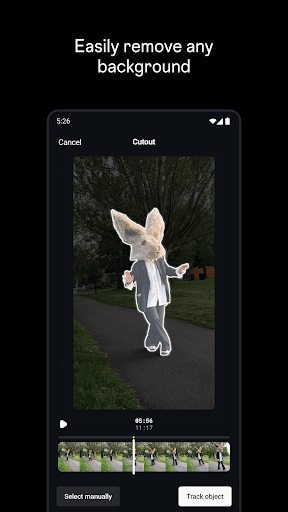
Edits goes beyond simple trimming and joining clips by bringing several production features into one mobile workspace. Its tools are designed to support different stages of the creative process, from capturing footage to preparing a finished video.
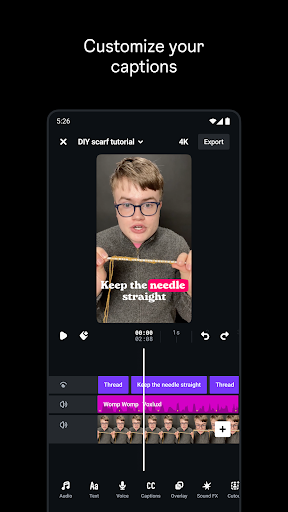
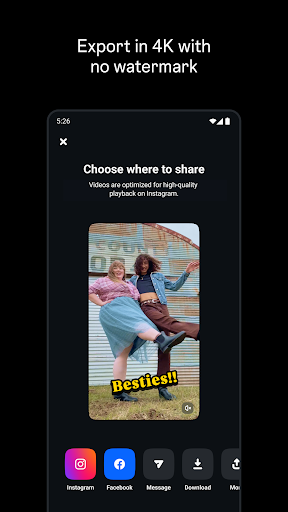
High-resolution exports: Create polished videos with support for resolutions up to 4K, depending on your device and export settings. The app also offers watermark-free exports.
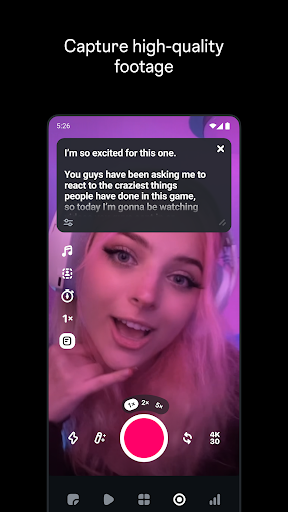
Built-in recording: Capture footage directly inside Edits, with recording sessions of up to 10 minutes.
Flexible editing workspace: Use timeline-based controls to arrange clips, apply effects, and refine the structure of your video.
AI-powered creativity: Explore artificial intelligence features that can transform still images into animated video content.
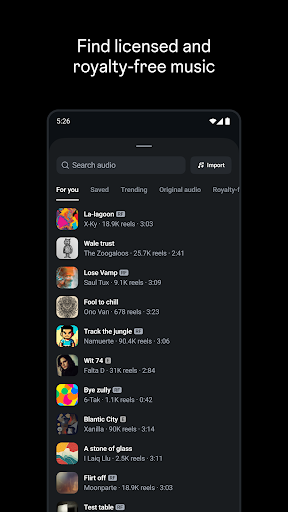
Audio collection: Browse available sounds and audio resources to find suitable additions for your projects.
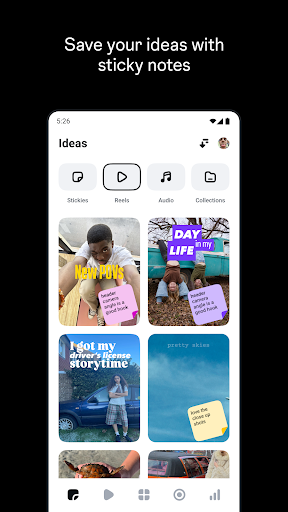
Project organization: Keep creative work organized so you can return to unfinished edits or manage multiple ideas more conveniently.
Convenient publishing: Share completed videos through supported platforms, with Instagram integration playing a central role in the experience.
The combination of these features makes Edits useful for both casual users and creators who publish content regularly. You can start with a simple recording, experiment with different editing options, then prepare the result for your preferred social channel.
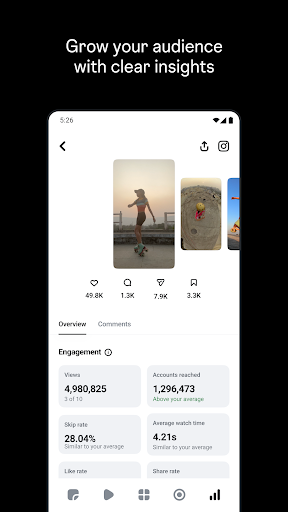
Creating a video is only one part of building an audience. Understanding how people respond to your posts is equally important, especially if you want to improve future content. Edits addresses this need with performance insights connected to your Instagram activity.
After linking your Instagram account, you can review available metrics for published videos, including views, likes, and comments. These figures provide a quick overview of audience engagement, helping you identify which posts attract attention and which ones may need a different creative approach.
For creators, influencers, and businesses, this information can support more informed content planning. You can compare the performance of different videos, recognize patterns in audience reactions, and use those observations when developing future ideas. Instead of relying entirely on intuition, you gain useful feedback to guide your creative decisions.
Edits gives Instagram creators another option for producing polished videos without relying on a complicated desktop workflow. Its editing tools, AI-powered features, project organization, and performance insights make it more than a basic video cutter. If Instagram is your primary publishing platform, this app is worth exploring as part of your content creation routine.
1. Locate the application
Open APKMODY and enter Edits APK in the search field. Select the matching application page from the results.
2. Examine the available release
Check the version number, file size, update information, and Android requirements. Make sure the package matches your device before proceeding.
3. Download the APK file
Choose the download option displayed on the page and wait for the installer to finish saving to your phone.
4. Install and launch
Find the downloaded APK through your device’s file manager. If Android blocks the installation, review the permission for installing apps from that source, then continue with the on-screen instructions.
5. Connect your Instagram account
Open Edits after installation and sign in with your Instagram account. Once the initial setup is complete, you can begin creating and organizing video projects.