Super Clone: Multiple Accounts
v6.2.20.1116
• Unlocked

| Updated On | |
|---|---|
| Google Play ID | com.instagram.android |
| Category | Social |
| Version | 456.1.0.56.78 |
| Size | 266 MB |
| MOD Features | Unlocked |
| Requires | Android 9 |
| Rating Score | |
| Price | |
| Free | |
| Content Rating | |
| Teen | |
| Internet Required | |
| Required | |
| Languages | |
| English, Croatian, Czech, Danish, Dutch, Finnish, French, German, Greek, Hindi, Hungarian, Indonesian, Italian, Japanese, Korean, Malay, Norwegian Bokmål, Polish, Portuguese, Romanian, Russian, Simplified Chinese, Slovak, Spanish, Swedish, Tagalog, Thai, Traditional Chinese, Turkish, Ukrainian, Vietnamese | |

Instagram is a popular social networking platform for sharing photos, videos, Stories, and short-form content. With creative publishing tools, private messaging, and personalized recommendations, the app helps users stay connected, follow trends, and discover new interests. From everyday updates to content created by celebrities and influencers, Instagram offers plenty of ways to explore and interact with communities worldwide.
Developed by Meta, Instagram focuses on visual communication rather than traditional text-based updates. Users can publish photos, videos, and captions to share experiences with friends, followers, or a wider audience. Its various publishing formats include regular Posts, Reels, Stories, Highlights, and Live broadcasts.
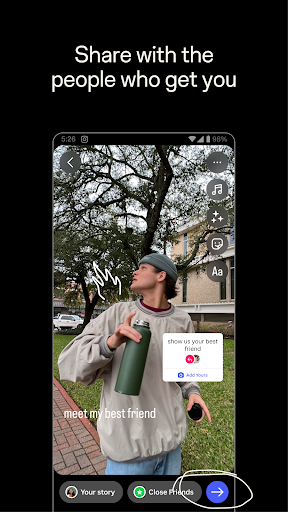
Stories are particularly useful for sharing temporary updates. Content normally disappears after 24 hours, allowing users to post casual moments without permanently displaying everything on their profiles. Music, stickers, text, and interactive elements also make these updates more engaging.
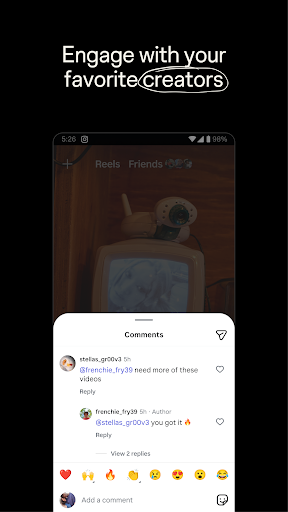
Instagram makes it easy to interact with people through likes, comments, shares, and Story reactions. Users can follow friends, celebrities, brands, and creators to keep up with their latest activities. Public profiles also provide opportunities to explore content from accounts they have not followed.
The platform recommends posts and accounts based on browsing habits and interactions. Whether you enjoy fashion, photography, entertainment, or education, these suggestions can help you find content that matches your interests.
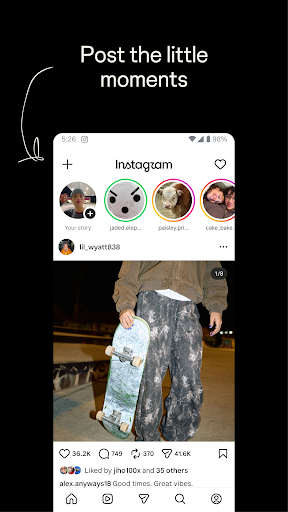
Instagram organizes its essential functions into several sections, making everyday browsing straightforward. Each tab supports a different activity, from discovering content to managing personal updates.
Home: Displays posts from followed accounts alongside recommended content.
Search and Explore: Helps users find profiles, hashtags, videos, and trending topics.
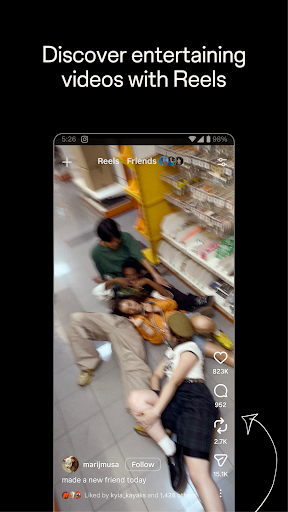
Reels: Provides a dedicated feed for watching and creating short videos.
Notifications: Shows new followers, likes, comments, mentions, and account activity.
Profile: Stores personal information, published posts, saved content, and settings.
This familiar layout allows new users to get comfortable with the application without spending much time learning its controls.
Instagram includes basic editing tools for improving photos and videos. Users can apply filters, adjust brightness and contrast, crop images, and add visual effects. Music, stickers, and text overlays provide additional ways to personalize content before publishing.
These options work well for quick edits directly inside the app. However, users who need advanced retouching or professional color adjustments may prefer using dedicated editing software before uploading their work.
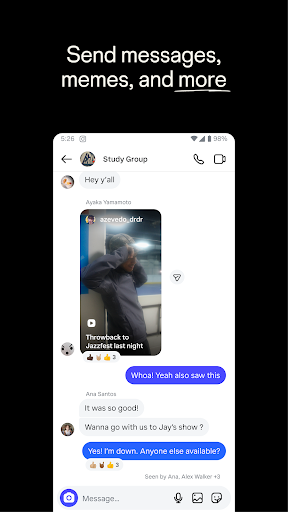
Instagram is also a convenient messaging platform. Instagram Direct supports private conversations through text, photos, videos, and voice messages. Users can make voice or video calls, as well as create group chats to communicate with several people at once.
These tools make it possible to move from public interactions to private conversations without switching applications. You can share interesting posts with friends, discuss content, or stay in touch throughout the day.
Instagram Live lets users stream videos directly to their followers. Creators can use this feature to host discussions, share events, answer questions, or communicate with their audience in real time.
Viewers can participate through comments and reactions, while supported livestream options may allow guests to join the broadcast. Depending on account settings and available functions, creators can also share or save their recordings after a session.
Although both platforms belong to Meta, they offer different social networking experiences. Facebook supports a wide range of activities, including text updates, groups, events, marketplace listings, and community discussions.
Instagram puts visual storytelling at the center of its experience. Photos, Reels, and Stories receive more attention, making the platform particularly appealing to people interested in creators, lifestyle content, fashion, and entertainment.
Instagram MOD is an unofficial modified version that introduces extra options beyond the standard application. Its additional functions generally focus on downloading content, improving upload quality, managing privacy, and reducing advertisements.
Media Downloading: Save supported photos, videos, and Stories directly to your device.
Higher-Quality Uploads: Access additional settings for uploading content with improved visual quality.
Anonymous Story Viewing: Hide your viewing activity when watching supported Stories.
Private Message Reading: Access messages without triggering certain read indicators.
Hide Live View Count: Conceal viewer information during supported livestreams.
Ad-Free Experience: Reduce advertising interruptions while browsing.
These features may differ depending on the MOD release. Since modified applications are not official Meta products, they can involve security, privacy, and compatibility risks. Some functions may also stop working after Instagram updates, so users should consider these limitations before installing an unofficial version.
1. How do I create an Instagram account?
Download Instagram from Google Play or another trusted source, open the application, and select the registration option. Enter your email address or phone number, choose a username and password, then complete the required verification steps.
2. What is the difference between Instagram and Facebook?
Instagram emphasizes photos, videos, Reels, and Stories, while Facebook offers broader features such as groups, events, text updates, and marketplace activities. The two platforms serve different content-sharing preferences.
3. How can I connect Instagram to Facebook?
Open Instagram settings and access Accounts Center. Select the option to add a Facebook account, then follow the instructions to link both profiles. You can configure cross-platform sharing for supported posts and Stories.
4. Can businesses advertise on Instagram?
Yes. Businesses can use Instagram advertising tools to promote products, reach selected audiences, and monitor campaign performance. The platform is particularly useful for brands working with visual products, fashion, beauty, and lifestyle content.
Instagram brings social networking, creative publishing, and private communication together in one application. Android users can visit APKMODY to explore available versions and follow these instructions to install their preferred package:
Open the APKMODY website in your mobile browser.
Search for Instagram and access its application page.
Select the APK or MOD APK version you want to explore.
Check the version information, compatibility, and listed features.
Download the package, open the file, and follow the installation instructions.