

Letterboxd
v3.6.4
• Unlocked
| Updated On | |
|---|---|
| Google Play ID | org.findmykids.child |
| Category | Social |
| Version | 2.13.2-google |
| Size | 92 MB |
| MOD Features | Unlocked |
| Requires | Android 8.0 |
| Price | |
| Free | |
| Content Rating | |
| Everyone | |
| Internet Required | |
| Unknow | |

Pingo by Findmykids is a companion app designed for children and used together with the Findmykids parental safety service. It helps children share their location, communicate with parents, and send an SOS signal when they need assistance. The app also supports family activities and other child-focused features, creating a connection between a child’s device and the parent’s account.
Pingo is designed to work alongside the Findmykids app rather than function as a standalone family tracker. Parents install Findmykids on their own device, while the child’s smartphone uses Pingo. The two applications are connected through a family account.
This setup gives children a dedicated way to stay connected with their parents. They can communicate through the service and share relevant location information. The system can also support GPS watches designed for children, giving families more options when a child does not need a full smartphone.
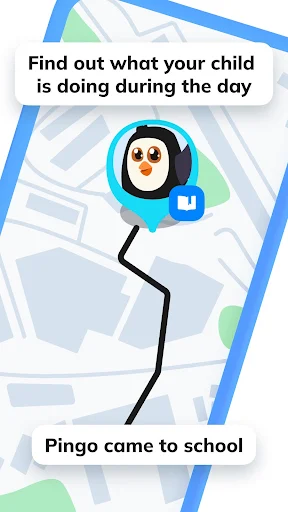
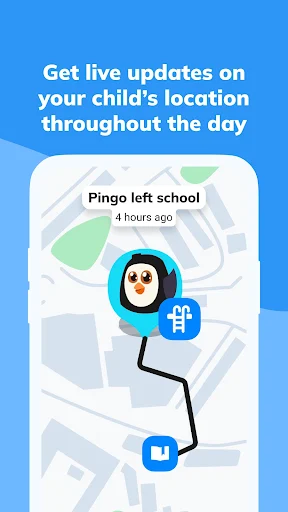
Location sharing is one of the central functions of the connected service. Parents can view a child’s current location and review movement history through Findmykids. Safe Zones can also be created for places such as home, school, or other frequently visited locations.
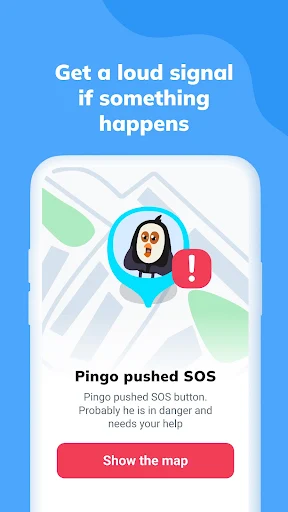
Pingo also provides an SOS function for situations where a child needs help. An SOS alert can notify the connected parent through Findmykids. This gives children a direct way to request attention without relying entirely on a conventional phone call.
Beyond location sharing, Pingo supports communication between children and their parents. The service can also provide access to activities designed for children. These activities can include educational, creative, or practical tasks, giving the child something useful to interact with inside the app.
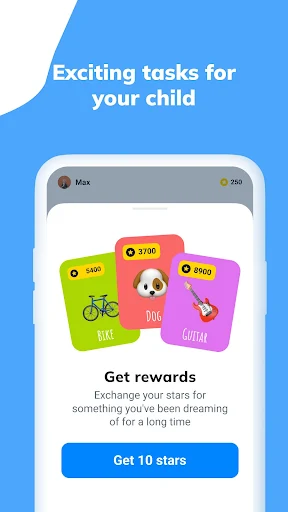
Parents can assign activities through Findmykids, while children complete them through Pingo. Completed tasks can be reviewed by parents, and the system can use stars as rewards for progress. This creates a simple task-and-reward structure that can make everyday responsibilities more engaging.
The service also includes safety-oriented features such as location notifications and a loud signal. The loud signal can help parents attract a child’s attention when the phone is silent or difficult to locate. These tools are intended to support communication rather than replace direct conversations between parents and children.
Begin by installing Findmykids on the parent’s smartphone and Pingo on the child’s compatible device. Follow the connection instructions and review the required permissions. Location features depend on the child’s device settings, so make sure location access and other necessary permissions are configured correctly.
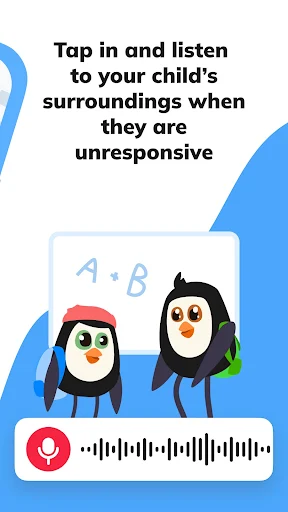
Parents should explain the purpose of the service before connecting the child’s device. This is especially important for features involving location or device microphones. Findmykids states that its Sound Around feature notifies the child when live listening is activated, and the child can disable this feature.
Use location alerts and Safe Zones according to the family’s actual routine. Avoid treating constant monitoring as a substitute for trust or communication. Clear expectations can help children understand why the app is being used and when specific safety features may be activated.
It is also worth reviewing privacy settings regularly. Location and communication data are sensitive, especially when children are involved. Parents should use only the permissions and features they genuinely need and keep connected devices protected with appropriate security measures.
Pingo by Findmykids provides a child-focused companion experience for families using the Findmykids safety platform. Location sharing, SOS communication, family activities, and related safety tools create several ways for children and parents to remain connected.
The most useful experience comes from combining the technology with clear family communication. Parents can configure location and safety features around real needs while respecting the child’s privacy and involvement. Used thoughtfully, Pingo can serve as a practical connection between a child’s device and a parent’s safety tools.