home chevron_right Apps chevron_right Photos & Videos chevron_right Alight Motion

Persona: AI Beauty Editor
v1.7.63
• Unlock

| Updated On | |
|---|---|
| Google Play ID | com.alightcreative.motion |
| Category | Photos & Videos |
| Version | 5.0.273.1028425 |
| Size | 191 MB |
| MOD Features | Pro Unlocked |
| Requires | Android 7.0 |
| Rating Score | |
| Price | |
| Free | |
| Content Rating | |
| Everyone | |
| Internet Required | |
| Not Required | |
| Languages | |
| English, Arabic, French, German, Hindi, Indonesian, Italian, Japanese, Korean, Malay, Portuguese, Russian, Simplified Chinese, Spanish, Thai, Traditional Chinese, Turkish, Vietnamese | |

Alight Motion is a powerful motion graphics and video editing application that brings creative tools directly to your smartphone. From keyframe animation and visual effects to color adjustments and multi-layer editing, the app offers plenty of options for producing eye-catching content. Its flexible timeline and customizable features make it suitable for beginners as well as experienced creators. Discover what makes Alight Motion a popular choice and explore the additional benefits of its Pro MOD version.
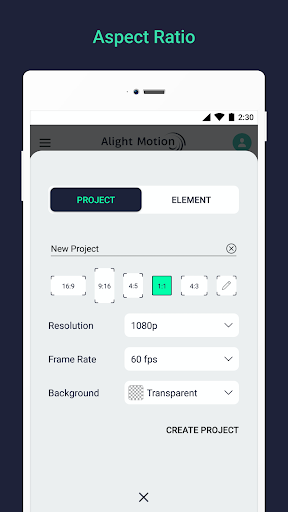
Developed by Alight Creative, Alight Motion is a mobile application specializing in video editing, motion graphics, and animation design. Instead of focusing solely on basic cutting and trimming, it provides a collection of tools for creating animated elements, adding visual effects, and combining different media layers.
The application gives users considerable creative freedom through its timeline-based editing system. Whether you want to produce short social media clips, animated typography, or more elaborate visual projects, Alight Motion provides the essential tools to bring your ideas to life.
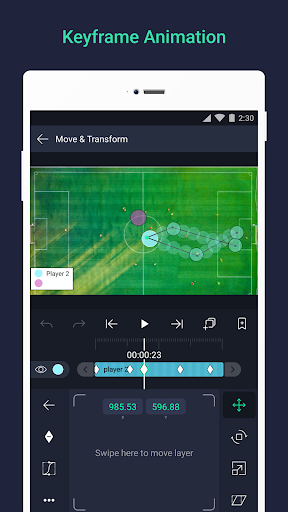
Keyframe animation is one of the most important features in Alight Motion. It allows users to control how an object changes over time by setting specific points for properties such as position, rotation, scale, and opacity.
By adjusting these parameters, you can create smooth movements, transitions, and animated effects without manually editing every frame. The timeline also makes it easier to arrange different elements and control their appearance throughout the video.
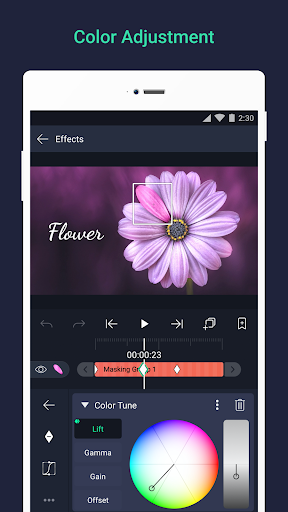
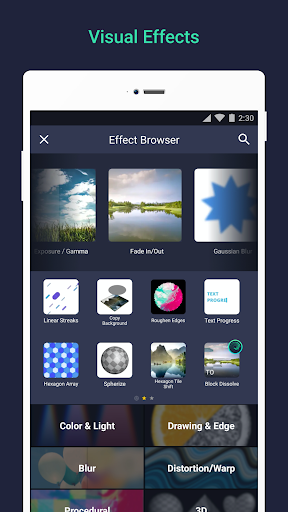
Alight Motion includes a collection of visual effects and color correction tools that help transform ordinary footage into more attractive content. Users can experiment with exposure, highlights, shadows, color tones, and other adjustments to achieve their preferred visual style.
Effects can also be combined and customized to create distinctive results. This flexibility is useful for producing cinematic scenes, dynamic transitions, or eye-catching edits for social media platforms.
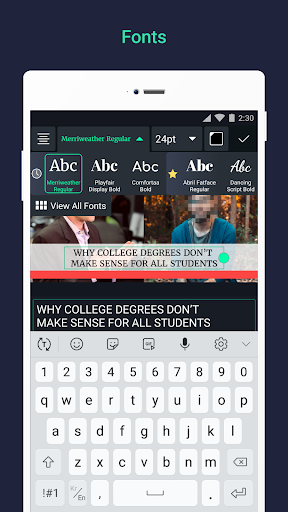
Text plays an important role in video storytelling, especially when creating introductions, subtitles, or promotional content. Alight Motion supports various font styles, allowing users to customize typography according to their projects.
You can adjust text size, color, spacing, and animation to make titles more engaging. Combined with keyframe controls, these options help turn ordinary captions into dynamic visual elements.
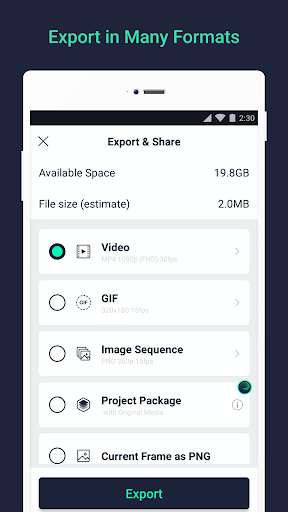
After completing an editing project, users can export their work into different formats depending on their needs. Alight Motion supports common output options such as MP4 for videos and PNG or JPEG for images.
The application also supports project sharing through compatible formats, making it easier to transfer editing materials or continue working on supported devices. Export settings allow users to choose suitable quality and resolution for their intended platforms.
Beyond its main editing functions, Alight Motion offers several advanced tools that provide greater control over visual projects. These features make the application useful for both simple edits and more detailed motion graphics.
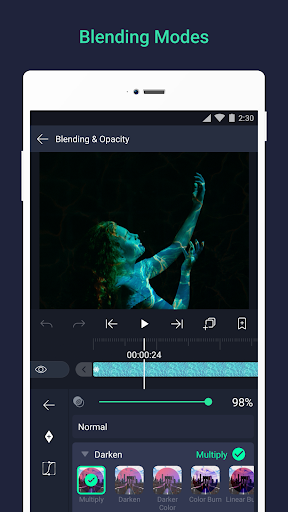
Blending Modes: Combine visual layers using different blending effects to create unique compositions.
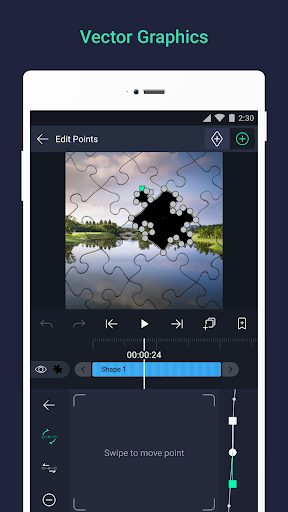
Vector Graphics: Design and edit scalable graphic elements without losing image quality.
Motion Blur: Add a sense of movement to animated objects for smoother visual transitions.
Masking and Grouping: Organize multiple elements and control which parts appear in the final composition.
Multiple Layers: Combine video, images, graphics, text, and audio within one project.
Color Adjustments: Apply uniform colors, gradients, and other corrections to improve visual consistency.
Bookmarks: Mark important timeline positions to make navigation and editing more convenient.
Users can also save their projects for future adjustments instead of exporting every edit immediately. This makes it easier to experiment with different styles while keeping the original editing materials available.
The MOD version is designed for users who want to explore additional editing options beyond the standard application. Its main highlight is Pro Unlocked, which provides access to selected premium features without the usual subscription requirements.
Premium Effects: Access additional visual effects and editing resources.
Watermark Removal: Export supported projects without the standard Alight Motion watermark.
Ad-Free Experience: Reduce advertising interruptions during editing.
Advanced Editing Tools: Explore more options for animation, layers, and visual adjustments.
Important: MOD features may vary between releases. Modified APK files are unofficial and may involve security, stability, or compatibility risks. Avoid using them for projects containing sensitive information.
1. Is Alight Motion free to use?
Yes. Alight Motion offers a free version with basic editing and animation tools. However, certain premium effects, resources, and export options require a paid subscription.
2. Can I use Alight Motion on a computer?
Alight Motion is primarily designed for mobile devices. You can explore running its Android version on a PC through a compatible Android emulator, although performance and compatibility may vary.
3. Is Alight Motion Pro MOD safe?
No modified APK can be guaranteed completely safe. Unlike the official release, MOD versions may come from unverified sources and could contain unwanted modifications. For better security, download the official application from a trusted store and review its permissions before installation.
Alight Motion combines animation, visual effects, typography, and multi-layer editing in one mobile workspace. If you want to try its creative tools, visit APKMODY and follow these steps to find the Android installation package:
Open the APKMODY website on your smartphone.
Search for Alight Motion and select the correct application page.
Review the available APK or MOD APK version, including its update information and device requirements.
Tap the download option and wait for the file to finish downloading.
Open the APK file, check the requested permissions, and proceed with installation if everything looks appropriate.