home chevron_right Apps chevron_right Photos & Videos chevron_right KineMaster

CameraFi Live
v1.36.35.0827
• Unlocked

| Updated On | |
|---|---|
| Google Play ID | com.nexstreaming.app.kinemasterfree |
| Category | Photos & Videos |
| Version | 8.2.18.37520.GP |
| Size | 164 MB |
| MOD Features | Premium Unlocked |
| Requires | Android 8.0 |
| Price | |
| Free | |
| Content Rating | |
| Everyone | |
| Internet Required | |
| Not Required | |

KineMaster brings these essential tools together in one mobile application, helping users turn ordinary footage into polished videos. Whether you create social media content, personal clips, or promotional videos, this editor provides flexible features for different creative projects.
KineMaster is a popular video editing application available on Android and iOS. It combines essential editing functions with creative effects, audio controls, and export options, allowing users to work on video projects directly from their mobile devices.
Video resolution plays an important role in the final viewing experience. KineMaster supports exports of up to 4K resolution at 30fps on compatible devices and under supported settings, helping preserve image details while maintaining smooth playback.
This capability makes the application suitable for creators who want to produce clear footage for social media, personal collections, or other video projects. Export quality also depends on the original recordings and device performance.
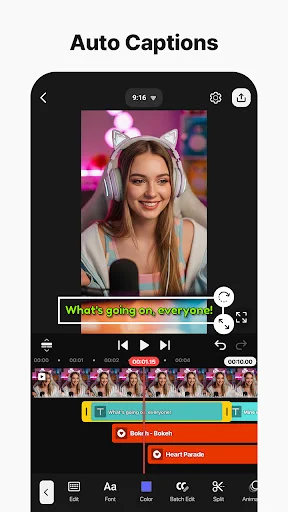
Audio editing is another important part of the KineMaster experience. Users can insert background music, record voiceovers, and add sound effects to make their videos more engaging.
The application also provides audio adjustment tools, including equalizer options, that help customize sound according to the project’s requirements. Combining suitable music with clear narration can give each video a more complete presentation.
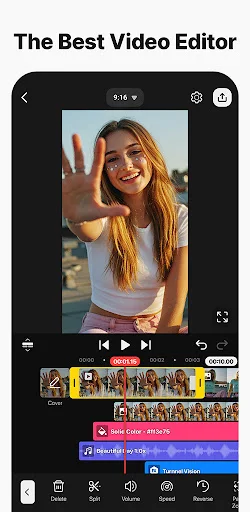
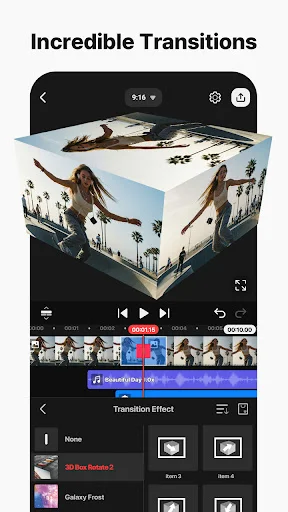
KineMaster simplifies common editing operations such as trimming, splitting, and merging video clips. Its editing workspace allows users to arrange footage, remove unnecessary sections, and organize different elements into a cohesive sequence.
These basic functions are useful for everything from short social media videos to longer creative projects. By keeping essential controls accessible, the application makes everyday editing more convenient.
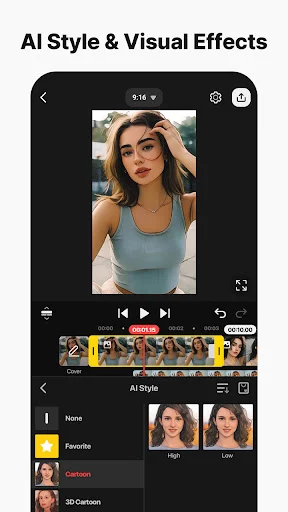
KineMaster also provides recording and visual adjustment options for users who want to customize their footage. Available filters and color effects can help establish a particular atmosphere before or during the editing process, depending on the supported recording workflow.
Users can experiment with different visual treatments to make their videos more distinctive without relying entirely on external editing applications.
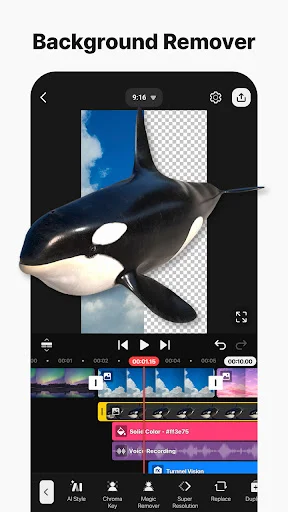
Beyond its basic functions, KineMaster offers additional tools that support more flexible editing workflows:
Mix screen: Provides an editing workspace for arranging and adjusting different video elements.
Project editing: Allows users to continue working on existing projects or start completely new creations.
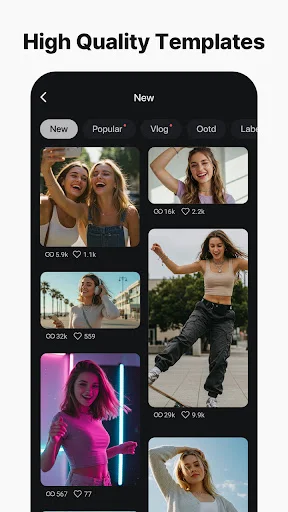
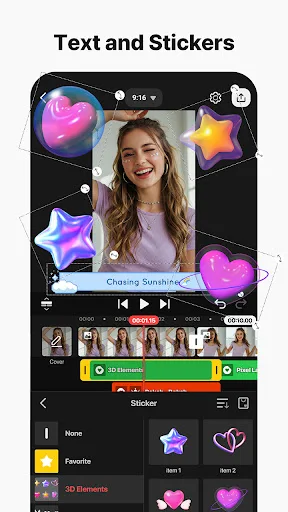
Creative customization: Offers additional effects and visual resources to develop distinctive video styles.
Project sharing: Supports sharing projects with other users where compatible features are available, encouraging creative collaboration.
KineMaster MOD APK refers to unofficial modified versions that advertise access to selected premium resources. These releases may remove certain restrictions found in the standard application, although the actual modifications depend on each package.
Commonly advertised modifications include:
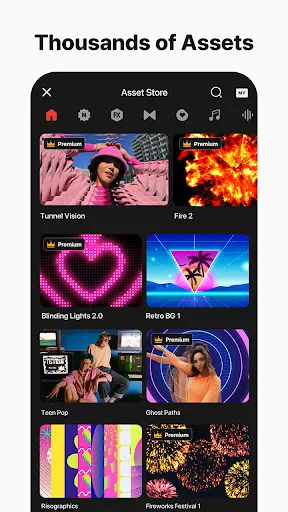
Premium Unlocked: Access to selected premium editing resources and tools.
4K Unlocked: Advertised access to higher-resolution export options.
No Watermark: Removes the KineMaster branding from exported videos in supported builds.
No Ads: Claims to eliminate advertisements during editing.
The availability of these functions is not guaranteed across every release, and some features may still depend on device compatibility or online services.
Some users may encounter difficulties downloading additional assets through modified versions. If this happens, checking the network connection and application compatibility is a useful first step. A VPN may help when certain resources are restricted by network or regional access, but it cannot guarantee successful downloads.
Since MOD packages are unofficial, review their permissions and scan installation files before using them. Avoid assuming that every advertised feature or security claim is reliable.
Does KineMaster require a subscription?
KineMaster offers a free version with essential editing functions. However, users who want additional premium resources may need a paid subscription. The reference prices are approximately $4.99 per month or $39.99 per year.
Premium benefits may include watermark removal, an ad-free experience, and expanded access to stickers, effects, images, and filters. Check the current subscription details because prices and benefits can change.
Is KineMaster safe to install?
The official KineMaster application is distributed through recognized app stores and receives updates from its developer. Nevertheless, no application should be considered completely risk-free. Download from trusted sources, check requested permissions, and keep the application updated. Unofficial MOD packages require additional caution because their modifications are not controlled by the original developer.
Can KineMaster produce professional-looking videos?
Yes. Its combination of clip trimming, audio adjustments, visual effects, filters, and high-resolution export options provides a flexible editing environment. The final result still depends on the quality of the source footage, editing decisions, and device capabilities.
What is the maximum video export size in the trial version?
The original reference information mentions an export limit of up to 13GB for the free version. However, this figure should be verified against the current application because export restrictions may vary between versions and devices.
KineMaster brings together the essential tools needed to create engaging videos, from basic clip arrangement to audio customization and high-quality exports. It is a convenient option for users who want to edit content directly on their Android devices.
To find the available version on APKMODY, follow these instructions:
Open the APKMODY website using your Android browser.
Search for KineMaster and visit its download page.
Check the available APK or MOD release, including version information and compatibility.
Choose the desired download option and wait for the installation file to finish downloading.
Open the APK file and follow the instructions displayed by Android. Enable installation from your browser or file manager if required.
Launch KineMaster and start creating your video projects.