home chevron_right Apps chevron_right Photos & Videos chevron_right OviCut
SuperImage Pro
v3.24.1
• Premium
| Updated On | |
|---|---|
| Google Play ID | video.editor.videoeditor.musicvideoeditor |
| Category | Photos & Videos |
| Version | 2.3.6 |
| Size | 76 MB |
| MOD Features | Pro Unlocked |
| Requires | Android 5.0 |
| Price | |
| Free | |
| Content Rating | |
| Everyone | |
| Internet Required | |
| Not Required | |

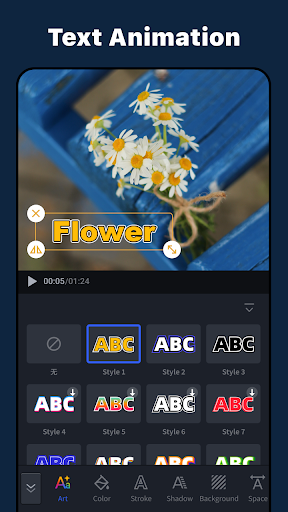
OviCut APK is a versatile video editing application designed to help users create impressive content directly from their smartphones. Developed by VMIX, the app combines practical editing tools, creative visual effects, music options, and customizable transitions in an accessible interface. Whether you are making short clips for social media or polishing personal videos, OviCut provides various tools to bring your ideas to life.
Video editing has become an essential part of modern content creation, especially with the popularity of platforms such as TikTok, Instagram, and YouTube. Fortunately, creating attractive videos no longer requires expensive equipment or complicated desktop software. With OviCut, users can handle various editing tasks on their mobile devices without spending hours learning professional editing techniques.
Have you ever wondered why videos from experienced content creators look so polished, even when they use relatively simple footage? The secret often lies in the way they combine transitions, visual effects, music, and other editing elements. OviCut brings these creative options together, helping beginners and experienced editors improve their videos without dealing with an unnecessarily complicated workflow.
From entertaining clips and personal recordings to promotional content for social media, the application offers tools for different creative purposes. Its straightforward editing approach allows users to experiment with visual styles, adjust individual scenes, and produce content that reflects their personality.
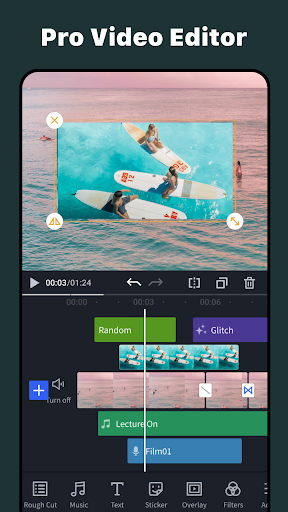
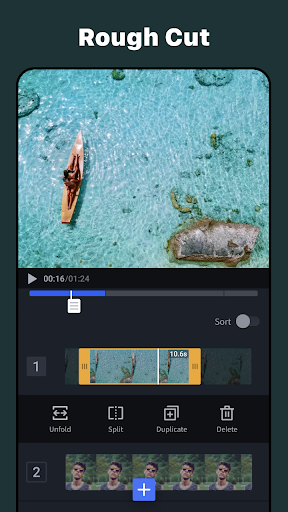
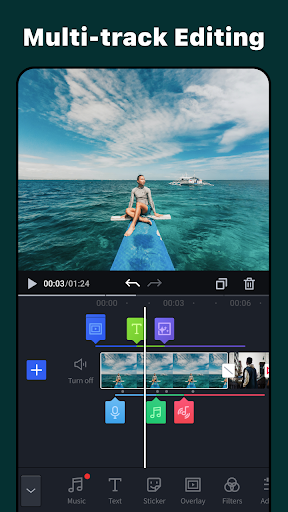
OviCut provides a collection of editing functions that cover many common video production needs. Users can trim unwanted sections, crop footage, resize frames, adjust playback speed, and apply blur or shading effects to achieve their desired appearance. These options make it easier to organize raw footage and turn separate recordings into a more coherent video.
The application also includes audio editing capabilities, allowing users to incorporate background music and sound effects into their projects. You can adjust audio levels, arrange different sound elements, and experiment with music combinations to create a suitable atmosphere. Having these tools available in one application reduces the need to switch between multiple editing programs.
Sound is an important part of any successful video, and OviCut provides several options for improving the audio experience. Users can browse available music tracks and sound effects to find suitable additions for different types of content. Whether you want a cheerful soundtrack for a funny clip or dramatic audio for a cinematic sequence, these resources offer more creative flexibility.
Beyond simply inserting music, the application also supports audio adjustments that help users refine their projects. You can control sound levels, arrange audio elements, and combine different tracks to create a more personalized result. This is particularly useful for short-form content, where background music and sound effects can significantly influence the overall presentation.
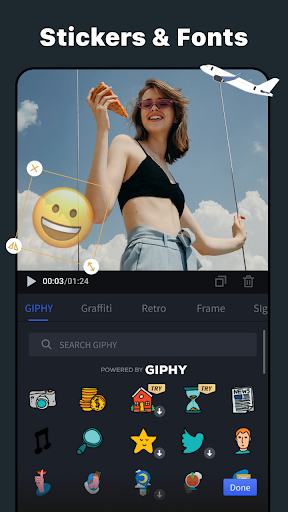
If you want your videos to look more expressive, OviCut offers decorative elements that can help personalize individual scenes. Its sticker collection includes different visual styles and themes, making it easier to add humor, personality, or emphasis to specific moments. These additions are suitable for casual recordings, entertaining clips, and social media content.
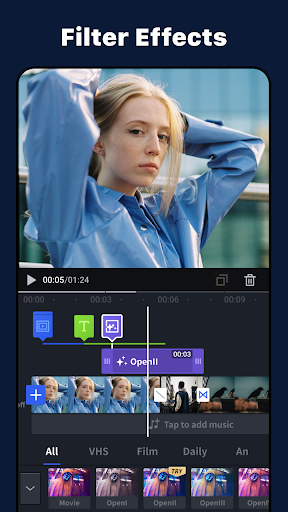
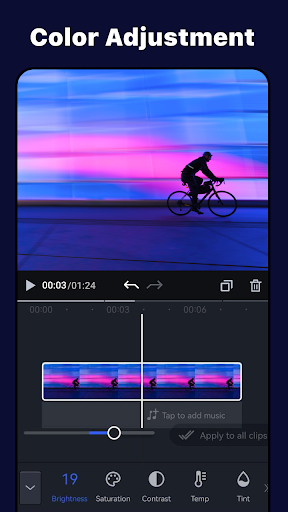
The application also provides frame and visual styling options that can change the appearance of your footage. Depending on the effect you want, you can experiment with vintage, retro, gothic, pop art, or cartoon-inspired aesthetics. Combining these elements with the original footage gives each project a more recognizable visual identity.
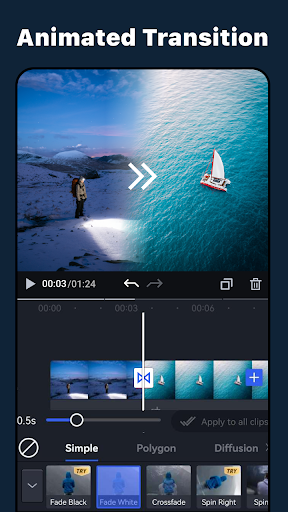
Transitions help connect separate video segments without making the final result feel disconnected. OviCut offers various effects that users can apply between scenes, including rotation, shaking, zooming, and fading animations. These options allow you to create different moods depending on the content and editing style.
For additional variety, users can experiment with more colorful and artistic transitions, such as rainbow-inspired effects. Instead of manually creating complicated animations, you simply select an available transition and apply it to the appropriate section. Adjusting the timing and combination of these effects can make your videos feel more polished and visually engaging.
Once your editing work is complete, OviCut allows you to export the finished video in different resolutions. Depending on the available settings and your device’s capabilities, you can choose options such as 720p, 1080p, 2K, or 4K. Selecting an appropriate resolution helps balance visual quality, file size, and storage requirements.
Sharing your creations is also straightforward. You can save the exported video to your device before uploading it to popular platforms such as Instagram, TikTok, and Facebook. This makes OviCut a convenient option for creators who regularly produce short videos and want to manage their editing workflow directly from their phones.
For users who want to explore more of the application’s editing capabilities, the MOD version offers an alternative experience with an unlocked premium feature. It is worth checking the available version details before installation, as modified builds may differ in compatibility and functionality.
Pro Unlocked: Access unlocked Pro features without the standard premium restrictions, according to the capabilities of the available MOD build.
The availability of specific premium tools may vary depending on the version. Users should also consider that modified APK files are unofficial and may carry security or stability risks compared with the original release.
Ready to create more impressive videos? You can visit APKMODY to find the available OviCut APK and MOD versions for Android. Before downloading, check the version information and select the edition that matches your needs.
A few things to check before installation:
Choose your edition: Decide whether you want the standard APK or the MOD version with Pro features unlocked.
Check compatibility: Make sure your Android device meets the requirements listed on the download page.
Review the file: Check the version details and file information before installing.
Prepare your device: Ensure sufficient storage space is available for the application and your editing projects.
Install and start editing: Open the downloaded APK file, follow Android’s installation instructions, and launch OviCut when the process is complete.