home chevron_right Apps chevron_right Photos & Videos chevron_right Reface

Dreamerland
v1.65.3
• Premium

| Updated On | |
|---|---|
| Google Play ID | video.reface.app |
| Category | Photos & Videos |
| Version | 6.15.0 |
| Size | 134 MB |
| MOD Features | Pro Unlocked |
| Requires | Android 9 |
| Price | |
| Free | |
| Content Rating | |
| Mature 17+ | |
| Internet Required | |
| Required | |

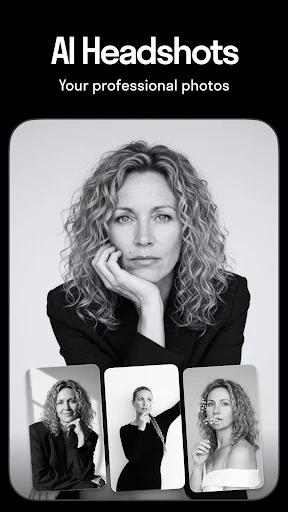
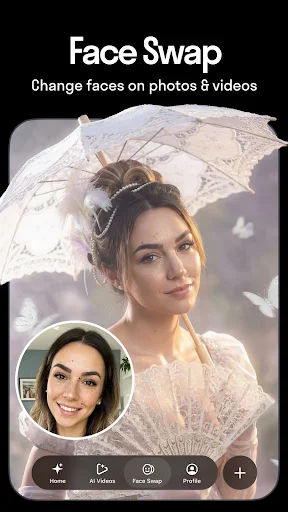
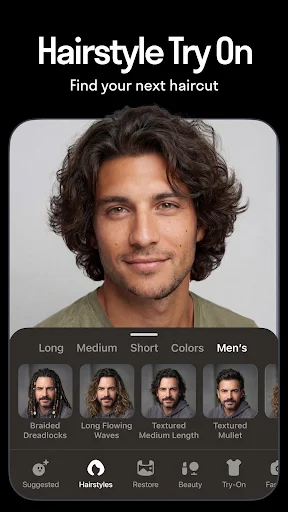
Reface APK brings AI-powered face swapping to Android, allowing you to place your face into photos, videos, and GIFs with just a few simple steps. The application focuses on producing natural-looking results while offering creative tools to adjust facial positions, expressions, and visual effects. Beyond swapping faces, you can explore entertaining templates, make personalized memes, and share your creations with friends. Whether you want a funny clip or a unique profile picture, Reface gives you an easy way to experiment with your appearance.
Turn ordinary photos into entertaining creations with AI!
Reface is an AI-powered photo and video editing application best known for its face swap technology. It allows users to insert a selected face into available images, animated clips, and GIF templates, creating personalized content without requiring advanced editing skills.
What makes the app appealing is its focus on realistic blending. AI processing helps match facial features with the target character, reducing the awkward transitions that often appear in basic face swap tools. The final result depends on image quality, lighting, and facial angles, but the process is generally straightforward for beginners.
Reface makes face swapping accessible through a simple workflow. You only need to choose a selfie and select a suitable photo or video template. The AI then processes the images and places your face into the selected content.
You can further refine the result with available editing options. Adjusting facial orientation, position, or other visual details helps create a more balanced composition. These tools are especially useful when the original selfie and target character have different angles or expressions.
Instead of spending time on complicated manual editing, users can create personalized images and clips in a few steps. The results are suitable for casual entertainment, social media posts, and playful content shared among friends.
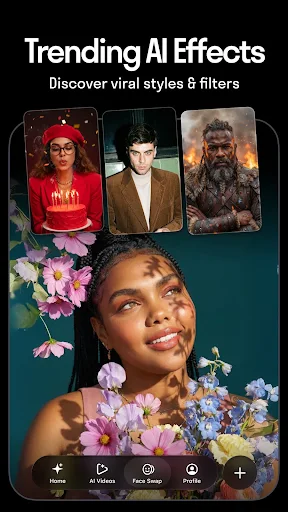
Face swapping is not the only reason to explore Reface. The application also offers a collection of GIFs, short videos, photos, memes, filters, and visual effects that you can use to create entertaining content.
Choose a template, add your face, and let the application process the result. Depending on the available editing options, you can also add text or other decorative elements to make the finished creation more personal. These tools are useful for turning familiar scenes into humorous posts or creating short clips for social platforms.
The selection of templates and effects may change with application updates, giving users new ideas to experiment with over time.
Reface uses artificial intelligence to analyze facial features and blend them into a selected image or video. The general process includes several stages:
Face detection: The application identifies facial areas in the uploaded selfie and target content.
Feature matching: AI analyzes facial structure, positioning, and proportions to help align the selected face.
Image processing: The system blends the face into the target scene while attempting to maintain consistent visual details.
Animation: For supported videos and GIFs, the inserted face is processed to follow the character’s movements and expressions.
This technology makes it possible to create personalized content without manually editing every frame. However, results can vary depending on the source image, template, and processing conditions.
The MOD APK is presented as an alternative for users who want access to additional premium content. Since modified packages are unofficial releases, their features and compatibility may differ from the original application.
Pro Unlocked: Claims to provide access to selected premium videos, GIFs, and editing content.
Unlimited Gallery Saves: Removes or increases the stated saving limit, depending on the modified build.
AI Lab features are not unlocked in this version. Some premium functions may also behave differently depending on the APK release. Review the package details before installation.
Does Face Swapping in Reface Take Long?
The processing time depends on the type of content and its complexity. Still images are generally quicker to process, while longer videos may require additional time. Image quality and network conditions can also affect the overall experience.
Can I Share Edited Content on Social Media?
Yes. After creating your image, GIF, or video, you can save the result and share it through supported social platforms or messaging applications. Check the export options available in your current version.
Is Using Reface Risky?
Using face swap technology for harmless entertainment is generally straightforward, but responsible use matters. Avoid placing another person’s face into misleading, offensive, or intimate content without their consent. You should also consider privacy when uploading personal photos and review the application’s permissions before use.
Is Reface MOD APK Safe?
No unofficial modified APK can be guaranteed safe. Such packages may come from unverified sources, contain unwanted changes, or request unnecessary permissions. If you choose to install one, check the file carefully and use a trusted security tool before opening it.
Reface offers an entertaining way to experiment with AI face swapping, create personalized GIFs, and turn ordinary photos into amusing content. Its straightforward editing process makes it accessible even to users without previous design experience. Visit APKMODY to check the available Reface APK release and its installation details.
Download instructions:
Visit APKMODY and search for Reface.
Review the available version and Android compatibility information.
Select the APK package you want to download.
Open the downloaded file and follow the installation instructions on your device.
Launch Reface, choose a template, and start creating your first face swap.
AI Lab Features are not unlocked.