home chevron_right Apps chevron_right Photos & Videos chevron_right Luminar: AI Photo Editor


Timemark: Photo Proof
v10.0.250
• Premium
| Updated On | |
|---|---|
| Google Play ID | com.skylum.luminar |
| Category | Photos & Videos |
| Version | 4.6 |
| Size | 139 MB |
| MOD Features | Premium Unlocked |
| Requires | Android 11 |
| Price | |
| Free | |
| Content Rating | |
| Everyone | |
| Internet Required | |
| Unknow | |

Luminar: Photo Editor MOD APK transforms ordinary pictures into eye-catching images through a combination of professional editing tools and intelligent AI technology. From adjusting colors and removing unwanted objects to enhancing portraits and replacing skies, the app makes creative editing accessible to everyone. Discover how its standout features work and download the modified version from APKMODY to explore more editing possibilities.
Luminar: Photo Editor MOD APK is a mobile photography application developed by Skylum Software, bringing intelligent editing technology into a convenient interface. Instead of requiring complicated adjustments or advanced photography knowledge, the app provides accessible tools that help users improve their pictures with minimal effort. Its combination of conventional editing options and AI-powered enhancements makes it suitable for anyone who wants to achieve more polished results.
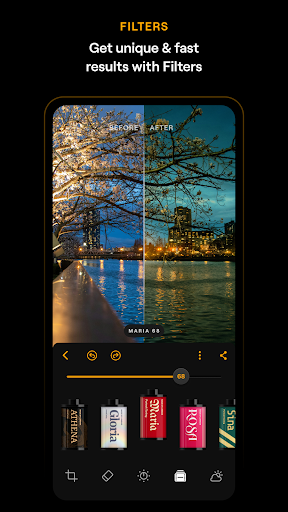
One of Luminar’s biggest advantages is its straightforward approach to photo enhancement. Users can experiment with different visual styles, correct imperfections, and refine individual details without navigating complicated menus. Whether you’re preparing travel pictures, capturing everyday memories, or creating content for social media, Luminar provides several ways to make your images more expressive.
Luminar offers a collection of essential editing options that give users greater control over their photographs. You can adjust brightness, contrast, saturation, temperature, and other color settings to create the atmosphere you want. Exposure and lighting adjustments also help balance areas that appear too dark or overly bright, while black-and-white effects provide an alternative for those who prefer a timeless photographic style.
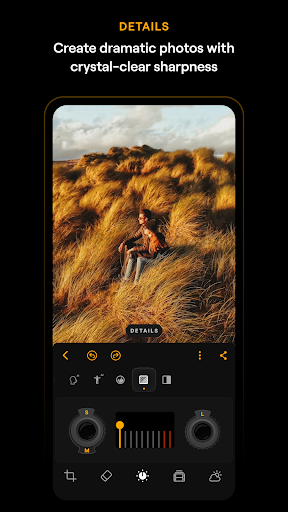
Beyond color correction, the application includes practical tools for modifying image composition. Crop, rotate, and flip functions allow you to correct framing, while sharpening options help bring out important details in softer photographs. You can also remove distracting objects that interfere with the main subject, making the final image look cleaner and more balanced.
Artificial intelligence is one of the main technologies behind Luminar’s editing experience. Rather than simply applying filters, its AI-based tools analyze different elements within an image and help users improve specific areas. This approach reduces the amount of manual work required while providing more flexibility when creating a particular visual effect.
Some notable tools include:
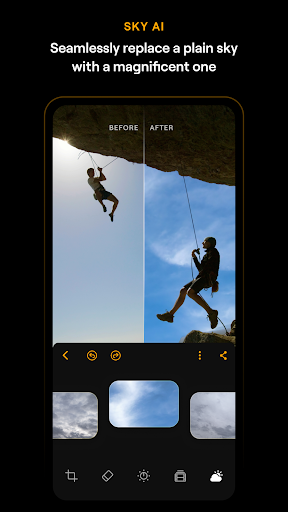
SkyAI: Replace dull or overcast skies with more attractive alternatives to give outdoor photographs a different atmosphere.
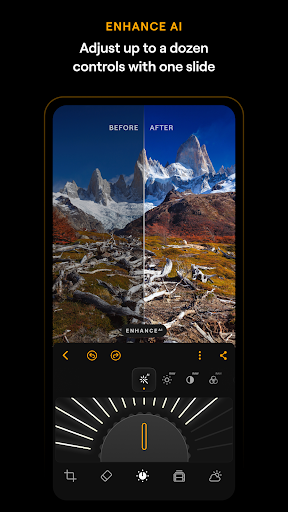
EnhanceAI: Automatically improve overall image quality by adjusting several visual elements to produce a more balanced result.
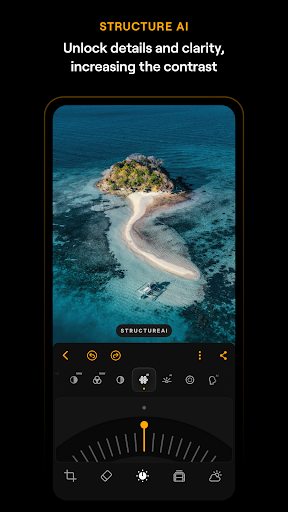
StructureAI: Bring out textures and fine details, helping photographs appear clearer and more defined.
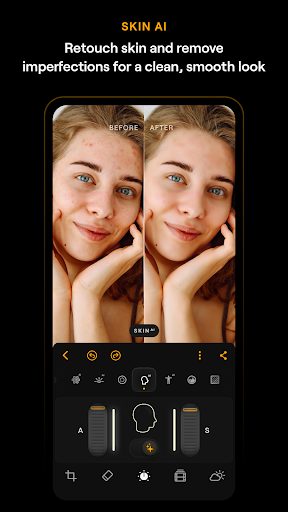
SkinAI: Refine skin appearance, soften visible imperfections, and create a more polished portrait.
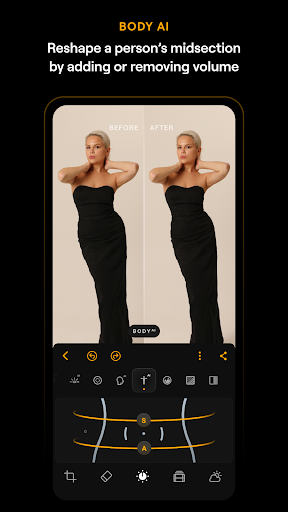
BodyAI: Adjust selected body proportions to achieve a different appearance in portrait photographs.
These features make it easier to improve landscapes, everyday snapshots, and personal portraits without spending too much time on individual adjustments. However, the final appearance still depends on the original photograph and how you configure each tool.
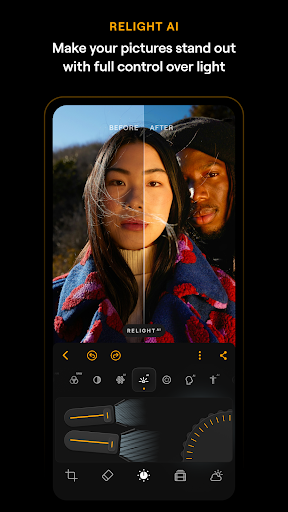
Portrait editing deserves special attention because even small adjustments can make a noticeable difference. Luminar provides AI-assisted options that help users refine facial details, improve skin appearance, and create a more consistent look across their pictures. Rather than manually correcting every imperfection, you can use automated adjustments as a starting point before making further refinements.
For those who want additional control over their appearance, BodyAI offers options for modifying body proportions. These adjustments can help create different portrait styles, although subtle changes generally produce more natural-looking results. Combined with the skin enhancement tools, these features provide a convenient way to prepare profile pictures, selfies, and other personal photographs for sharing.
After completing an editing project, you can save your finished pictures and prepare them for other platforms. Luminar’s social sharing capabilities make it easier to distribute photographs through services such as Instagram and Facebook, depending on the available sharing options on your device.
The application also supports working with RAW photographs, giving photography enthusiasts another option for processing images captured with compatible cameras. This is particularly useful when you want to preserve more original image information before adjusting colors, exposure, and other details. Whether you’re editing a landscape from your latest trip or a collection of personal portraits, you can refine your pictures before sharing them with friends and followers.
The MOD edition introduces an additional benefit for users who want to explore premium editing capabilities. According to the provided MOD information, this release includes the following modification:
Premium Unlocked: Access premium-related features without the standard subscription requirement, subject to the functionality supported by this particular MOD release.
This modification can make the editing experience more convenient for users interested in exploring additional creative tools. Nevertheless, individual features may vary depending on the application version and compatibility of the modified package.
If you’re looking for a convenient way to enhance photographs with intelligent editing technology, Luminar is worth exploring. Follow the instructions below to find the MOD version on APKMODY and install it on your Android device.
Visit APKMODY: Open your browser and access the APKMODY website.
Find the application: Enter “Luminar: Photo Editor MOD APK” into the website’s search bar.
Open the download page: Select the matching application and review its available version information.
Download the APK: Tap the download option provided on the page and wait for the installation package to finish downloading.
Install the application: Open the downloaded file and allow installation from your browser or file manager if Android requests permission.
Start editing: Launch Luminar and explore its available editing tools.