home chevron_right Apps chevron_right Photos & Videos chevron_right VCUT Pro


CapFlow: Auto Captions AI App
v3.1
• Unlocked

| Updated On | |
|---|---|
| Google Play ID | com.bestvideostudio.movieeditor |
| Category | Photos & Videos |
| Version | 2.6.8 |
| Size | 77 MB |
| MOD Features | VIP Unlocked |
| Requires | Android 5.0 |
| Price | |
| Free | |
| Content Rating | |
| Everyone | |
| Internet Required | |
| Not Required | |

VCUT Pro makes mobile video creation easier with a collection of editing tools, fashionable filters and attractive visual effects. Turn ordinary footage or personal photos into polished videos and slideshows by adding music, transitions, text and creative decorations. Whether you are preparing social media content or capturing memorable moments, this application provides a convenient way to bring your ideas to life.
Video content has become an essential part of digital communication, and creating attractive clips no longer requires complicated desktop software. VCUT Pro brings various editing functions together in one mobile application, helping users produce engaging visual content with relatively little effort.
Modern audiences increasingly prefer visual content that communicates ideas quickly and captures attention through movement, sound and storytelling. Instead of reading lengthy descriptions or browsing numerous individual photographs, viewers can experience information through short clips featuring attractive imagery and carefully selected background music.
This shift has encouraged more people to experiment with video creation, whether for entertainment, personal memories or social media activities. However, producing appealing content can be challenging when editing software requires extensive technical knowledge. VCUT Pro addresses this need by offering accessible editing tools that help beginners and casual creators develop their own videos without complicated workflows.
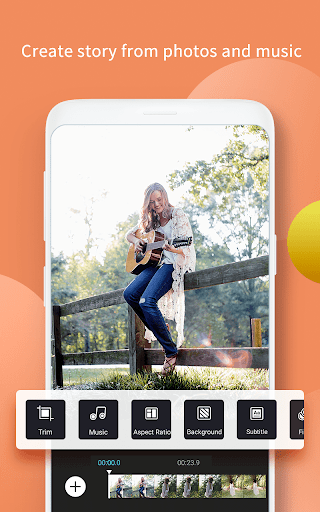
VCUT Pro is designed to help users create music videos, photo slideshows and edited clips directly from their smartphones. You can import existing footage or combine multiple photographs, then enhance the results with transitions, filters, stickers and other decorative elements.
One of its main advantages is the straightforward editing process. Instead of navigating through numerous complicated menus, you can access essential functions through an organized interface and apply changes with a few screen interactions. This makes the application suitable for users who want to produce attractive content without spending hours learning professional editing techniques.
The app also supports different creative approaches, from simple clips with background music to more elaborate projects featuring multiple visual effects. Once your work is ready, you can export the finished video and prepare it for sharing across your favorite social platforms.
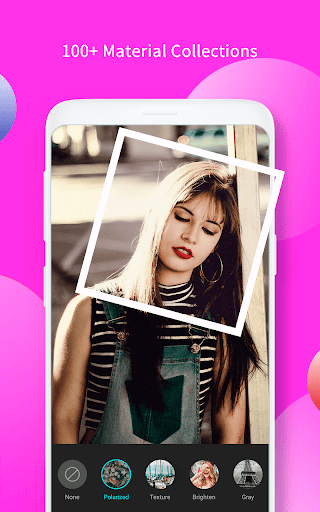
Visual customization is an important part of VCUT Pro, particularly for users who want their videos to have a distinctive appearance. The application provides various filters that help adjust the overall atmosphere of your footage, allowing you to create different visual styles depending on the subject and personal preferences.
Its effects collection adds another layer of creativity through several editing options:
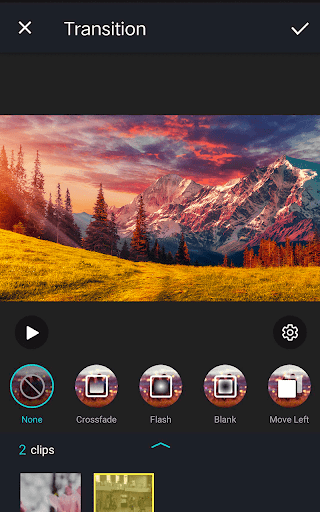
Transition effects: Connect separate clips or photographs with smooth visual changes, making the overall presentation more cohesive.
Frame effects: Apply visual treatments to individual sections of a video to emphasize important moments.
Decorative effects: Add attractive elements that make ordinary footage more expressive and visually interesting.
Adjustable intensity: Modify the strength of supported effects to achieve a more subtle or noticeable result.
The available styles are suitable for different types of content, including personal vlogs, short entertainment clips and photo-based presentations. You can experiment with several combinations until the final appearance matches your creative direction.
Beyond decorative filters, VCUT Pro includes practical editing functions that help users refine their footage before applying additional effects. These tools make it easier to organize visual content and improve the overall presentation without switching between multiple applications.
Some of the main editing capabilities include:
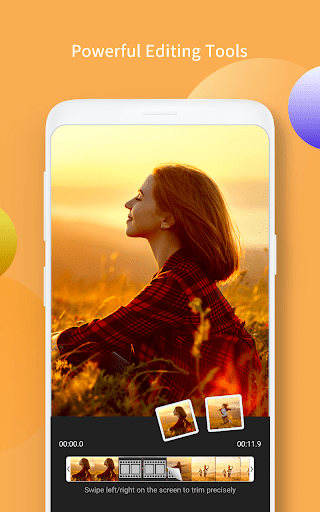
Video trimming: Remove unnecessary sections and retain only the moments you want to present.
Clip merging: Combine separate recordings into a continuous video with a more organized structure.
Brightness adjustment: Modify lighting levels to improve the appearance of footage recorded in different environments.
Frame rate settings: Adjust supported frame rate options to suit the intended presentation.
Text and subtitles: Add written information, captions or short messages to communicate ideas more clearly.
Fonts and colors: Customize text appearance to match the theme of your project.
Frames and slideshow materials: Decorate photographs and arrange them into more attractive visual presentations.
These functions provide a useful foundation for both basic and more detailed editing projects. You can first organize your footage, adjust its appearance and then introduce filters, transitions or other creative elements.
Music plays an important role in determining the mood of a video, and VCUT Pro provides tools to make audio customization more convenient. Its music collection offers different styles that users can explore when looking for suitable background tracks for their projects.
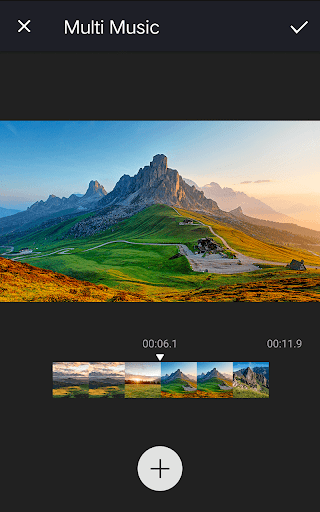
You can combine selected music with existing footage or photo slideshows to create a more complete audiovisual experience. The application also provides basic audio adjustment options, helping you control how the soundtrack appears throughout the finished clip.
Notable audio functions include:
Music selection: Browse available tracks and choose background audio that complements your video.
Fade-in and fade-out: Create smoother audio beginnings and endings instead of abrupt changes.
Playback speed adjustment: Modify supported music speed settings to match the rhythm of your content.
Audio synchronization: Arrange the soundtrack to fit the sequence and duration of your visual material.
When using music in videos intended for public distribution, remember to check the relevant licensing and usage permissions. This is particularly important when publishing content on social networking platforms.
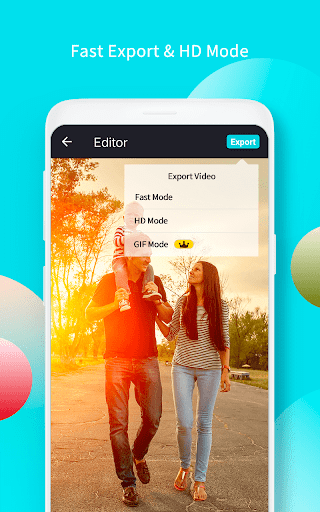
After completing the editing process, you can export your project and share the resulting video with other people. VCUT Pro is designed to make this final step convenient, allowing users to prepare their creations for popular social networking services.
Whether you have produced a short personal clip, a collection of memorable photographs or a music-based slideshow, sharing your work helps you reach friends and followers without needing a separate editing workflow. The actual export and upload time will depend on factors such as video length, resolution and Internet connection quality.
For users who want access to additional creative resources, the modified edition of VCUT Pro offers an upgraded experience through its VIP-related modification.
VIP Unlocked: Unlock VIP features provided by the modified version, giving users access to additional editing resources and premium options without the standard VIP restrictions.
Feature availability may vary depending on the application version. Check the package information before installing to understand which premium functions are included.
VCUT Pro brings together video trimming, photo slideshows, stylish filters, visual effects and music editing in one convenient mobile application. Its accessible interface makes it a useful choice for anyone who wants to create attractive content without relying on complicated desktop software.
To get started, follow this download process:
Open the APKMODY website in your Android browser.
Enter VCUT Pro in the search field and access the application’s dedicated page.
Explore the available versions and compare the original APK with the MOD edition.
Select your preferred package and press the corresponding download option.
Once the file is downloaded, locate it in your device’s Downloads directory.
Tap the APK package and allow installation from that source if Android displays a permission request.
Finish the installation, launch VCUT Pro and start creating your first video.