home chevron_right Apps chevron_right Photos & Videos chevron_right Gradient


Pix Editor
v1.4.51
• Premium Unlocked
| Updated On | |
|---|---|
| Google Play ID | com.tickettothemoon.gradient.photo |
| Category | Photos & Videos |
| Version | 2.17.0 |
| Size | 264 MB |
| MOD Features | Premium Unlocked |
| Requires | Android 10 |
| Price | |
| Free | |
| Content Rating | |
| Everyone | |
| Internet Required | |
| Not Required | |

Gradient MOD APK helps you turn ordinary pictures into stylish, eye-catching images with a collection of creative filters and AI-powered editing features. Whether you want to improve your selfies, experiment with different appearances, or give your photos a completely new atmosphere, the application provides tools for a wide range of editing styles. With automatic enhancements, portrait retouching, and artistic effects, Gradient makes photo editing accessible even to beginners.
Gradient is a photo-editing application designed to help users improve portraits and create unique visual styles. It combines traditional editing tools with artificial intelligence to provide a convenient way to enhance pictures without requiring professional editing skills.
You can adjust facial details, experiment with different colors, apply decorative effects, and create multiple versions of the same photograph. The application also offers ready-made filters and editing presets, making it easier to achieve attractive results without manually adjusting every setting.
Whether you are preparing a new profile picture, creating content for social media, or simply experimenting with your appearance, Gradient offers plenty of creative possibilities.
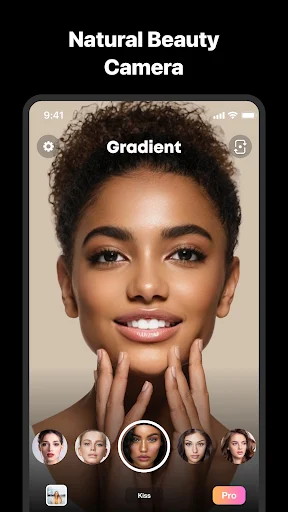
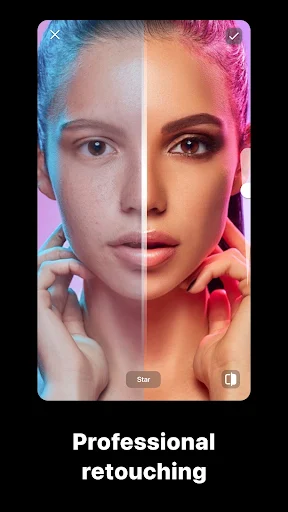
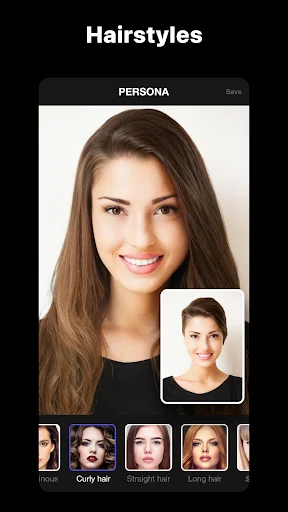
One of Gradient’s main attractions is its collection of portrait-editing tools. You can use different options to improve skin appearance, adjust facial details, experiment with hair colors, and explore alternative looks. These features allow you to personalize selfies according to your preferred style.
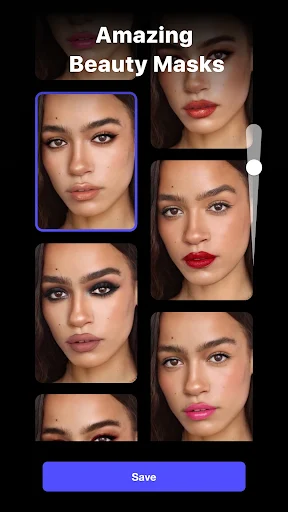
The application also includes tools for reducing the visibility of common facial imperfections, such as acne marks, spots, and other blemishes. Combined with skin-tone adjustments and brightness controls, these options help produce cleaner-looking portraits.
Instead of applying the same editing style to every picture, you can experiment with different settings until you find an appearance that suits the original photograph. The goal is to make your images look more polished while retaining the details you want to keep.
A good photo often needs more than basic brightness and contrast adjustments. Gradient provides a variety of visual effects that can completely change the atmosphere of an image.
You can experiment with color tones, lighting adjustments, contrast, and other visual elements to create different moods. For a bright and cheerful appearance, choose effects that emphasize vivid colors and highlights. If you prefer something more dramatic, darker presets and muted tones can give your pictures a cinematic feeling.
The application also makes it easy to explore monochrome styles. Black-and-white effects, for example, can emphasize facial expressions and create a more artistic atmosphere. With different presets available, you can switch between styles without having to edit every parameter individually.
Artificial intelligence is an important part of Gradient’s editing experience. Its AI Photo Editor helps users process images automatically, reducing the need to spend time adjusting multiple settings.
After selecting a photograph, you can explore the available AI-powered options and let the application generate different visual results. These automatic adjustments can enhance the overall appearance of an image while applying creative effects that would otherwise require several manual steps.
This feature is especially useful for beginners who are unfamiliar with professional editing techniques. Rather than learning every adjustment tool individually, you can start with automatic processing and refine the result according to your preferences.
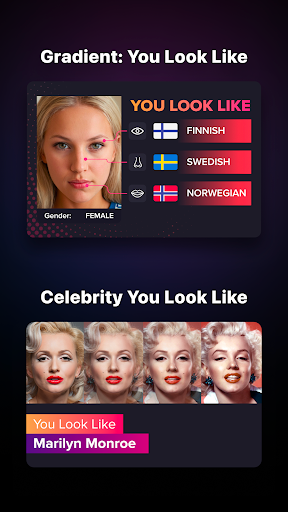
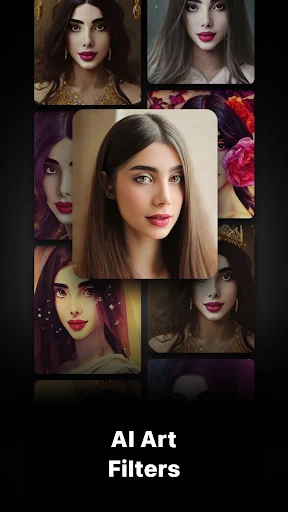
Gradient also offers a selection of filters and visual transformations that allow you to experiment with different appearances. Depending on the available features, you can explore styles ranging from subtle portrait enhancements to more imaginative artistic effects.
The variety makes the application suitable for users who enjoy trying new looks rather than sticking to a single editing formula. You can compare several results, choose the one you like most, and continue making adjustments to create a more personalized picture.
Although Gradient provides editing options for free, some tools and effects may require a Premium subscription. These paid features can include exclusive filters, advanced editing options, and additional creative resources.
For users who frequently edit photos, Premium access can provide more flexibility when creating different visual styles. However, paying for a subscription may not be suitable for everyone, especially if you only use the application occasionally.
The Gradient MOD APK version offers an alternative by unlocking Premium features without requiring a standard subscription. This allows users to explore additional editing options and experiment with more of the application’s creative tools.
The modified edition includes the following feature:
Premium Unlocked: Unlocks Premium editing features and exclusive tools, allowing you to explore more creative options without purchasing the regular subscription.
Feature availability may depend on the installed release and application compatibility. Some online services or account-related functions may still require an internet connection.
Gradient is a convenient photo editor for anyone who wants to improve selfies, experiment with creative filters, and produce more attractive pictures. Its combination of portrait-retouching tools, AI-powered enhancements, and artistic effects makes photo editing easier for both beginners and experienced users. The MOD edition with Premium Unlocked also provides access to additional editing possibilities.
Follow this alternative installation method to get Gradient from APKMODY:
On your Android device, open a browser and visit the APKMODY website.
Use the search function to locate the Gradient application page.
Read the available release details and compare the standard APK with the MOD version.
Select the Premium Unlocked edition if you want to access the modified features, then press its download link.
Wait for the APK package to finish downloading. You can monitor its progress through your browser’s download manager.
When the file is ready, open it directly from the download notification or locate it in your device’s Downloads folder.
Confirm the installation when Android displays the setup screen. If installation permission is requested, enable it for the application you are using to open the APK.
After installation, launch Gradient and explore its available editing tools.