home chevron_right Apps chevron_right Photos & Videos chevron_right Pix Editor


CapFlow: Auto Captions AI App
v3.1
• Unlocked





| Updated On | |
|---|---|
| Google Play ID | com.snaptune.ai.photoeditor.collagemaker |
| Category | Photos & Videos |
| Version | 1.4.51 |
| Size | 104 MB |
| MOD Features | Premium Unlocked |
| Requires | Android 7.0 |
| Price | |
| Free | |
| Content Rating | |
| Everyone | |
| Internet Required | |
| Unknow | |

Pix Editor MOD APK is an AI-powered photo editing application developed by Signature EXP, designed to make image enhancement accessible to everyone. From removing unwanted backgrounds to creating artistic portraits, the app combines intelligent editing tools with a wide selection of creative templates. With more than one million downloads on Google Play, Pix Editor has become an appealing option for users who want impressive results without mastering complicated editing software.
Photo editing has become an essential part of sharing content on social media, promoting products, and preserving personal memories. While professional software offers extensive customization, not everyone has the time or skills to work with complicated editing tools. Pix Editor (Snap Editor) addresses this demand by bringing AI-assisted editing capabilities directly to smartphones.
Developed by Signature EXP, the application focuses on simplifying common editing tasks through automatic processing and ready-made designs. Instead of spending time selecting individual objects or manually adjusting every detail, users can take advantage of intelligent tools to transform ordinary pictures into more attractive creations.
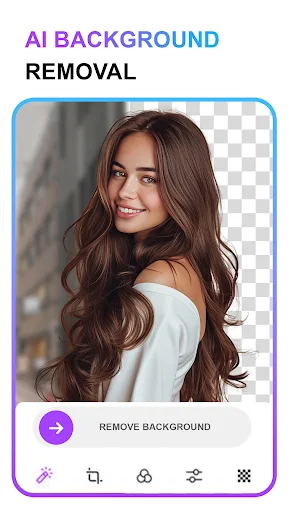
One of the biggest highlights of Pix Editor is its integration of AI technology. Background removal, which traditionally requires careful selection around the subject, becomes considerably easier with automated recognition. Simply upload a picture, let the application identify its main subject, and proceed with the desired editing style.
Beyond removing backgrounds, Pix Editor also supports background replacement and AI Creator features that help users experiment with different visual concepts. Its collection of ready-to-use designs covers various themes, allowing you to transform portraits, animals, and everyday objects without starting from scratch.
These tools are particularly useful when you need to produce polished images quickly. Whether you are preparing a social media post or creating a product presentation, the application provides a straightforward editing process that requires little technical experience.
Not every photo editing task requires professional software or advanced graphic design knowledge. Pix Editor is built around convenience, making it suitable for different groups of users who want to improve their images directly from their phones.
Social media enthusiasts: Create eye-catching portraits, posts, and visual content without spending too much time on manual editing.
Content creators: Prepare promotional images, thumbnails, and creative visuals using AI tools and available templates.
Online sellers: Remove distracting backgrounds and present products against cleaner, more attractive settings.
Beginners: Explore photo editing through simple controls rather than learning complicated professional applications.
Although automatic background removal is its main attraction, Pix Editor also includes several conventional editing functions. These tools allow users to make additional adjustments after applying AI effects, ensuring the final result matches their preferences.
Text: Insert captions, titles, or personalized messages into your pictures.
Stickers: Decorate images with playful graphics and themed illustrations.
Adjust: Modify brightness, contrast, and other visual parameters to improve image quality.
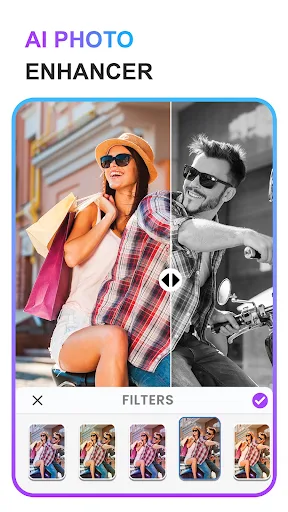
Filters: Apply different visual effects to change the overall atmosphere of a photograph.
Flip: Change the orientation of an image to achieve a more suitable composition.
AI Eraser: Remove unwanted elements from selected areas with the assistance of AI technology.
Combining these functions makes Pix Editor more than a simple background remover. You can complete several editing tasks within one application instead of switching between multiple tools.
Pix Editor organizes its creative tools into recognizable categories, helping users find suitable editing options without browsing through endless menus. Alongside essential sections such as Remove Background, Edit Photo, and Collage, the application offers several specialized themes:
Profile Pics: Turn ordinary photographs into attractive portraits or ID-style pictures.
Photo Editing Classic: Give your images a traditional appearance with distinctive filters and visual adjustments.
Wings & Spirals: Experiment with fantasy-inspired designs, including impressive angel wings and decorative effects.
Products: Create promotional visuals that make merchandise look more appealing to potential customers.
Nature Backgrounds: Replace existing surroundings with landscapes and natural scenery to achieve a different atmosphere.
Each category serves a different creative purpose, so users can experiment with multiple styles depending on the type of image they want to produce.
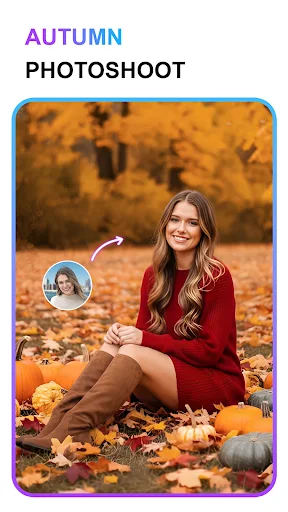
Creating an attractive composition from an empty editing screen can be difficult, especially for beginners. Pix Editor addresses this problem with a library of templates that provides ready-made layouts and visual elements. You simply select a design, import your photograph, and adjust the available details to create a personalized result.
The templates are organized into different subjects, making it easier to find something that matches a particular occasion or mood. Popular categories include Birthday, Love, Summer, and Neon, among many other creative styles. This variety gives you more freedom to experiment with portraits, greetings, social media graphics, and promotional content without having to design everything manually.
Pix Editor offers a free experience, but certain functions and creative resources are reserved for paying members. Depending on the available version, free users may encounter advertisements or find some premium templates unavailable.
A Premium subscription removes these restrictions and provides access to additional editing resources. Its advertised benefits include:
Unlimited access to Pro AI Templates for more creative possibilities.
Removal of advertisements throughout the application.
Access to all premium AI background removal features.
These additions are particularly useful for users who frequently edit photographs and want to explore more designs without encountering locked content. However, the availability of individual benefits may vary depending on the app version.
The MOD version of Pix Editor is designed to provide access to premium editing resources without the usual subscription restrictions. This modification focuses on unlocking features that are otherwise reserved for paying members.
With Premium Unlocked, users can explore Pro AI Templates, access premium background removal options, and enjoy an editing experience without advertisements. This makes it easier to experiment with different designs and complete creative projects without repeatedly encountering locked features.
If you want to try the unlocked editing experience, APKMODY is where you can find the Pix Editor MOD APK installation package. Use the following instructions to get the application running on your Android device:
Find the application: Visit APKMODY.COM and search for Pix Editor MOD APK using the website’s search function.
Check the release: Open the app page and review the available version, MOD information, and installation details.
Get the APK: Select the download option provided on the page and wait until the installation package is saved to your device.
Prepare your device: Locate the downloaded APK file. If Android blocks the installation, open your device settings and allow installation from the relevant source.
Finish installing: Return to the APK file, tap Install, and wait for the process to complete
Start editing: Open Pix Editor and explore its available photo editing tools and unlocked features.