home chevron_right Apps chevron_right Photos & Videos chevron_right PixelLab


Dreamerland
v1.65.3
• Premium
| Updated On | |
|---|---|
| Google Play ID | com.imaginstudio.imagetools.pixellab |
| Category | Photos & Videos |
| Version | 2.2.0 |
| Size | 29 MB |
| MOD Features | Premium Unlocked |
| Requires | Android 6.0 |
| Price | |
| Free | |
| Content Rating | |
| Everyone | |
| Internet Required | |
| Required | |

PixelLab transforms ordinary photos into eye-catching designs with customizable typography, impressive 3D effects, and a versatile collection of editing tools. Whether you want to create funny memes, design promotional posters, or add artistic details to personal pictures, this application provides plenty of creative possibilities. Explore its standout features, premium benefits, and installation options before downloading PixelLab through APKMODY.
PixelLab is a versatile photo editing application designed for users who want greater control over text, images, and graphic elements. Unlike basic editing tools that mainly focus on filters or color adjustments, this app places particular emphasis on typography and visual customization. Its combination of accessible controls and detailed editing options makes it suitable for casual users, social media enthusiasts, and people who regularly create digital content.
The photo editing market offers countless applications with overlapping functions, making it difficult for individual products to establish their own identity. PixelLab takes a different direction by putting text customization at the center of its creative experience. Instead of simply placing ordinary captions over pictures, users can transform words into prominent visual elements through various styles, textures, and dimensional effects.
Another advantage is its straightforward interface. Editing tools are arranged in an accessible layout, allowing newcomers to explore different functions without spending too much time learning complicated workflows. At the same time, the extensive customization options provide enough flexibility for users who want to create more sophisticated compositions.
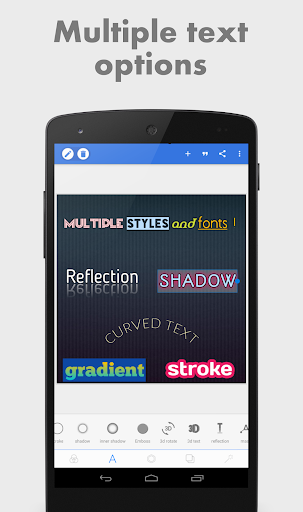
Typography is one of PixelLab’s strongest features, offering numerous ways to make written content stand out. You can insert text directly into photographs, create attractive poster headlines, or design decorative lettering for social media graphics. The application also supports more than 100 font styles, giving you plenty of choices when establishing the visual identity of a project.
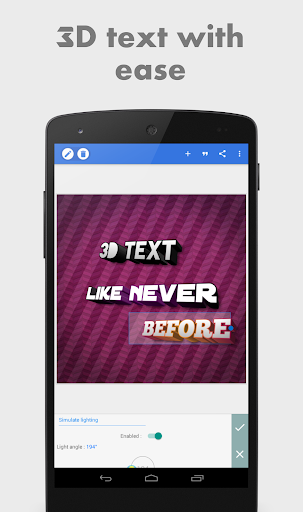
Beyond basic font selection, PixelLab provides a comprehensive collection of effects, including Emboss, Mask, 3D Text, Shadow, Inner Shadow, Stroke, Background, and Reflection. You can adjust individual settings to control depth, outlines, lighting, and other visual details. Color customization is equally flexible, with options such as solid shades, linear gradients, radial gradients, and image-based textures. These features make it easier to produce professional-looking titles without relying on complicated desktop software.
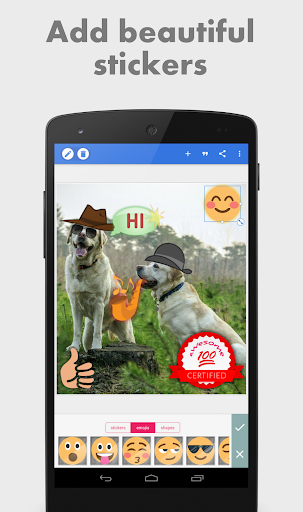
Although typography receives considerable attention, PixelLab also includes several useful tools for modifying images and building creative compositions. You can insert stickers, emojis, geometric shapes, and decorative elements to give your pictures more personality. The application supports different arrangement methods, allowing you to combine individual objects or work with available templates.
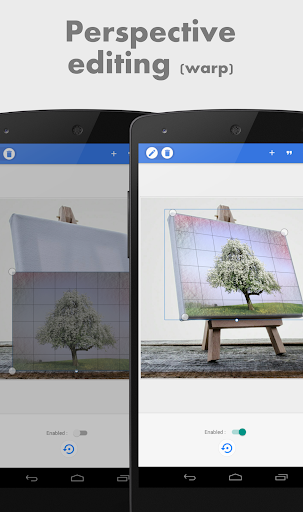
Users can also experiment with drawing tools to add custom lines, adjust image positioning, rotate elements, and apply shadows. These options are particularly useful when creating layered graphics that require more than a simple text overlay. By combining multiple editing functions, you can turn an ordinary photograph into a personalized design that matches your intended style.
Meme creation is another enjoyable application of PixelLab. You can import photographs from your device, select suitable images from other sources, and combine them with captions, stickers, and illustrations. The extensive typography collection makes it easy to create humorous headlines, exaggerated expressions, or witty messages that communicate your ideas.
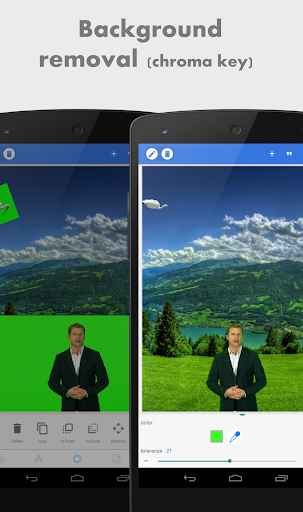
Once the main composition is ready, you can refine it using drawing tools, decorative effects, and background adjustments. PixelLab also allows you to change the original backdrop by selecting available colors, choosing built-in backgrounds, or importing another image. This flexibility helps separate the main subject from its surroundings and creates more visually appealing results. Whether you prefer simple reaction memes or elaborate humorous graphics, the application gives you plenty of room to experiment.
A well-designed image requires more than attractive text and stickers. PixelLab provides additional visual adjustments to help users improve the overall appearance of their projects. You can experiment with textures, color effects, saturation levels, and other available filters to achieve a consistent look.
Background customization further expands these creative possibilities. Instead of keeping the original scenery, you can replace it with a solid color, a preset design, or an imported photograph. Combined with shadows, rotation controls, and layered objects, these adjustments help create a more balanced composition. Small refinements can make a significant difference, particularly when preparing graphics for promotional materials or social media posts.
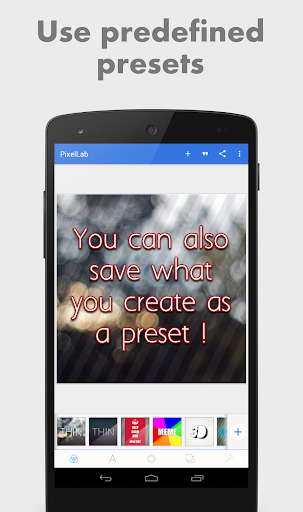
PixelLab makes it convenient to continue working on designs without having to recreate everything from the beginning. Completed projects can be saved within the application so that you can reopen them and make additional adjustments whenever necessary. This is especially useful for people who regularly update promotional graphics, personalized templates, or social media content.
When your design is ready, you can export it to your device using supported image formats and different resolution settings. The sharing options also make it easier to distribute finished creations through popular social platforms, including Instagram, Facebook, and X. Whether you are preparing a high-quality graphic for later use or sharing a quick meme with friends, the export system helps streamline the final stage of editing.
For users who want to explore more editing possibilities, the modified edition offers access to premium functionality without following the standard unlocking process.
Premium Unlocked: Unlocks premium features available in the application, providing access to an expanded editing experience.
With premium functionality available, you can explore more creative options while working on posters, typography-based graphics, memes, and personalized photographs.
Ready to create your own posters, memes, and eye-catching typography designs? You can find PixelLab’s installation packages through APKMODY by following this alternative download guide: