home chevron_right Apps chevron_right Productivity chevron_right OH Web Browser


Flexcil Notes & PDF Reader
v1.5.1.5
• Unlocked

| Updated On | |
|---|---|
| Google Play ID | com.oh.bro |
| Category | Productivity |
| Version | 253 |
| Size | 12 MB |
| MOD Features | Premium Unlocked |
| Requires | Android 10 |
| Price | |
| Free | |
| Content Rating | |
| Everyone | |
| Internet Required | |
| Unknow | |

OH Web Browser MOD APK provides a lightweight mobile browsing experience designed around convenience, privacy, and simplicity. Developed by One Handy, this application combines practical navigation tools with features that help reduce unwanted advertisements and limit online tracking. Whether you frequently search for information, read articles, or watch videos, it offers several ways to make everyday browsing more comfortable.
OH Web Browser is a mobile internet application developed by One Handy with a straightforward philosophy: making online activities safer and easier. Instead of overwhelming users with complicated menus, the browser focuses on essential functions and intuitive gestures that simplify everyday navigation. Its design is particularly suitable for people who prefer a clean browsing environment without unnecessary distractions.
The application has also attracted attention among Android users, with more than 500,000 downloads reported in its original introduction. Its combination of accessible controls, privacy options, and practical browsing utilities makes it an interesting alternative to conventional mobile browsers.
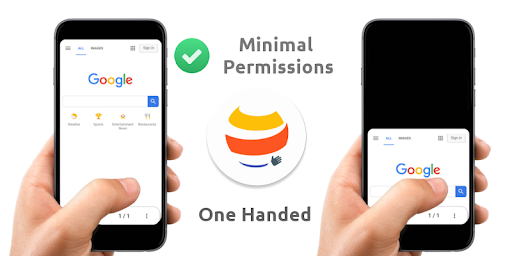
Using a browser on a smartphone can sometimes feel less convenient than navigating websites on a computer. Limited screen space and repeated tapping often make simple activities take longer than expected. OH Web Browser addresses this inconvenience through gesture-based controls that allow users to perform common actions without navigating through multiple menus.
For example, double-tapping the screen creates a new tab, while swiping horizontally lets you move between open tabs. If you need to browse without retaining a regular browsing session, you can access private mode by pressing and holding the designated control. These shortcuts make multitasking more accessible, particularly when you frequently switch between different websites or search topics.
Online privacy is an important consideration whenever you access websites, enter personal details, or use online services. OH Web Browser provides several tools to help users manage their browsing information without requiring additional extensions. You can clear your search history and cookie data whenever necessary, reducing the amount of locally stored information left behind after browsing.
The application also includes useful options for managing frequently visited websites. You can bookmark important pages for future reference, while recently accessed or commonly used destinations are available for quicker navigation. Another convenient function allows you to export website content into PDF files, making it easier to keep articles, reference materials, and other useful information for offline viewing.
However, clearing browser history and cookies does not guarantee complete online anonymity. Websites, internet providers, and other services may still collect certain information depending on their tracking technologies and privacy policies.
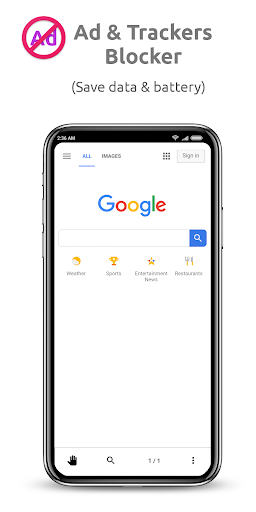
Unexpected advertisements can interrupt an otherwise enjoyable browsing session, especially when pop-ups appear while reading articles or navigating unfamiliar websites. OH Web Browser includes an ad-blocking feature designed to reduce these distractions and create a cleaner viewing environment. With fewer advertising elements competing for attention, website content becomes easier to follow.
The browser also aims to limit third-party tracking activities that collect information about browsing behavior. Reducing unnecessary trackers can help minimize unwanted data collection while potentially lowering data consumption on supported websites. These protections offer an additional layer of convenience, although they should not be considered a substitute for comprehensive online security measures.
A comfortable browsing interface can make a significant difference when spending extended periods reading articles or watching online videos. OH Web Browser offers several display options, allowing you to adjust the screen according to your preferences and the content you are accessing.
Full-Screen Mode: Expands video content across the available display area, providing a more immersive viewing experience.
Floating Video Window: Keeps supported video content in a smaller window while you perform other activities.
Reader Mode: Removes unnecessary visual elements from supported pages, making articles and online news easier to read.
Dark Mode: Changes the interface to a darker appearance, which may feel more comfortable in dim environments.
Tablet Support: Adapts the browsing experience to larger screens, providing additional room for website content and navigation.
These customization options make the application suitable for different browsing habits. Whether you prefer reading long articles, watching videos, or opening several websites simultaneously, you can choose a display arrangement that better matches your needs.
The MOD version introduces an unlocked Premium feature, giving users access to the corresponding premium functionality without following the standard upgrade process. This modified edition may provide a more convenient way to explore the browser’s enhanced features.
Keep in mind that modified APK files are not official releases from the original developer. Their compatibility, security, and functionality may vary depending on the version and source. Always consider these factors before installing third-party application packages.
OH Web Browser combines straightforward navigation, customizable viewing options, and practical privacy tools in one lightweight application. Its tab gestures, PDF export function, advertisement filtering, and reading mode make everyday internet access more convenient. If you want to try its unlocked features, you can look for OH Web Browser MOD APK through APKMODY.
Use this installation guide to get started:
Visit the APKMODY website using your current browser.
Search for OH Web Browser MOD APK and open the matching application page.
Read the available version details and check the MOD feature information before proceeding.
Scroll to the download section and select the appropriate APK file.
After downloading, open your Android file manager and locate the saved installation package.
If your device requests permission to install apps from that source, review the setting and enable it only if you trust the file.
Complete the installation, open OH Web Browser, and explore its available features.