

Send Anywhere
v23.3.3
• Premium Unlocked
| Updated On | |
|---|---|
| Google Play ID | com.oh.brop |
| Category | Utilities |
| Version | 126 |
| Size | 9 MB |
| MOD Features | Premium Unlocked |
| Requires | Android 10 |
| Price | |
| Free | |
| Content Rating | |
| Everyone | |
| Internet Required | |
| Required | |

OH Private Web Browser MOD APK is a privacy-focused application developed by One Handy, designed to help users explore the internet without leaving unnecessary browsing traces. It offers a permission-free approach, temporary data storage, built-in ad blocking, and several convenient tools for everyday browsing. Discover its standout features, premium benefits, and installation instructions before getting the application from APKMODY.
Online privacy has become increasingly important as websites and digital services collect different types of user information. OH Private Web Browser provides a straightforward solution for people who want to browse websites without keeping a permanent record of their activities. The application combines essential browsing tools with privacy-oriented features, allowing users to access their favorite pages through a lightweight interface.
Developed by One Handy, this browser focuses on simplicity rather than overwhelming users with unnecessary options. Its Google Play listing has recorded more than 100,000 downloads and a 4.0-star rating, reflecting its reception among Android users.
One of the most noticeable aspects of OH Private Web Browser is its approach to Android permissions. Unlike browsers that request access to features such as your camera, microphone, contacts, or location, this application is designed to work without requiring additional device permissions.
Users simply need an internet connection to start visiting websites. This reduces the amount of device access required during everyday browsing and provides an additional layer of control over personal information. However, avoiding device permissions does not automatically prevent websites or internet service providers from collecting information about your online activity.
OH Private Web Browser offers a browsing experience similar to the private or incognito modes found in popular applications such as Chrome and UC Browser. While visiting websites, the browser may temporarily process information such as cookies, cached files, and browsing history to ensure pages work properly.
The difference is that this information is intended to be cleared when you leave the application. As a result, other people using the same device have fewer opportunities to discover your previous browsing sessions. Keep in mind that temporary storage does not guarantee complete anonymity or erase activity recorded by external websites.
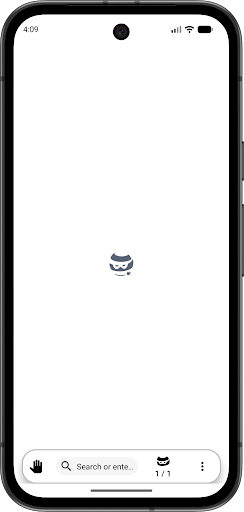
Rather than filling the screen with complicated menus, OH Private Web Browser keeps its interface clean and straightforward. The main screen provides quick access to the search bar, making it easy to enter a website address or look for information online.
Its one-finger operation approach also makes everyday navigation more convenient, particularly on smartphones with larger displays. Even users who are unfamiliar with privacy-focused browsers can quickly understand the basic controls without spending time learning complicated settings.
Constant pop-ups, banners, and promotional content can interrupt online activities. To address this inconvenience, OH Private Web Browser includes an integrated ad-blocking feature that filters many common advertisements while loading websites.
This tool helps reduce visual distractions and creates a cleaner browsing environment. Nevertheless, certain websites use advanced advertising techniques that may bypass the built-in filter. According to the provided application information, accessing the full ad-blocking experience requires a one-time payment to unlock the premium version.
Another useful addition is the ability to preserve online content in several formats. Instead of relying on ordinary screenshots, users can save entire web pages for offline reference, reading, or other purposes. OH Private Web Browser supports three export options:
Save as PDF: Convert the current webpage into a PDF document, making it convenient to read or share later.
Save as Image: Capture the complete webpage as an image rather than saving only the visible portion of the screen.
Save as HTML: Export the website’s content into an HTML file, which is particularly useful for users who want to examine or work with webpage structures.
These options make the application more versatile than a basic mobile browser, especially when you frequently collect online information.
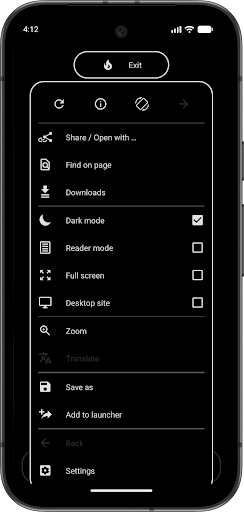
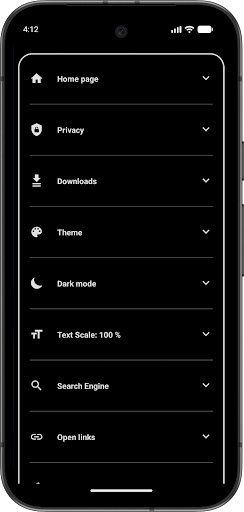
Beyond its privacy-oriented functions, OH Private Web Browser includes several smaller utilities that improve convenience and accessibility. Each tool serves a different purpose, allowing users to customize their browsing sessions according to their needs.
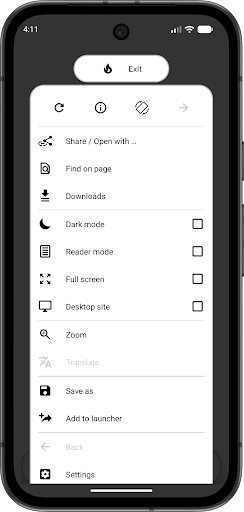
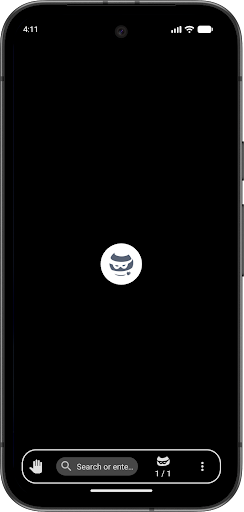
Dark Mode: Switch to a darker interface to make browsing more comfortable in low-light environments.
Reading Mode: Hide unnecessary visual elements and focus on the main text when reading articles or online novels.
Full Screen: Expand the browsing area by hiding interface elements that occupy screen space.
No Images Mode: Disable webpage images to reduce unnecessary loading and improve browsing speed on slower connections.
Translation: Translate foreign-language content to make international websites easier to understand.
Find On Page: Search for specific words or phrases within the currently opened webpage, just like the equivalent feature on desktop browsers.
Together, these utilities provide a practical collection of tools without making the application unnecessarily complicated.
The standard edition offers several useful browsing functions, but certain premium options require payment. The MOD APK version is presented with an unlocked premium feature, allowing users to access additional benefits without following the usual purchase process.
Available MOD feature:
Premium Unlocked: Unlock premium functionality that would otherwise require a one-time payment in the original application.
The availability and functionality of modified features may vary depending on the APK version. Users should also consider that unofficial modified packages do not receive the same guarantees or security checks as applications distributed through their original developer.
If you want to experience private browsing alongside convenient page-saving tools, OH Private Web Browser is worth exploring. Follow the instructions below to get the Android installation package through APKMODY:
Visit APKMODY: Open the APKMODY website using your preferred browser and search for OH Private Web Browser MOD APK.
Check the application details: Review the available version, Android compatibility, and MOD information before proceeding.
Get the APK file: Tap the download option provided on the application page and wait for the package to finish downloading.
Install the application: Open the downloaded APK file. If Android requests permission to install apps from that source, enable the relevant setting temporarily and continue.
Start browsing: Launch OH Private Web Browser after installation and explore its privacy features and available tools.