

Stargon Browser
v6.5.4
• Utilities
| Updated On | |
|---|---|
| Google Play ID | com.vpn.powervpn2 |
| Category | Utilities |
| Version | 2.4 |
| Size | 38 MB |
| MOD Features | Pro Unlocked |
| Requires | Android 12 |
| Price | |
| Free | |
| Content Rating | |
| Everyone | |
| Internet Required | |
| Required | |
| Languages | |
| English | |

Power VPN MOD APK offers Android users a convenient way to connect through VPN servers and access online content with greater flexibility. Its straightforward interface, global server network, and gaming support make it an appealing option for everyday browsing and entertainment. With the Pro Unlocked feature, users can also explore additional functions without the usual premium restrictions.
The internet provides countless opportunities for communication, entertainment, and information, but browsing online also comes with privacy and accessibility concerns. Websites may restrict certain content by location, while public Wi-Fi networks can expose users to security risks. A VPN helps address some of these issues by routing internet traffic through an encrypted connection and masking the original IP address.
Different VPN applications offer varying server networks, connection protocols, and additional tools. Choosing a suitable service therefore depends on your browsing habits, security expectations, and performance requirements. Power VPN aims to simplify this process with an accessible interface and convenient connection features.
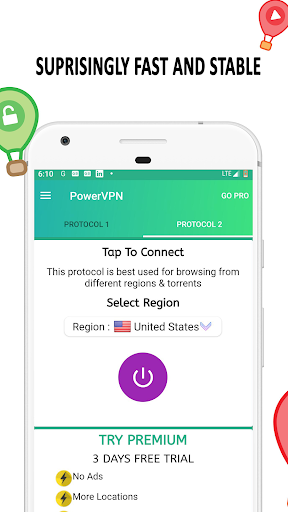
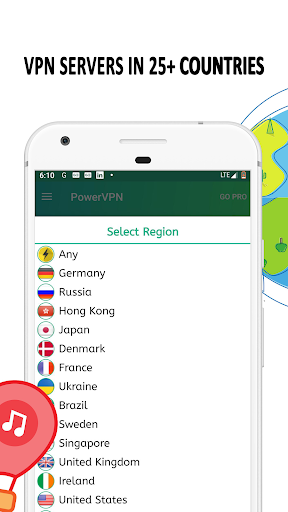
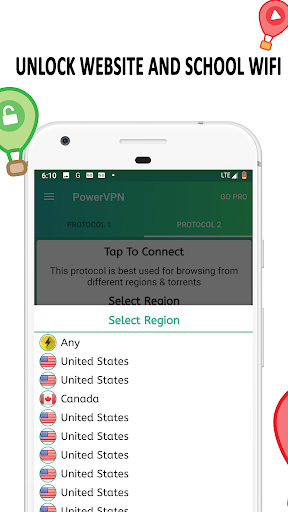
Power VPN focuses on straightforward connectivity, allowing users to establish a VPN connection without navigating complicated settings. Its server network covers multiple international locations, giving users more flexibility when selecting a virtual connection point.
One of its main attractions is the emphasis on speed and bandwidth. The application is designed to support browsing, streaming, downloads, and other online activities without imposing the same usage limitations found in some competing services. However, actual connection speeds depend on server availability, network conditions, and the user’s internet provider.
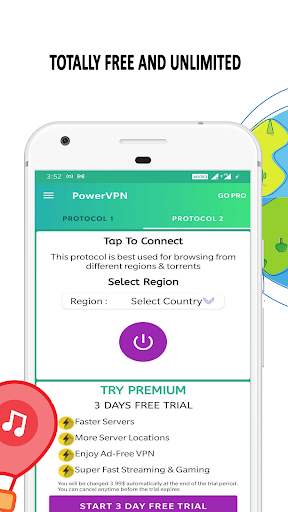
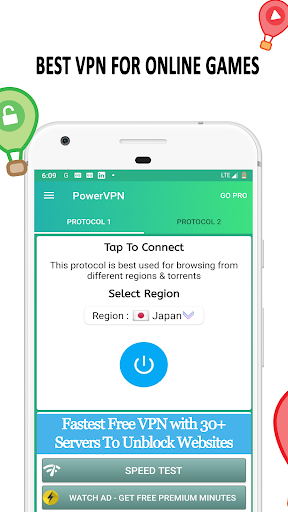
The interface also keeps essential controls within easy reach. Users can select an available server, establish a connection, and manage basic settings directly from the main screen. This uncomplicated design makes the application approachable even for people who have limited experience with VPN services.
Privacy is an important consideration when accessing websites, especially through unfamiliar networks. Power VPN provides VPN connectivity that can help conceal your original IP address from websites and route traffic through its selected servers.
This approach adds a layer of privacy when browsing, although it does not guarantee complete anonymity. Users should still avoid suspicious websites, protect their account credentials, and review the application’s privacy policy to understand how connection data is handled.
Some VPN applications also offer additional protection against unwanted advertisements or potentially harmful websites. The availability and effectiveness of such tools depend on the features included in the installed Power VPN version. Combining VPN protection with responsible browsing habits provides a more sensible approach to online safety.
Geographical restrictions can prevent users from accessing certain websites, streaming libraries, or online services. Power VPN addresses this limitation by offering connections through servers in different regions.
By selecting an available international server, users can obtain an IP address associated with that location. This may help access services that permit VPN connections, although some platforms actively restrict VPN traffic. Streaming availability also depends on the service’s regional policies and detection systems.
The ability to switch between server locations makes Power VPN useful for people who frequently browse international websites or need a different virtual connection point.
Online games depend heavily on network stability, particularly when competitive matches require quick responses. Power VPN is designed to support gaming activities by providing alternative server routes that may improve connectivity under certain network conditions.
Connecting through a suitable server can sometimes reduce routing delays or help resolve connection problems. It may also provide a more consistent experience when accessing game servers in other regions. Nevertheless, a VPN does not automatically reduce ping or eliminate lag; choosing a distant or overloaded server can actually increase latency.
The modified edition focuses on providing access to additional application functions through an unlocked premium feature.
Pro Unlocked: Provides access to supported Pro features without following the standard premium subscription process.
This version may appeal to users who want to explore additional VPN settings. However, modified applications are unofficial releases, so their reliability, compatibility, and update availability may differ from the original application. Avoid using an unverified VPN for sensitive activities involving personal or financial information.
Power VPN may offer a free version for Android users, while certain premium functions can require a subscription or payment. The original listing has mentioned a subscription price of $2.99 per month, but pricing and available plans may change depending on the release and region. Check the current application information before purchasing.
A VPN can improve connection privacy by masking your IP address and routing traffic through another server. However, the level of protection depends on encryption standards, logging practices, and the provider’s privacy policy. Before using Power VPN for sensitive activities, review its permissions and data-handling terms rather than assuming that every VPN guarantees complete anonymity.
If you want to explore Power VPN on your Android device, APKMODY provides a convenient starting point for finding its installation packages. Use the following guide to select and install the appropriate edition.
| Stage | What To Do |
|---|---|
| 1. Search | Open APKMODY in your browser and enter Power VPN in the search field. |
| 2. Review | Access the application page and examine the available version details and listed features. |
| 3. Select | Choose the standard APK or MOD APK according to your preferences. |
| 4. Download | Follow the download link and wait until the installation file is saved completely. |
| 5. Install | Open the downloaded package through your file manager and follow Android’s installation instructions. |
| 6. Connect | Launch Power VPN, review its permissions, and select an available server to test the connection. |