home chevron_right Apps chevron_right Productivity chevron_right Text To Speech


Jnotes:Note-Taking&Editor PDF
v3.6.4.2-gp
• Premium
| Updated On | |
|---|---|
| Google Play ID | com.stcodesapp.text2speech |
| Category | Productivity |
| Version | 3.3.0 |
| Size | 24 MB |
| MOD Features | Premium Unlocked |
| Requires | Android 7.0 |
| Price | |
| Free | |
| Content Rating | |
| Everyone | |
| Internet Required | |
| Required | |

Text To Speech APK makes converting written content into spoken audio simple, fast, and convenient directly from your Android device. Developed by STCodesApp, this application offers multilingual voice synthesis, customizable reading options, and audio export features for different everyday needs. Whether you want to study foreign languages, listen to lengthy documents, or create voiceovers for digital content, this tool provides a practical solution.
Text To Speech is a mobile utility designed to transform written words into spoken language using speech synthesis technology. Instead of relying on complicated desktop software or online services, you can enter your content directly into the application and listen to the generated voice within seconds.
Its straightforward interface makes the conversion process accessible to different types of users, including students, professionals, and digital content creators. Beyond basic text reading, the application also provides several customization options that help you produce audio according to your personal preferences.
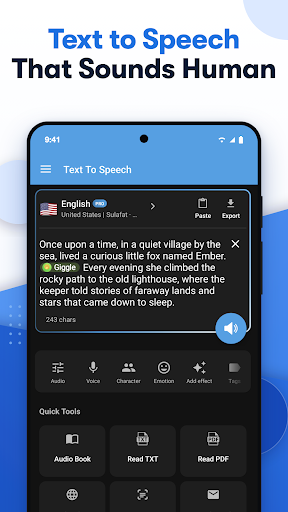
The main purpose of Text To Speech is to eliminate the need to read every piece of written information manually. You simply enter text into the designated area, tap the speaker button, and let the application transform your words into audio. This straightforward process is particularly useful when handling lengthy documents or when you prefer listening instead of staring at a screen.
You can type new content directly or copy and paste existing paragraphs from other sources. This flexibility allows you to convert everything from short messages and personal notes to educational materials and professional documents. By making written information available in audio form, Text To Speech provides a more convenient way to consume content while performing other activities.
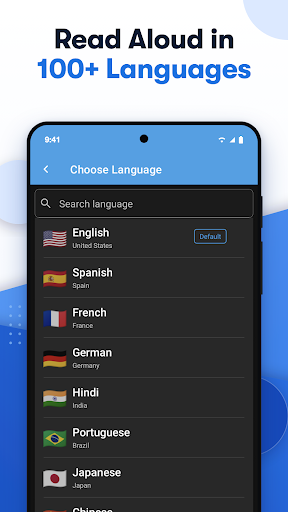
One of the most useful advantages of Text To Speech is its multilingual support. The application accommodates more than 50 languages, allowing users from different regions to convert written content into spoken words. Popular languages such as English and Chinese are included, making the tool suitable for international communication and language-learning activities.
This feature is especially beneficial for people studying a foreign language. Instead of relying entirely on written dictionaries or textbooks, you can listen to generated speech to become more familiar with pronunciation, sentence structures, and listening patterns. Replaying the same passage also helps you recognize unfamiliar words and gradually improve your language comprehension.
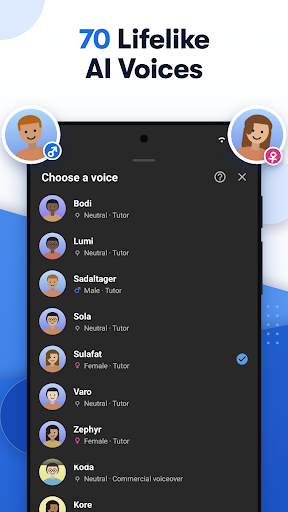
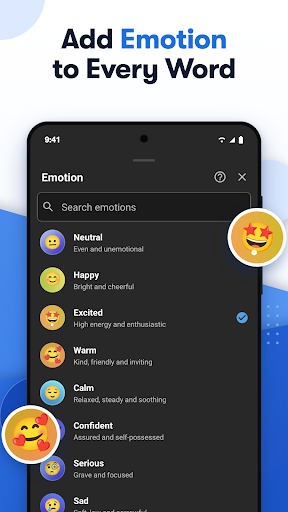
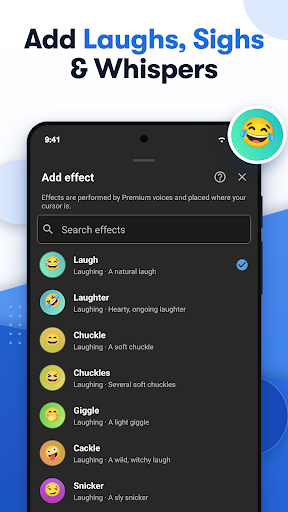
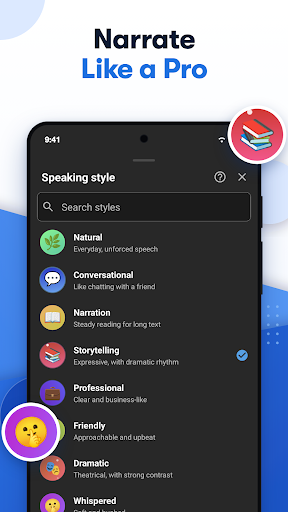
Listening comfort is another important factor when choosing a speech synthesis application. Text To Speech provides different voice options, allowing you to select suitable reading styles depending on your content and personal preferences. Depending on the available language voices, you can choose male or female options and experiment with different vocal characteristics.
The application also lets you adjust several audio parameters, including:
Reading speed: Increase the playback pace for familiar content or slow it down when practicing a foreign language.
Voice pitch: Modify the vocal tone to create a deeper or higher-pitched reading style.
Volume: Adjust the output level to suit your listening environment.
Voice selection: Switch between available voices to find a style that matches your intended use.
These settings make the generated audio more flexible for different situations. For instance, a slower reading pace works well for language exercises, while a more natural conversational tone may be preferable when preparing narration for presentations or videos.
Text To Speech goes beyond real-time playback by allowing you to save generated speech as audio files. Once the conversion is complete, you can export the result in MP3 format and keep it on your device for future use. This is particularly convenient when you need to revisit important information without repeating the conversion process.
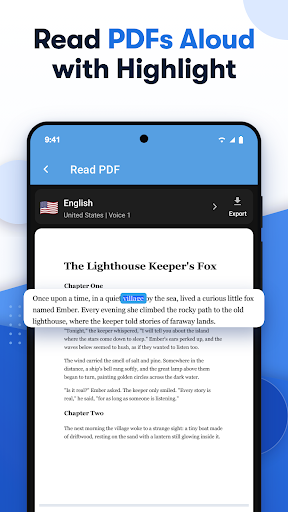
The ability to work with longer passages also makes the application useful for handling reports, study materials, and book chapters. Rather than manually entering every sentence, you can import supported text files when the relevant file-import option is available. After selecting your preferred voice and adjusting the reading parameters, simply convert the content and save the resulting audio.
Having MP3 files available locally gives you more freedom to listen whenever you want, share recordings with other devices, or organize audio materials for different purposes.
The versatility of Text To Speech makes it suitable for more than occasional text conversion. Students can transform lessons, notes, and educational documents into audio materials for convenient revision. Repeated listening also provides additional exposure to foreign-language pronunciation, helping learners develop better listening habits and become more comfortable with unfamiliar vocabulary.
Content creators can also benefit from its voice generation capabilities. Converting prepared scripts into audio provides a convenient starting point for video narration, presentations, and other digital projects. Meanwhile, professionals can listen to reports or written materials while handling other tasks, reducing the time spent reading lengthy documents. The application is also described as supporting offline use, although available voices and specific features may depend on the device and installed speech resources.
For users interested in additional application benefits, the modified edition introduces an unlocked premium feature. This version focuses on providing access to enhanced functionality without requiring the standard premium unlocking process.
The Premium Unlocked modification provides access to premium features that would otherwise require an upgrade. This allows users to explore the application’s enhanced capabilities and enjoy a more flexible text-to-speech experience.
Text To Speech is a practical choice for anyone who wants to turn written information into convenient audio content. Its multilingual support, adjustable voices, MP3 export functionality, and straightforward operation make it useful for studying, working, and creating digital materials. To install the application on your Android device, use the following download process through APKMODY:
Visit APKMODY: Open the website using Chrome or another browser on your Android phone.
Locate the application: Search for Text To Speech APK and select the matching application page.
Choose your preferred edition: Check the available release information and select the regular or MOD APK version according to your needs.
Download the package: Tap the corresponding download link and wait until the installation file is saved.
Install and launch: Open the downloaded APK, allow installation from the selected source if requested, and complete the process.