home chevron_right Apps chevron_right Productivity chevron_right Focus Friend by Hank Green


HabitTick-Habit Tracker & Todo
v1.1.26
• Premium
| Updated On | |
|---|---|
| Google Play ID | com.underthing.focus.friend |
| Category | Productivity |
| Version | 1.11.3 |
| Size | 215 MB |
| MOD Features | Premium |
| Requires | Android 7.1 |
| Price | |
| Free | |
| Content Rating | |
| Everyone | |
| Internet Required | |
| Unknow | |

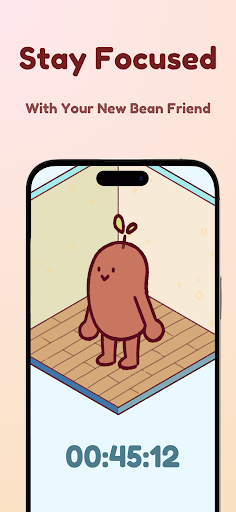
Focus Friend by Hank Green is a cozy productivity app designed to make focused work sessions feel more engaging. Instead of relying only on a traditional countdown timer, the app gives users a cute Bean companion that works alongside them. When a focus session begins, the Bean starts working too. Completing the session earns rewards that can be used to decorate the Bean’s room. This simple combination of focus timers, gentle motivation, and customization makes the app suitable for studying, work, reading, chores, and other tasks that require uninterrupted attention.
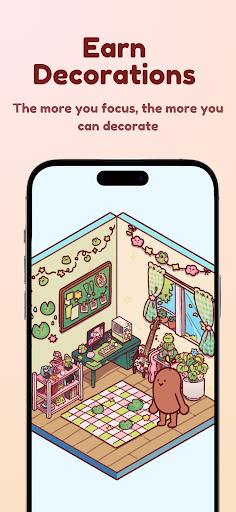
The main idea behind Focus Friend by Hank Green is to make concentration feel less like a strict productivity challenge. Users choose a focus period and let their Bean companion work during the same time. If the timer is interrupted, the Bean becomes sad, creating a small emotional reminder to stay on task. Completing the session produces rewards that can be spent on room decorations. This gamified approach adds a visual goal to a task that might otherwise feel repetitive.
Focus Friend is not limited to academic work. The developer presents it as a tool for students and anyone who needs help getting started or staying in the flow. You can use a session for homework, writing, reading, office tasks, household chores, or personal projects. The basic concept remains the same: decide what you want to accomplish, start the timer, and let your Bean work while you focus. This straightforward structure can make large or difficult tasks feel easier to approach.
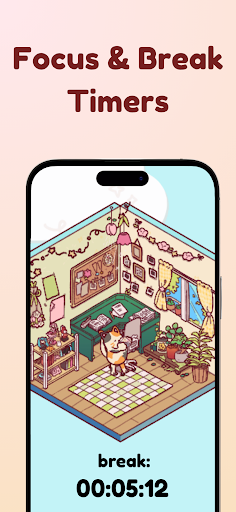
Focus Friend by Hank Green includes Deep Focus Mode, which can block distracting apps during a focus session. This gives users an option to create a stronger barrier against common phone distractions. The app also includes break timers based on the Pomodoro method. During breaks, users can spend time decorating their Bean’s room instead of immediately starting another work session. Live Activity support can also show timer progress while the phone is locked on supported devices.
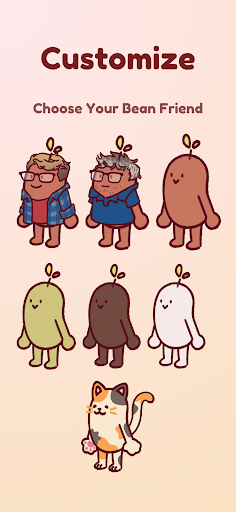
Rewards provide another reason to complete focus sessions. Users can collect prizes and use them to furnish the Bean’s room with different decorations and themes. The app also offers multiple Bean skins, including Coffee Bean, Edamame Bean, Pinto Bean, and Kitty Bean, along with Hank and John Bean options. This customization gives the productivity system a more personal feel. Instead of tracking only minutes and completed tasks, users gradually create a small virtual space connected to their focus routine.
According to the current Google Play listing, the developer reports that no data is shared with third parties and no data is collected. The listing also states that data is encrypted in transit and that users can request deletion. The official FAQ explains that the app is designed to remain ad-free and privacy-focused. These details may appeal to users who want a productivity tool without a large amount of advertising or unnecessary tracking.
Open Focus Friend by Hank Green and decide what task you want to work on. Set a suitable focus duration, then start the timer and let your Bean begin its activity. During the session, avoid unnecessary phone use or enable Deep Focus Mode if you want stronger restrictions. When the session ends, collect the available rewards and use them to customize the Bean’s room. Take advantage of the break timer before starting another session. Beginning with shorter periods can also help you establish a consistent routine before moving to longer focus sessions.
Focus Friend by Hank Green offers a different take on productivity by combining a focus timer with a friendly virtual companion and simple game-like rewards. Its Bean character, room decorations, customization options, Deep Focus Mode, and break timers create a more engaging alternative to a basic countdown timer. The app can fit study sessions, work, reading, chores, and other activities where reducing phone distractions is useful. Its approach is intentionally simple, so users looking for advanced project management or detailed task planning may need another tool alongside it. For people who prefer gentle visual motivation and a cozy atmosphere, Focus Friend provides an approachable way to build regular focus sessions.