home chevron_right Apps chevron_right Productivity chevron_right MateAI


Todai: AI Life Coach & Planner
v1.2.1
• Unlocked



| Updated On | |
|---|---|
| Google Play ID | com.aichatbot.mateai |
| Category | Productivity |
| Version | 1.6.5 |
| Size | 153 MB |
| MOD Features | Pro Unlocked |
| Requires | Android 7.0 |
| Price | |
| Free | |
| Content Rating | |
| Teen | |
| Internet Required | |
| Required | |

Artificial intelligence is becoming part of everyday life, and MateAI makes it easier to put that technology to practical use. This versatile assistant helps with writing, studying, creative projects, job preparation, and personal planning through a single mobile application. Whether you need a polished CV, a quick explanation of a difficult subject, or ideas for your next trip, MateAI offers a convenient place to get started.
Developed by Saeta Tech Ltd, MateAI is an AI-powered assistant designed to support users across different aspects of daily life. The app uses ChatGPT-based technology, including GPT-4 according to its description, to handle a wide range of requests through an accessible interface.
Instead of switching between several specialized applications, you can use MateAI to generate text, explore ideas, create visuals, and organize everyday activities. Its collection of tools makes it suitable for students, office workers, content creators, and anyone interested in experimenting with AI.
The chatbot is one of MateAI’s central features. You can enter questions about schoolwork, professional tasks, general knowledge, or everyday situations and receive responses based on the context of your conversation. It can explain complicated topics, suggest possible solutions, and help you brainstorm when you’re unsure how to approach a problem.
For situations when typing isn’t convenient, Voice Chat provides another way to interact with the assistant. Simply use the microphone feature to speak your request and receive an AI-generated response. This hands-free option is useful when multitasking or when you prefer expressing your thoughts aloud rather than composing long messages.
Writing can take considerable time, especially when you’re dealing with multiple assignments or approaching deadlines. MateAI brings together several writing utilities to make the process more manageable. Essay Writer helps generate drafts around a given topic, while Email Generator assists with composing professional messages, applications, and workplace correspondence.
You can also use Grammar Checker to identify language mistakes and improve sentence structure. Meanwhile, Rewrite Tool helps rephrase existing passages to create a different tone or improve readability. These functions are useful for preparing social media captions, organizing presentation ideas, developing article outlines, or refining written drafts. You can provide additional instructions to guide the output toward your preferred style.
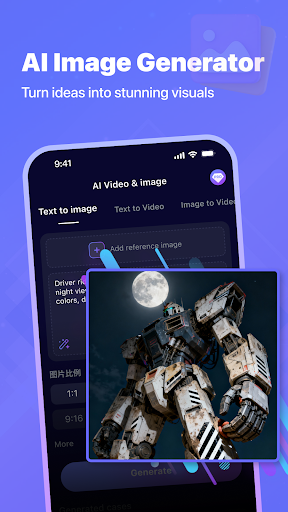
MateAI goes beyond written content with tools designed for visual creativity. Its Image Generator allows you to describe a scene or concept in text and turn that prompt into an AI-generated image. You can experiment with different visual styles, colors, and aspect ratios to produce artwork that matches your idea.
The Logo Maker focuses on a more specific creative task. By providing information about your brand or project, you can receive suggestions involving typography, color combinations, and layout concepts. The resulting design can then be adjusted and exported as a PNG file, making this feature worth exploring for small businesses, online sellers, and independent content creators.
Job applications often involve several steps, from creating a professional resume to practicing answers for difficult interview questions. MateAI brings these tasks together through its Resume Builder and Interview Trainer.
With Resume Builder, you provide basic personal information, work experience, and career objectives. The tool then helps organize those details into a structured CV with a professional-looking layout. It can be a useful starting point if you’re unsure how to present your qualifications clearly.
Interview Trainer takes preparation a step further by presenting sample interview questions and evaluating your responses. You can practice answering common topics, such as career goals, teamwork, and conflict resolution, then use the feedback to improve your wording and confidence. This makes the feature useful for recent graduates, experienced applicants, and people considering a career change.
MateAI also offers several functions for users who want additional support with their studies. Its math-solving tool can break down problems into individual steps, explain the formulas involved, and show how a solution is reached. Rather than receiving only a final result, you get an explanation that can help you understand the underlying process.
Language learning is another area covered by the app. You can look up unfamiliar words, explore their meanings, request translations, and review example sentences. Flashcards provide a convenient way to practice vocabulary by topic, while the AI chatbot can simplify broader concepts such as economics, technology, or scientific principles. These tools work best as learning aids alongside your own practice and verification.
Planning daily activities becomes easier when you have a starting point. MateAI’s Meal Planner can generate menus based on requests such as a weekly low-carb eating plan or a selection of simple meals. Suggestions may include ingredients and preparation instructions, with opportunities to request alternatives based on personal preferences or dietary restrictions. You should still check ingredient information and nutritional suitability before following a suggested plan.
For travel, the Travel Assistant helps turn a destination and trip duration into a suggested itinerary. For example, you can request a relaxed two-day visit to Paris and receive ideas for attractions, dining, accommodation, and daily activities. You can also specify your preferred travel style or budget to make the suggestions more relevant. It’s a convenient way to organize initial ideas before checking practical details such as opening hours, transport, and booking availability.
The modified edition offers an unlocked Pro experience, giving users access to the premium features included in the app’s paid offering.
Pro Unlocked: Premium access is unlocked in this MOD version, allowing you to explore the app’s advanced tools without the standard Pro restrictions.
MateAI combines chatbot conversations, writing assistance, visual creation, career preparation, and everyday planning in one application. Its range of tools makes it a convenient companion when you need fresh ideas, help organizing information, or a starting point for a particular task.
To get the Android version through APKMODY, use the following installation checklist:
Open the download source: Access APKMODY through your preferred mobile browser.
Search by app name: Enter MateAI in the website’s search field and open the matching result.
Check the MOD information: Review the available version, package details, and Pro Unlocked description before selecting a file.
Save the installation package: Start the APK download and keep the browser open until the file has been received.
Review Android permissions: If your device displays a security prompt, check the requested installation permission for your browser or file manager.
Complete installation: Open the saved APK, follow the system instructions, and launch MateAI after setup finishes.