home chevron_right Apps chevron_right Productivity chevron_right Cici – Your AI assistant


HabitTick-Habit Tracker & Todo
v1.1.26
• Premium
| Updated On | |
|---|---|
| Google Play ID | com.larus.wolf |
| Category | Productivity |
| Version | 15.8.0 |
| Size | 380 MB |
| MOD Feature | Not available |
| Requires | Android 5.0 |
| Price | |
| Free | |
| Content Rating | |
| Teen | |
| Internet Required | |
| Required | |

Launched in 2023, Cici – Your AI assistant is an AI-powered application designed to make everyday tasks easier and improve personal productivity. Acting as a virtual companion, it helps users find information, handle writing assignments, summarize documents, generate images, and explore fresh ideas through simple conversations. Whether you need support with studying, work, or casual discussions, Cici brings several useful AI tools together in one place.
As artificial intelligence continues to develop, virtual assistants are becoming increasingly useful in both professional and personal settings. Cici – Your AI assistant is one option for people who want quick access to AI-powered support without switching between multiple tools. Its conversational interface makes it easy to submit questions, request specific tasks, and explore different possibilities.
Cici is designed to handle questions across numerous subjects, making it a flexible assistant for different situations. Students can ask it to explain mathematical problems, develop essay ideas, or clarify unfamiliar concepts. Meanwhile, users dealing with everyday tasks can turn to it for general information, practical suggestions, and answers to common questions.
The application also allows you to create multiple chatbots with different purposes. This gives you the freedom to organize conversations around particular interests or tasks instead of relying on a single assistant for everything. For health-related topics, Cici can provide general information, although its responses should not replace advice from qualified medical professionals.
Quick feedback is one of the qualities people expect from an AI assistant. Cici aims to deliver responses promptly after receiving a question or instruction, allowing you to maintain your workflow without unnecessary interruptions. Straightforward requests are generally handled quickly, while more complicated questions or lengthy responses may require additional processing time.
This responsive experience makes the application convenient for quick research, brainstorming, and everyday problem-solving. Rather than spending time searching through numerous sources, you can start with a direct conversation and ask follow-up questions to explore the subject further.
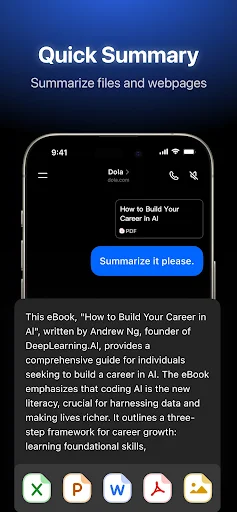
Reading long documents is not always practical, especially when you only need to understand their main points. Cici includes a text summarization feature that helps turn lengthy passages into shorter versions while preserving their central ideas. Simply provide the content and explain how concise you want the result to be.
The feature also supports text files, allowing you to submit a document instead of copying its entire contents into the chat. Cici then processes the available text and produces a condensed overview. This can be useful when reviewing study materials, preparing notes, or getting familiar with lengthy documents before reading them in full.
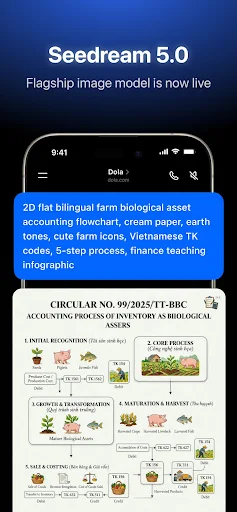
Beyond text-based assistance, Cici also offers an image generation feature. You can describe the scene, objects, style, or other visual details you want to see, then let the AI create an image based on your prompt. More specific descriptions generally give the system better guidance, helping it produce results that are closer to your expectations.
You do not have to settle for the first result, either. If an image does not match your original idea, send another instruction to adjust the details or explore a different direction. Although AI-generated artwork may still lack the precision and creative judgment of work produced by experienced artists, it can be a useful source of inspiration for design projects, decorations, and personal entertainment.
Coming up with fresh concepts can be challenging when you are working on a project or facing a creative block. Cici can help by suggesting different approaches, developing rough concepts, and offering alternative perspectives based on your instructions. You can also share your existing ideas and ask the assistant to expand, refine, or reorganize them.
This back-and-forth process makes brainstorming more flexible. Instead of accepting the first suggestion, you can keep adjusting your requests until you find a direction that suits your needs. Whether you are preparing content, planning a project, or looking for inspiration, Cici provides another way to get your creative process moving.
Cici offers a chat-based experience that feels familiar to anyone who has used a messaging application. In addition to standard question-and-answer interactions, you can explore AI bots with different personalities and character styles. These options make conversations more varied, whether you want to discuss a particular topic, exchange thoughts, or simply enjoy a casual chat.
The personalized characters also give the application a more entertaining side beyond its productivity features. You can choose a conversational style that matches your mood and treat Cici as a virtual companion for everyday discussions. However, it is worth remembering that these interactions are generated by AI rather than a real person.
AI assistants are becoming useful tools for handling routine tasks, exploring information, and developing new ideas. Cici – Your AI assistant brings several of these capabilities into one application, covering everything from text support and document summaries to image creation and interactive conversations. It is worth exploring if you want a convenient AI companion on your Android device.
You can access the APKMODY download page and install the application using this quick checklist:
| Stage | What to do |
|---|---|
| Locate the APK | Search for Cici – Your AI assistant on APKMODY and open its download page. |
| Save the file | Choose the available Android APK option and wait for the download to finish. |
| Check permissions | If your device displays an installation restriction, allow your browser or file manager to install apps from that source in Android settings. |
| Launch Cici | Return to the downloaded file, complete the installation, and open the application. |