home chevron_right Apps chevron_right Productivity chevron_right Todoist: To Do List & Calendar


Jnotes:Note-Taking&Editor PDF
v3.6.4.2-gp
• Premium

| Updated On | |
|---|---|
| Google Play ID | com.todoist |
| Category | Productivity |
| Version | 12290 |
| Size | 57 MB |
| MOD Features | Unlocked |
| Requires | Android 8.0 |
| Price | |
| Free | |
| Content Rating | |
| Everyone | |
| Internet Required | |
| Unknow | |

Todoist: To Do List & Calendar is a productivity app designed to help users organize tasks, manage schedules, and keep track of daily responsibilities. By combining to-do lists, reminders, projects, and calendar-oriented planning tools, the app provides a structured space for managing personal and professional activities. Its flexible organization system can be useful for students, employees, freelancers, and anyone who wants a clearer overview of what needs to be completed.
Todoist focuses on making task management simple while providing enough flexibility for more detailed planning. Users can create individual tasks, group related activities into projects, assign priorities, and organize work with labels or filters. This structure makes it easier to separate different areas of life, such as work, study, personal responsibilities, and long-term goals.
The app can support both simple and complex workflows. Someone who only needs a basic daily checklist can keep the setup minimal, while users with larger projects can create multiple task lists and organize them into specific categories. This flexibility allows the same productivity tool to adapt to different planning styles.
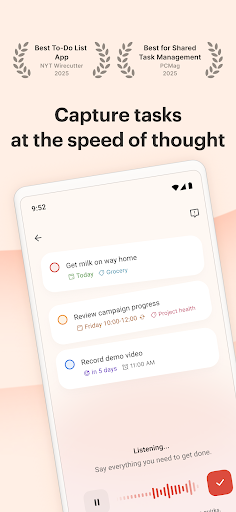
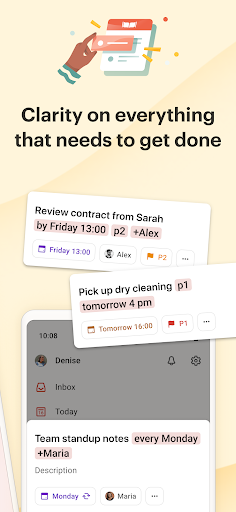
At the center of Todoist task management is the ability to capture tasks quickly and organize them later. Users can add due dates, priorities, recurring schedules, and additional details to individual tasks. Breaking larger responsibilities into smaller actions can make complicated projects easier to understand and manage.
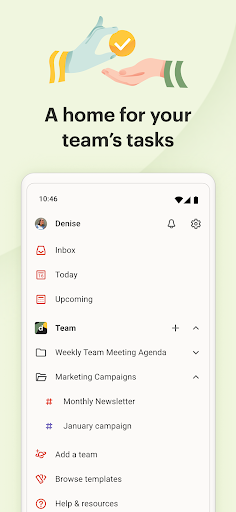
Projects provide another useful organizational layer. Instead of placing every task in one long list, users can create separate spaces for different objectives. This can reduce clutter and make it easier to focus on the tasks that are relevant to a particular area of life.
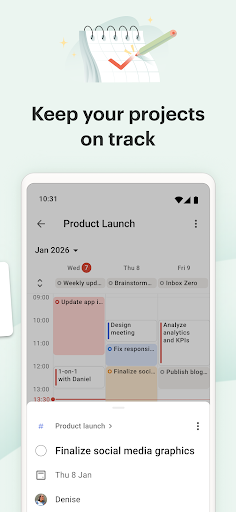
The calendar-oriented features help users connect tasks with specific dates and schedules. Planning deadlines and recurring responsibilities can provide a clearer view of upcoming commitments. When tasks are organized around time, users can better understand how much work is planned for a particular day.
This approach can also help with long-term planning. Rather than simply recording what needs to be done, users can assign tasks to appropriate dates and gradually build a realistic schedule. Regularly reviewing upcoming tasks can help prevent important responsibilities from being forgotten.
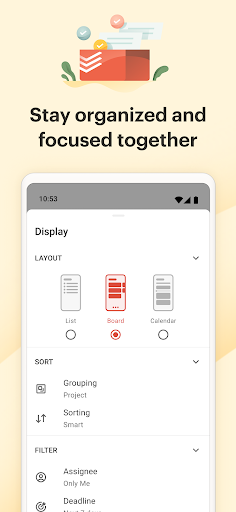
Todoist productivity becomes more flexible through organizational tools such as priorities, labels, and filters. Priorities can help users distinguish urgent responsibilities from less time-sensitive tasks. Labels and filters can then make it easier to find specific types of work without manually searching through every project.
These features are especially useful for people managing multiple responsibilities at the same time. For example, work-related tasks can be separated from personal errands, while recurring activities can be grouped for easier review.
Recurring tasks are useful for responsibilities that need to be completed regularly. Instead of manually recreating the same task every day or week, users can establish a recurring schedule. This can be helpful for study routines, meetings, household responsibilities, or regular work activities.
Daily planning can become more effective when users combine recurring tasks with specific deadlines and priorities. A short review at the beginning or end of each day can help identify unfinished tasks and prepare for upcoming responsibilities.
Start by creating a few projects that represent your main areas of responsibility. Add individual tasks to the appropriate projects and give important tasks clear due dates. Avoid adding unnecessary details at the beginning. A simple structure is usually easier to maintain consistently.
Next, use priorities and labels when they genuinely improve organization. For recurring responsibilities, create appropriate recurring schedules instead of entering the same task repeatedly. If your workload becomes large, filters can help you focus on a smaller group of relevant tasks.
At the end of each day, review completed and unfinished tasks. Move deadlines when necessary and remove tasks that are no longer relevant. A productivity system works best when it reflects your actual workload rather than becoming another source of unnecessary complexity.
Todoist: To Do List & Calendar provides a flexible environment for organizing tasks, projects, deadlines, and recurring responsibilities. Its combination of structured task management and schedule planning makes it suitable for different types of users, from people who need a simple checklist to those managing more complex projects.
The app can become particularly useful when users establish a consistent planning routine. Features such as priorities, labels, filters, recurring tasks, and calendar-based scheduling can help turn a collection of responsibilities into a more manageable system. While no productivity app can replace good time management habits, Todoist offers practical tools for keeping daily tasks organized and maintaining a clearer view of upcoming commitments.