home chevron_right Apps chevron_right Productivity chevron_right Knowunity


Flexcil Notes & PDF Reader
v1.5.1.5
• Unlocked
| Updated On | |
|---|---|
| Google Play ID | de.knowunity.app |
| Category | Productivity |
| Version | 6.47.6 |
| Size | 115 MB |
| MOD Features | Pro Unlocked |
| Requires | Android 8.0 |
| Price | |
| Free | |
| Content Rating | |
| Everyone 10+ | |
| Internet Required | |
| Required | |

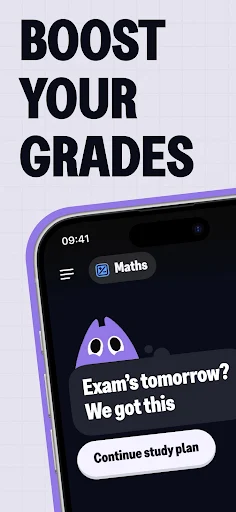
Knowunity APK is an educational app that combines artificial intelligence with practical study tools to make learning more manageable. It helps students understand difficult subjects, organize their revision schedules, and prepare for tests through personalized assistance. Whether you’re struggling with homework or looking for a better way to retain information, Knowunity offers several features worth exploring.
Keeping up with schoolwork isn’t always easy. Students often have to deal with multiple subjects, demanding assignments, and large amounts of information within limited periods. Teachers and parents can provide valuable guidance, but individual learners may still need extra support when reviewing lessons or working through difficult exercises.
Knowunity aims to fill this gap with AI-powered learning assistance and a collection of tools for different academic needs. It covers subjects such as mathematics, literature, chemistry, and biology, helping users explore unfamiliar topics and review important concepts. Instead of replacing traditional teaching, the app works as an additional study companion that students can use whenever they need guidance.
One of Knowunity’s useful qualities is its ability to tailor learning support according to the information you provide. Students at different educational levels naturally have different requirements, so receiving explanations that match your current knowledge can make complicated lessons easier to understand.
The app can assist with questions, exercises, revision, and study organization. It also encourages consistent learning by helping users establish routines instead of leaving all their preparation until the last minute. With regular practice and thoughtful use, these tools can make independent study more structured and productive.
To make its recommendations more relevant, Knowunity asks you to provide some basic educational details during the initial setup. This information helps the app understand your academic background and the subjects you want to focus on. The main details include:
Country and grade level: Choose your location and current educational level so the app can better align its learning support with your curriculum.
School information: Select your school when the relevant options are available. This helps organize your educational profile.
Preferred subjects: Pick the subjects you want to improve, such as mathematics, chemistry, biology, or literature. Your selections help shape the content and recommendations you receive.
Taking a moment to complete this profile can make your experience more relevant. You can then focus on the topics that matter most instead of sorting through learning materials unrelated to your current goals.
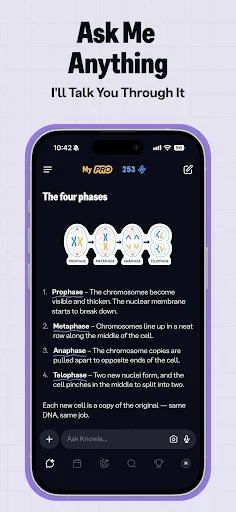
The AI tutor is one of Knowunity’s central features. Rather than searching through multiple websites whenever you encounter a difficult question, you can use the app to request explanations and guidance in one place. Its educational focus is designed to make answers more accessible to students with different levels of knowledge.
The virtual tutor can support several aspects of studying:
Understand assignments: Submit questions or exercises to receive explanations that help you work through challenging problems.
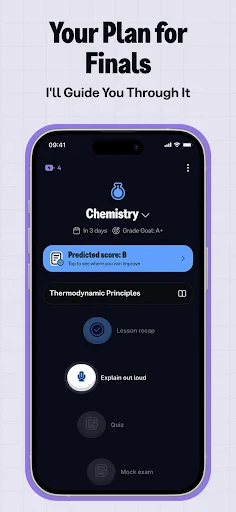
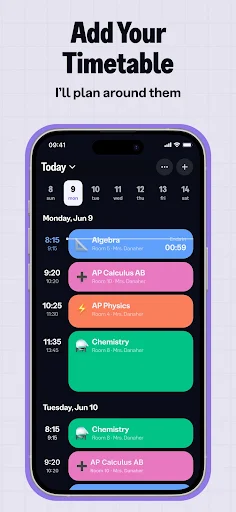
Build a study routine: Create learning sequences lasting 3, 7, or 14 days, along with other available durations, to organize your revision.
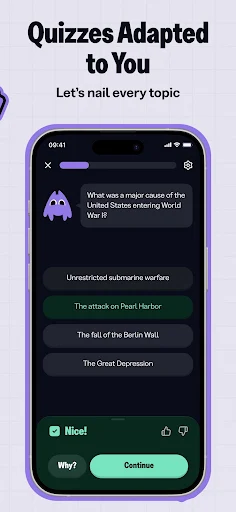
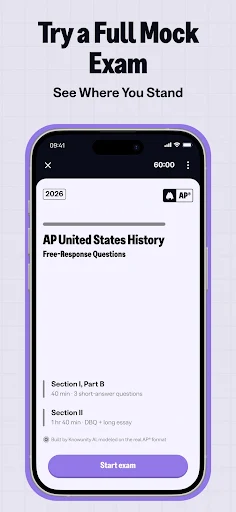
Practice with tests: Generate practice questions to check your understanding, identify weaker areas, and decide which topics need more attention.
The goal isn’t simply to provide answers but also to help students understand the reasoning behind them. As with other AI tools, responses may occasionally contain mistakes, so it’s worth checking important information against textbooks or guidance from teachers. You can also use notification permissions if you want reminders about your study schedule, although these are optional.
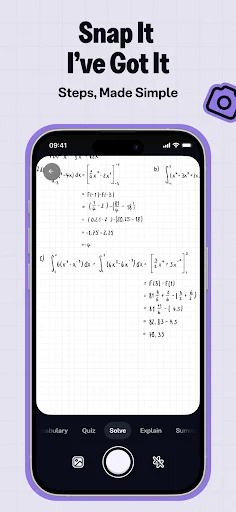
Entering a long mathematical expression or copying an entire assignment can be inconvenient on a phone. Knowunity’s Scan feature offers a simpler approach: capture an image of the question or exercise and let the AI analyze its contents.
This is particularly useful when dealing with printed worksheets, textbook exercises, or questions containing multiple lines of text. Once the content has been recognized, you can request assistance without manually reproducing every detail. For the best results, make sure the image is clear, well-lit, and shows the complete question.
Flashcards provide a practical way to memorize vocabulary, definitions, formulas, and other important facts. Knowunity lets you generate cards using the information or topics you want to review, helping you turn larger lessons into smaller pieces of study material.
You can keep your cards organized for future revision and access synchronized content across devices when using the same account. This makes the feature convenient for short study sessions between classes or more focused preparation before an exam.
Long chapters and complicated explanations can make revision feel overwhelming. Knowunity’s summary feature helps simplify this process by condensing lengthy text into shorter, more manageable information.
Instead of reading through the same material repeatedly, you can use summaries to identify central ideas and review important points. They’re especially useful as a starting point when preparing notes, although you should still consult the original material whenever you need detailed explanations or supporting examples.
Studying doesn’t always have to be a solo activity. Knowunity also provides access to a learning community where users can discover materials and study-related content shared by others.
Exploring these resources can introduce you to alternative explanations, revision notes, and useful approaches to different subjects. You may find a topic that answers a question you’ve been struggling with or discover materials that complement your existing study plan. As with any community-generated content, check the accuracy of shared information before relying on it for important assignments.
The MOD version advertises Pro Unlocked, which is intended to provide access to premium features without the usual subscription restrictions. This may offer a more flexible way to explore advanced study tools and make use of additional learning support.
However, Knowunity relies on online services and account-based features, so not every premium function is guaranteed to work in a modified APK. The availability of Pro features may depend on server-side verification, app compatibility, and the particular MOD release. Remember that this version is unofficial and is not distributed or supported by the original developer.
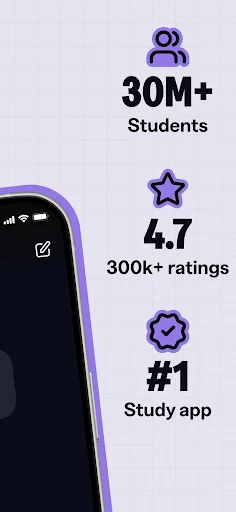
Knowunity brings together AI tutoring, exercise scanning, flashcards, summaries, and community learning resources in one convenient application. These tools can help students organize their workload and approach difficult subjects with greater confidence. If you’d like to explore its learning features on your Android device, you can look for the available version through APKMODY.
Here’s a quick way to locate the installer:
Open APKMODY.COM in your phone’s browser.
Search for Knowunity APK and enter the corresponding app page.
Review the release information, Android requirements, and available download details.
Tap the download link for the APK package and allow the browser to finish saving the file.
Open your file manager, find the downloaded installer, and select it to begin installation. Android may ask you to authorize installations from that source.
After installation, launch Knowunity, sign in or create an account if required, and configure your learning profile.