

RoutineFlow: Routine for ADHD
v1.0.11
•
Premium
| Updated On | |
|---|---|
| Google Play ID | com.facebook.stella |
| Category | Productivity |
| Version | 299.0.0.27.166 |
| Size | 262 MB |
| MOD Feature | Not available |
| Requires | Android 10 |
| Price | |
| Free | |
| Content Rating | |
| Everyone | |
| Internet Required | |
| Required | |

Artificial intelligence is becoming an essential part of everyday digital life, with tools like ChatGPT, Grok, and Gemini changing how people search for information and complete tasks. Joining this competitive landscape, Meta introduces Meta AI, an intelligent assistant designed to make everyday interactions faster, easier, and more convenient. From answering questions and generating images to helping with creative projects, the application brings a wide range of AI-powered capabilities directly to Android users.
Meta AI is an artificial intelligence application developed by Meta, the technology company behind Facebook, Instagram, and WhatsApp. Powered by the company’s Llama models, this assistant is designed to understand natural language, respond to questions, and support users across different activities. Rather than functioning as a basic chatbot, it combines conversational AI with creative tools and information assistance.
Its integration with Meta’s existing ecosystem also makes the service particularly interesting. Users can access Meta AI through supported Meta platforms, while the standalone application provides another way to interact with the assistant. Availability and specific functions may vary depending on the country, device, and application version.
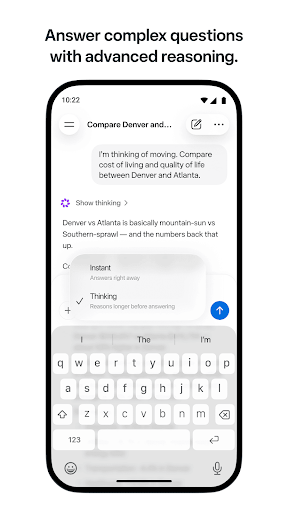
Meta AI uses large language models to process user requests and generate responses based on the context of a conversation. You can communicate naturally instead of relying on rigid commands or complicated search queries. Simply describe what you need, provide additional details when necessary, and let the assistant help you work toward an answer.
The application also benefits from Meta’s broader AI development, including its Llama model family and other supporting technologies. Depending on the available features, users can ask questions, explore topics, generate creative content, and interact with AI through different input methods. Its presence across services such as Facebook, Messenger, and Instagram further demonstrates Meta’s goal of making AI assistance accessible throughout its ecosystem.
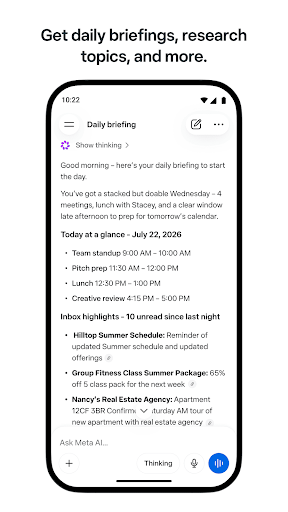
Meta AI keeps its interface relatively straightforward, allowing new users to start conversations without dealing with complicated settings. The main chat area provides a convenient space to enter questions, submit instructions, and review generated responses. Common interactions are easy to understand, making the application suitable for both occasional users and people who frequently rely on AI tools.
You can also explore suggested prompts and available features to understand what the assistant can do. Whether you need a quick explanation, a creative idea, or help organizing information, the streamlined layout makes it easier to move between different tasks without unnecessary steps.
One of Meta AI’s strongest advantages is its versatility. Instead of focusing on a single purpose, the assistant can support several activities through natural-language interactions. Depending on the model and features available in your region, you can use it for tasks such as:
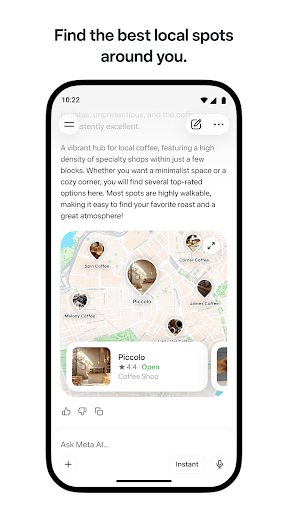
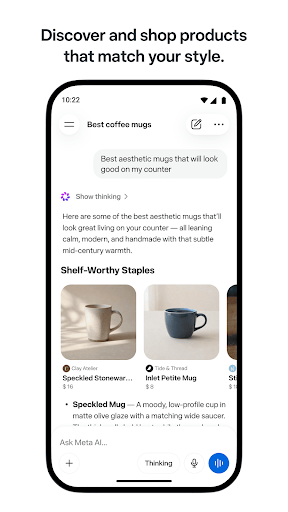
Information discovery: Ask questions, explore unfamiliar subjects, and receive explanations on a wide range of topics.
Planning and organization: Generate schedules, prepare travel ideas, organize personal activities, or outline upcoming projects.
Learning and productivity: Request study explanations, summarize information, brainstorm ideas, and solve various problems.
Writing assistance: Create drafts, improve sentences, translate text, and adjust content for different audiences.
Creative exploration: Develop story concepts, generate descriptions, and experiment with different writing styles.
These capabilities make Meta AI a flexible companion for students, professionals, and everyday users. However, generated answers should still be reviewed carefully, particularly when dealing with important decisions or information that requires accuracy.
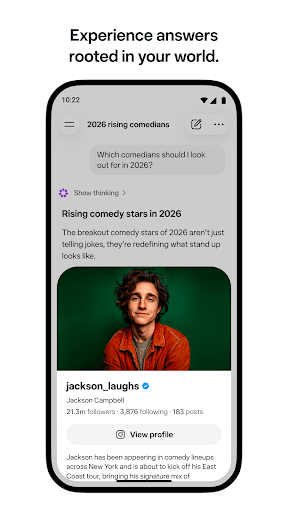
Meta AI is designed to make interactions feel more relevant by considering conversational context and user preferences where supported. Instead of treating every question as an isolated request, the assistant can use information from the ongoing conversation to provide responses that better match your instructions.
Its connection with Meta’s ecosystem also creates opportunities for more integrated experiences across supported services. Depending on regional availability and privacy settings, certain features may provide personalized suggestions or connect with other Meta products. Users should review the application’s privacy controls to understand how their information is handled and which personalization options are enabled.
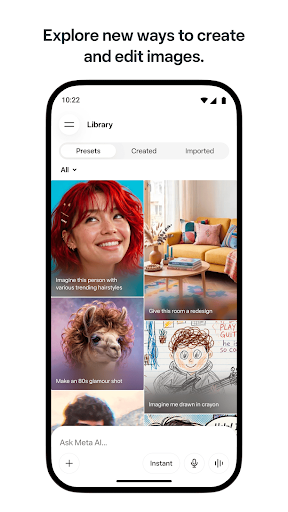
Beyond text-based conversations, Meta AI also offers creative capabilities that allow users to explore AI-generated imagery. You can describe a scene, character, object, or visual concept and ask the assistant to turn your idea into an image. This feature provides an accessible way to experiment with visual creativity without requiring professional design software.
Image generation is useful for brainstorming, creating fun illustrations, and exploring different artistic directions. You can refine your prompts by changing descriptions, adding visual details, or requesting alternative concepts. The exact generation options and usage limits may differ depending on the supported model and regional rollout.
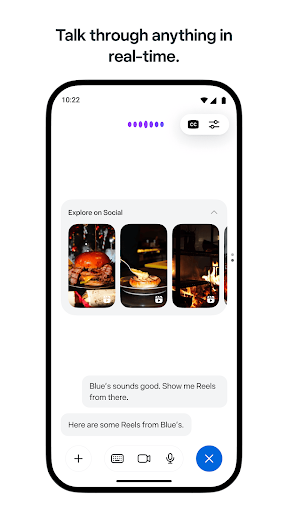
Typing is not always the most convenient way to communicate with an AI assistant. Meta AI supports voice-oriented interactions in compatible experiences, allowing users to speak their requests instead of entering every instruction manually.
This approach is particularly useful when multitasking, looking for quick information, or simply preferring a more conversational way to interact. Depending on device and regional support, voice features may offer different interaction styles and language options. The availability of these capabilities can change as Meta continues developing its AI services.
Meta continues investing heavily in artificial intelligence, with ambitions to integrate its technology into more products and services. Meta AI is an important part of this strategy, connecting conversational assistance with the company’s broader social and digital ecosystem.
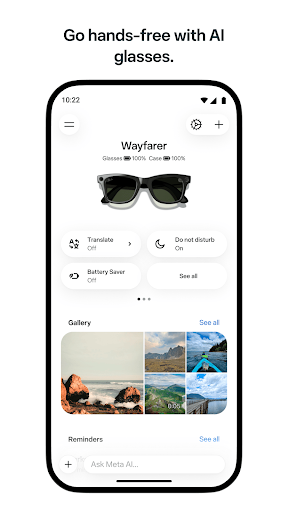
Future developments may bring improvements to reasoning, image generation, voice interactions, and personalized assistance. Integration with wearable devices, including AI-powered smart glasses, also represents an interesting direction for the technology. For developers, Meta’s broader AI ecosystem may provide additional opportunities to build applications and experiences around its models.
Want to experience Meta’s virtual assistant directly on your smartphone? You can look for Meta AI APK on APKMODY and follow this installation guide to get started:
Visit the APKMODY homepage: Open your preferred browser on Android and access the APKMODY website.
Search for Meta AI: Enter the application name in the search box and open the corresponding download page.
Review the APK information: Check the available release, file size, version details, and Android compatibility before downloading.
Save the installation package: Select the APK download option and wait for the file to finish downloading to your device.
Allow APK installation: Open Android settings and grant your browser permission to install unknown applications if the system requests it.
Install Meta AI: Navigate to your Downloads folder, select the saved APK, and confirm the installation.
Start exploring: Open Meta AI, sign in if required, review the available permissions, and begin chatting with the assistant.