Fox Guard VPN – Secure & Fast
v1.7.237
• Premium
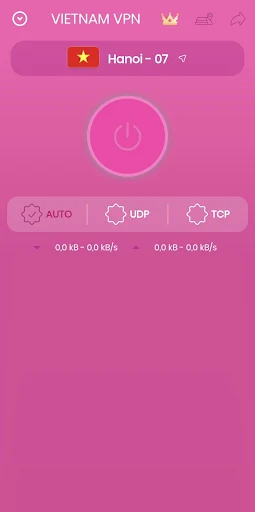
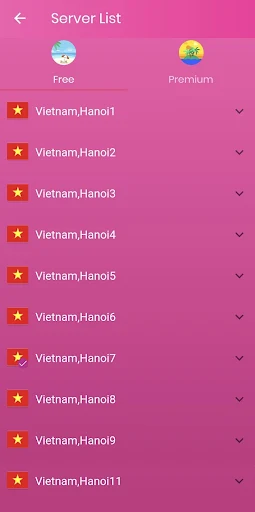
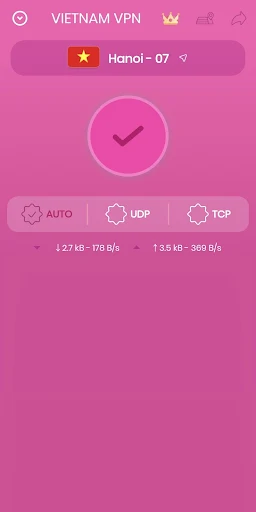
| Updated On | |
|---|---|
| Google Play ID | free.vpnvietnam.unlimited.secure.turbo.unblock.proxy |
| Category | Tools |
| Version | 4.6.3.6 |
| Size | 33 MB |
| MOD Features | Premium |
| Requires | Android 7.0 |
| Price | |
| Free | |
| Content Rating | |
| Everyone | |
| Internet Required | |
| Unknow | |

VPN Vietnam – Super VPN Shield is an Android VPN and proxy application designed to provide a simple way to establish a protected internet connection. It supports one-tap connections, multiple server locations, and encrypted traffic through OpenVPN protocols. The app also promotes private browsing and access to websites or services that may be restricted by network or regional settings.
A VPN can be useful when you want to route internet traffic through another server. It can also add an extra layer of protection when using public Wi-Fi networks. However, the actual experience depends on server availability, network conditions, and the VPN provider.
VPN Vietnam – Super VPN Shield focuses on keeping the connection process straightforward. Users can choose a server and connect with a single tap. The service supports Wi-Fi and mobile data connections, including 3G and 4G networks.
The application provides access to servers in several countries, including Vietnam, Singapore, Japan, Germany, India, the United Kingdom, Russia, and the United States. This range allows users to select a different connection location when needed.
Server performance can vary depending on distance, congestion, and the user’s original internet connection. A nearby server may offer a more responsive connection, while another location may be useful when accessing region-dependent services.
The app states that it encrypts internet traffic and supports OpenVPN using UDP and TCP. It also advertises protection against DNS leaks and provides an IP address different from the user’s normal connection.
These features can be useful when browsing through public Wi-Fi. However, a VPN does not make a user completely anonymous online. Websites, applications, and the VPN provider may still have access to different types of information, depending on their own policies and technical setup.
Google Play currently states that the app may share device or other IDs with third parties. It also states that data is encrypted in transit and that users can request data deletion. These declarations can change over time, so checking the current privacy information before use is recommended.
Start by opening the app and selecting a suitable server location. For normal browsing, consider a server that provides a stable connection rather than automatically choosing a distant location. Then activate the VPN and confirm that the device shows an active VPN connection.
If a website or application does not work correctly, try another available server. Connection quality can change throughout the day, so switching servers may resolve temporary performance problems. Users should also remember that VPN connections can sometimes reduce internet speed because traffic travels through an additional server.
For privacy-sensitive activities, combine VPN use with strong account passwords, two-factor authentication, updated software, and careful browsing habits. A VPN should be treated as one part of a broader security strategy rather than a complete solution.
VPN Vietnam – Super VPN Shield offers a straightforward VPN experience with one-tap connections, multiple server locations, and encrypted traffic. Its focus on simple access makes it suitable for Android users who want a convenient way to change their network route or add protection when using public Wi-Fi.
At the same time, users should consider connection stability, advertising, paid server options, and the application’s current data-sharing disclosures. Reviewing privacy information and testing different servers can help users understand whether the service fits their particular browsing needs.