

Fox Guard VPN – Secure & Fast
v1.7.237
• Premium
| Updated On | |
|---|---|
| Google Play ID | vn.dihaver.playping |
| Category | Tools |
| Version | 3.1.3 |
| Size | 8 MB |
| MOD Features | Unlocked |
| Requires | Android 7.0 |
| Price | |
| Free | |
| Content Rating | |
| Everyone | |
| Internet Required | |
| Unknow | |

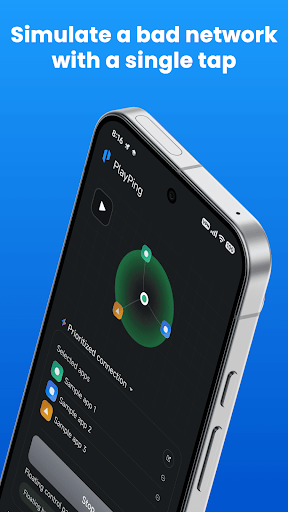
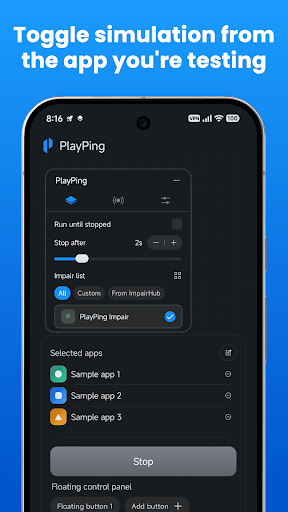
PlayPing: Test Ping & Lag is a practical network utility designed for users who want to check connection quality and better understand ping, latency, and potential lag on their devices. A stable internet connection is important for online gaming, video calls, streaming, and other real-time activities. By providing tools for testing network responsiveness, the app can help users identify connection issues and make more informed decisions about their network environment.
PlayPing: Test Ping & Lag focuses on making network testing easier for everyday users. Instead of relying only on whether a connection feels fast, users can perform tests to examine how quickly their device communicates with a selected server or network destination. This can provide additional context when an online game feels delayed or a connection becomes unstable.
Ping and latency are especially relevant for activities that require quick responses. A connection may have reasonable download speeds but still experience noticeable delays during real-time use. The app provides a convenient way to examine these conditions without requiring complicated networking knowledge.
One of the main purposes of PlayPing is to measure network response time. Ping generally refers to the time required for data to travel between your device and a destination and for a response to return. A lower result usually indicates faster responsiveness, although the ideal value depends on the activity and network conditions.
Testing at different times can also reveal changes in connection quality. Network congestion, Wi-Fi signal strength, mobile coverage, server distance, and other factors can affect latency. This makes repeated tests useful when trying to understand whether a problem is temporary or occurs regularly.
Lag can make online activities feel slow or inconsistent. PlayPing: Test Ping & Lag can provide useful information when investigating these problems. By checking network response, users may gain a better understanding of whether connection latency could be contributing to delays.
However, high ping is not always the only cause of lag. Device performance, application issues, server conditions, Wi-Fi interference, and background network activity can also affect the experience. Network tests should therefore be considered one part of the troubleshooting process.
Gamers can use a network test before starting an online session to get a quick indication of current connection responsiveness. This can be particularly helpful when deciding whether a Wi-Fi or mobile connection is behaving normally. Running a test from the same location at different times may also help identify patterns.
The app can also be useful beyond gaming. Users may check their connection when experiencing delays during calls, streaming, remote work, or other online activities. Comparing results across Wi-Fi and mobile networks can provide additional context about which connection is currently more responsive.
Open PlayPing: Test Ping & Lag and select the available testing option. Start a ping or latency test and wait for the results to appear. Review the reported response time and consider the result alongside your current network conditions.
If you experience unusual lag, repeat the test after checking your Wi-Fi signal, moving closer to the router, or switching between available networks. Comparing several results can provide a clearer picture than relying on a single measurement. Remember that network performance can change throughout the day.
PlayPing: Test Ping & Lag offers a straightforward way to examine network responsiveness and investigate potential connection-related lag. By checking ping and latency, users can gain more information about their network instead of relying only on subjective impressions. It can be useful for gamers and anyone who depends on responsive internet connections, while repeated tests can help reveal changing network conditions. As with any network diagnostic tool, the results should be considered together with other factors that may influence online performance.