

Image & Video Date Fixer
v3.11.0
• Premium


| Updated On | |
|---|---|
| Google Play ID | ai.storage.cleaner.app |
| Category | Tools |
| Version | 4.13 |
| Size | 69 MB |
| MOD Features | Premium |
| Requires | Android 10 |
| Price | |
| Free | |
| Content Rating | |
| Everyone | |
| Internet Required | |
| Unknow | |

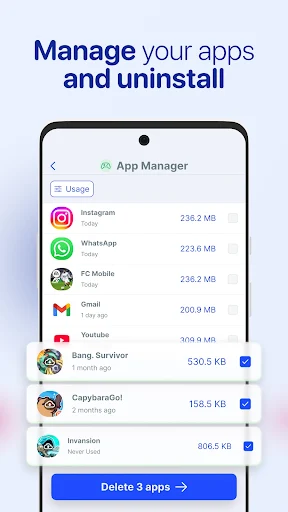
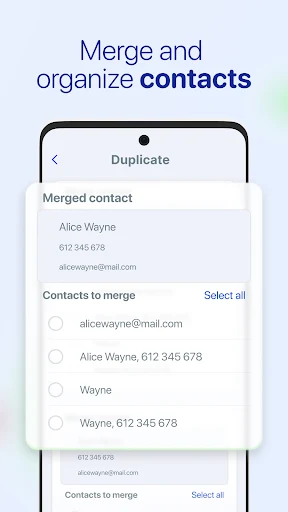
AI Cleaner – Phone Cleaner is a mobile utility designed to help users organize storage, identify unnecessary files, and keep their phones easier to manage. As smartphones accumulate photos, videos, cached data, duplicate files, and unused applications, available storage can gradually become limited. By combining cleaning tools with AI-assisted file analysis, AI Cleaner – Phone Cleaner can provide a convenient way to review digital clutter and decide which items are safe to remove.
The main purpose of AI Cleaner – Phone Cleaner is to help users identify files that may no longer be needed. Over time, phones can collect temporary files, duplicate images, large videos, screenshots, and other items that are easy to overlook. A cleaning tool can bring these files together and make storage management less time-consuming.
AI-assisted analysis may help categorize content and highlight potential items for review. However, automated suggestions should not be treated as a reason to delete everything immediately. Personal photos, documents, downloads, and other important files should always be checked before removal.
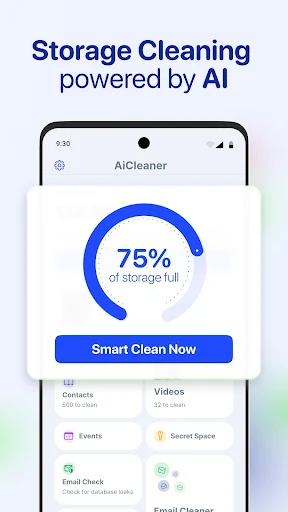
Storage management becomes increasingly important when a device contains a large amount of media. AI Cleaner – Phone Cleaner can help users review which types of files are taking up the most space. Large files can then be examined individually so that users can decide whether they should be kept, transferred, or deleted.
This approach can also make it easier to maintain a more organized device. Regularly reviewing storage can prevent unnecessary files from accumulating and reduce the need for large cleanup sessions later.
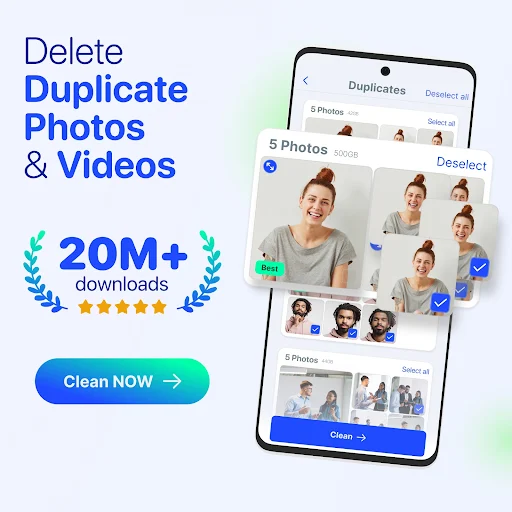
Duplicate photos and videos can consume considerable storage without providing additional value. A cleaning application can help identify possible duplicates or similar files, allowing users to compare them before deciding what to keep. This can be particularly useful for people who frequently take multiple photos of the same subject.
Large files deserve similar attention. Instead of deleting random items, users can start by checking videos, downloads, or other categories that occupy significant space. This makes the cleanup process more deliberate and reduces the risk of accidentally removing useful content.
A good cleaning routine does not require constant maintenance. Users can periodically scan their device, review the suggested items, and remove files they no longer need. AI Cleaner – Phone Cleaner can make this process more convenient by bringing storage-related tasks into one place.
Users should also be cautious about applications that claim to dramatically improve phone performance simply by clearing memory or cached data. Modern Android systems already manage many background processes automatically. Cleaning storage can be useful, but it should not be confused with guaranteed performance improvements.
Open AI Cleaner – Phone Cleaner and complete the initial setup. Allow only the permissions necessary for the cleaning features you want to use. Start a storage scan and review the categories identified by the application. Pay particular attention to duplicate images, large files, temporary content, and other suggested items.
Before confirming a cleanup, check the selected files carefully. Keep important photographs, documents, recordings, and downloads that you may need later. For valuable data, create a backup before deleting anything. Running smaller cleanup sessions regularly can also make storage management easier to control.
AI Cleaner – Phone Cleaner provides a convenient approach to managing storage and reducing digital clutter on Android devices. Its AI-assisted organization can help users locate duplicate, large, or potentially unnecessary files more efficiently. The most useful results come from reviewing suggestions carefully rather than relying entirely on automatic deletion. With sensible permissions and regular storage checks, the app can serve as a practical tool for keeping a mobile device more organized and making better use of available storage.