
zFont 3 – Emoji & Font Changer
v3.9.2.2
• Unlocked
| Updated On | |
|---|---|
| Google Play ID | com.coolmobilesolution.fastscannerfree |
| Category | Tools |
| Version | 4.7.7 |
| Size | 46 MB |
| MOD Features | Premium |
| Requires | Android 7.0 |
| Price | |
| Free | |
| Content Rating | |
| Everyone | |
| Internet Required | |
| Unknow | |

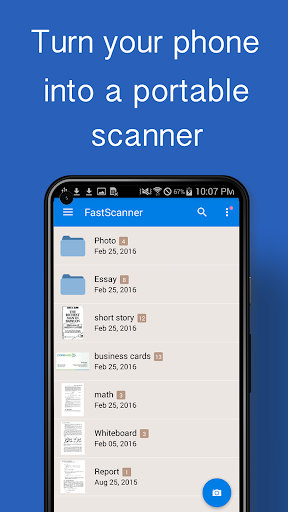
Fast Scanner – PDF Scan App is a mobile document-scanning tool designed to turn paper documents into digital files. It can be useful for students, teachers, office workers, and anyone who needs to keep receipts, notes, forms, or other documents in a digital format. By using the phone camera as a scanner, the app can make document capture more convenient without requiring a dedicated scanning machine. Its focus on quick scanning and PDF creation makes it suitable for everyday document management.
The main purpose of the app is to scan physical documents with a smartphone camera. Users can capture pages and create digital copies that are easier to store and access. This can be helpful when carrying original paperwork is inconvenient or when documents need to be shared electronically.
The scanning process can also be useful for temporary records. Students can digitize notes, while teachers can keep copies of worksheets or reference materials. Office users may find it convenient for receipts, forms, invoices, and other paperwork that needs to be organized.
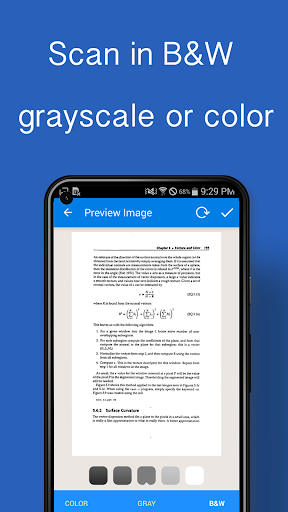
PDF is a practical format for sharing and storing scanned documents. A dedicated scanning tool can help users combine captured pages into a document instead of keeping numerous separate images. This makes multi-page documents easier to manage.
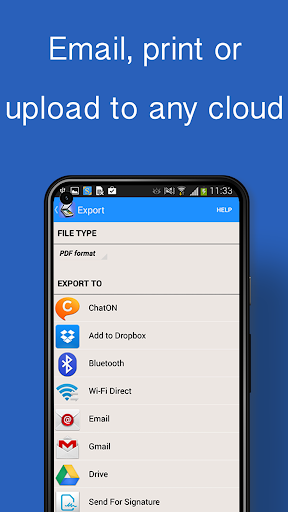
Digital PDF files can also be more convenient for sending through email, messaging services, or cloud storage. However, users should check the final document before sharing it, especially when the scan contains important information or small text.
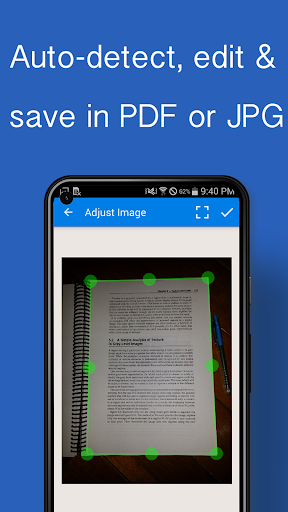
Using a smartphone camera eliminates the need for a traditional scanner in many everyday situations. Users can position a document within the camera view and capture the page. Good lighting and a flat surface can improve the readability of the resulting scan.
Camera-based scanning is particularly useful when documents need to be digitized away from a home or office. It provides a portable solution for capturing paperwork during study, work, travel, or other activities.
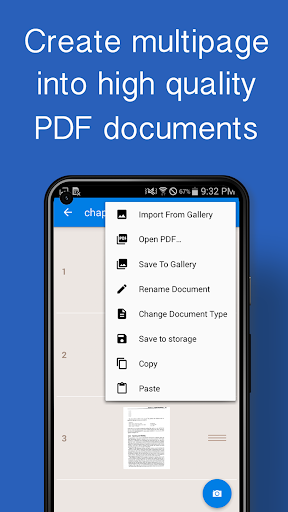
Documents often contain several pages, so the ability to collect multiple scans into one file can simplify organization. Instead of storing each page separately, users can create a more complete digital document.
This can be useful for contracts, study materials, forms, reports, or classroom handouts. Before saving the final file, users should check the page order and make sure every required page has been captured clearly.
Digital copies can make frequently needed documents easier to access. Users can organize scanned files according to their personal workflow and keep them available on a mobile device. This can reduce the need to carry physical copies for routine reference.
However, scanning sensitive documents also creates privacy considerations. Personal identification, financial information, or confidential work documents should be stored carefully. Users should also consider where files are saved and who can access the device or shared documents.
Open Fast Scanner – PDF Scan App and use the camera function to capture a document. Place the page on a flat surface with sufficient lighting and keep the phone steady. Capture each page carefully, then review the images for readability and completeness.
For multi-page documents, scan the pages in the correct order and create a single PDF when appropriate. Check the final file before saving or sharing it. For important documents, keep the original paperwork when required and treat the scanned version as a digital copy rather than an automatic replacement.
Fast Scanner – PDF Scan App provides a convenient way to digitize paper documents using a smartphone. Its focus on camera-based scanning and PDF creation can help students, teachers, professionals, and everyday users manage paperwork more efficiently. Multi-page scanning can also make larger documents easier to organize and share.
The quality of each scan depends on factors such as lighting, camera quality, document condition, and positioning. Privacy should also be considered when handling sensitive paperwork. For users who need a portable scanning solution for everyday documents, the app offers a practical way to create and manage digital copies directly from a mobile device.