

Litron Shield
v18.0
• Premium
| Updated On | |
|---|---|
| Google Play ID | com.htetznaing.zfont2 |
| Category | Tools |
| Version | 3.9.2.2 |
| Size | 28 MB |
| MOD Features | Unlocked |
| Requires | Android 6.0 |
| Price | |
| Free | |
| Content Rating | |
| Everyone | |
| Internet Required | |
| Unknow | |

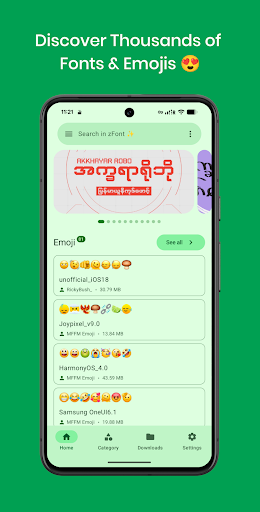
zFont 3 – Emoji & Font Changer is a personalization app designed for Android users who want to change fonts and emojis on their devices. Instead of relying only on the default system style, the app provides different options for creating a more personalized visual experience. It can be especially appealing to users who enjoy customizing their phones and want a fresh look for messaging, social media, and everyday system interactions.
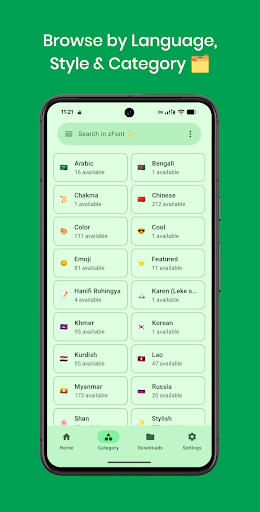
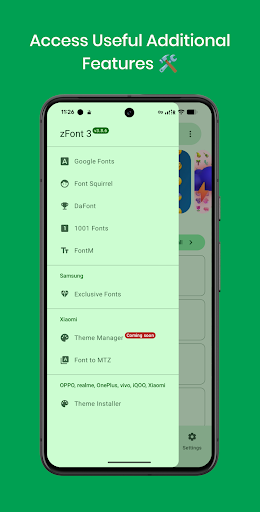
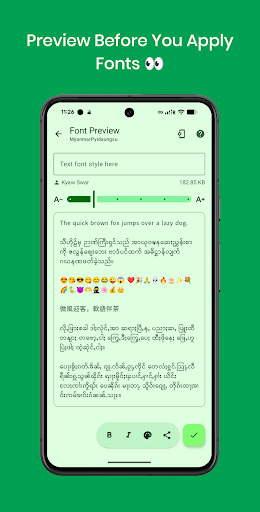
zFont 3 focuses on two main customization areas: fonts and emojis. The app allows users to browse available styles, preview different options, and follow the supported installation method for their device. This approach makes font customization more accessible than manually searching for and installing font files.
One important consideration is device compatibility. The available customization methods can differ depending on the Android version, smartphone manufacturer, and system interface. As a result, not every font or emoji option will work identically across all devices. Users should check the relevant instructions before applying major changes.
The main attraction of zFont 3 – Emoji & Font Changer is its collection of fonts. Users can explore different styles, including clean, modern, decorative, and more distinctive designs. This variety makes it easier to find a typeface that matches a particular personality or visual preference.
Changing the system font can make a familiar smartphone interface feel noticeably different. A suitable font can also give the device a stronger personal identity. However, readability should remain a priority, especially if the phone is used for extended periods.
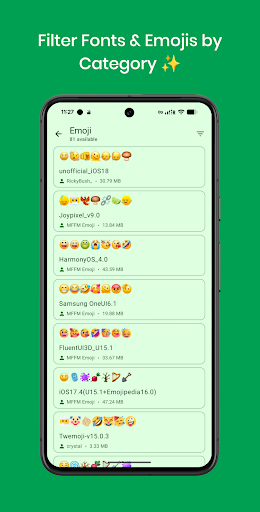
In addition to fonts, the app provides options for customizing emojis. This feature can be particularly interesting for people who frequently communicate through messaging apps and social platforms. A different emoji style can give everyday conversations a slightly different visual character.
However, emoji customization may not affect every application. Some apps and platforms use their own emoji systems rather than relying entirely on the device’s system resources. Therefore, the results can vary depending on the software and device configuration.
zFont 3 provides users with plenty of styles to explore. Having multiple choices makes the customization process more flexible. You can experiment with several fonts or emoji designs before deciding which option works best with the rest of your interface.
Previewing a style before applying it can also help avoid unwanted changes. For users who enjoy regularly refreshing their device’s appearance, the ability to explore different designs adds considerable value to the experience.
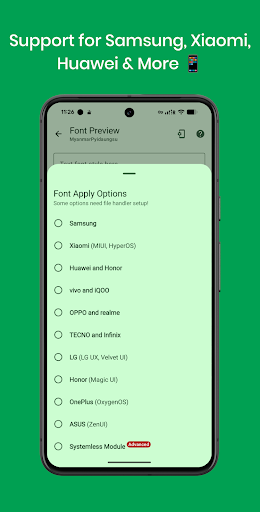
A major factor when using zFont 3 – Emoji & Font Changer is the installation method supported by the smartphone manufacturer. Devices from Samsung, Xiaomi, OPPO, vivo, and other brands may require different procedures.
For this reason, users should not expect every available option to work universally. Certain changes may require additional permissions or system settings. Following the instructions provided for the specific device can reduce compatibility problems and make the customization process smoother.
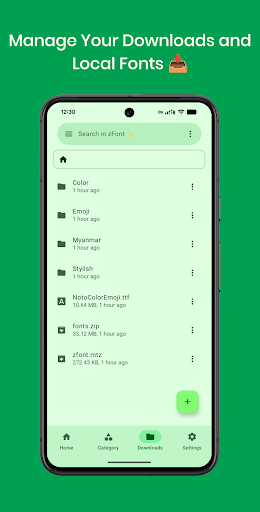
To get started, open zFont 3 and browse the available fonts or emoji styles. Select an option that interests you and check the preview when available. Then follow the installation steps recommended for your smartphone brand and Android version.
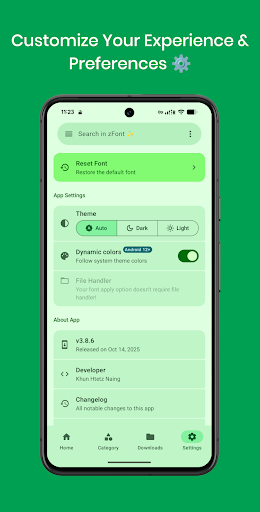
Before changing a system-level font, it is a good idea to keep track of your current settings so you can return to the default configuration if necessary. Follow the recommended procedure carefully instead of experimenting with unsupported installation methods.
After applying a new style, open several commonly used apps to check whether the font or emoji appears correctly. If the result is not satisfactory, return to the default option or try another compatible style. This simple approach can help you find a customization that looks good without disrupting everyday use.
zFont 3 – Emoji & Font Changer is a useful personalization tool for Android users who enjoy experimenting with fonts and emojis. Its variety of visual styles provides an accessible way to make a familiar device feel more personal without requiring advanced customization knowledge.
Its biggest strength is the range of customization possibilities, while compatibility remains an important consideration. Support can vary between manufacturers and Android versions. If you want to explore new fonts, refresh your emoji style, and personalize your smartphone’s appearance, zFont 3 is a worthwhile option to consider.