
SAI: Split APKs Installer
v2.4.3
• Unlocked
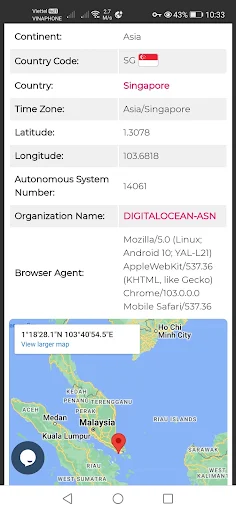
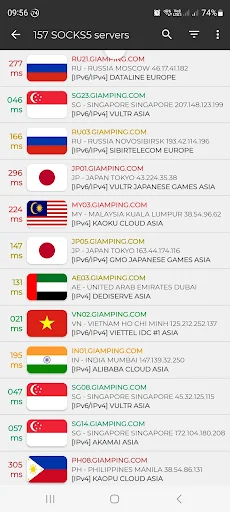
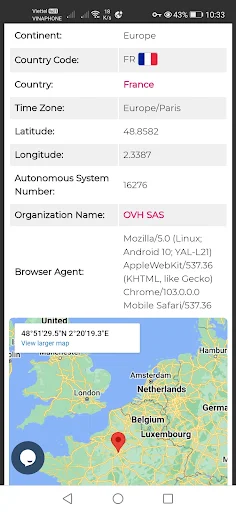
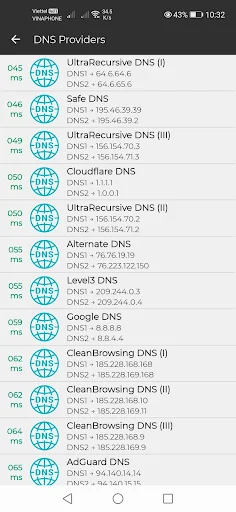
| Updated On | |
|---|---|
| Google Play ID | com.giamping.socks5 |
| Category | Tools |
| Version | 20261016 |
| Size | 94 MB |
| MOD Features | Premium |
| Requires | Android 7.0 |
| Price | |
| Free | |
| Content Rating | |
| Everyone | |
| Internet Required | |
| Unknow | |

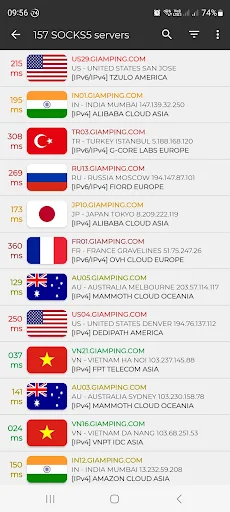
SOCKS5 – IPv6 & IPv4 Proxy VPN is a networking and privacy tool designed for users who want to route internet traffic through proxy servers using IPv4 or IPv6 connections. By focusing on SOCKS5 proxy functionality, the app provides an alternative to traditional VPN services for users who need flexible traffic routing. It can be useful for browsing, accessing online services, or managing network connections when a proxy-based solution is more suitable.
SOCKS5 – IPv6 & IPv4 Proxy VPN combines proxy and VPN-oriented functionality in a mobile-friendly interface. SOCKS5 is a proxy protocol that can route network traffic through an intermediary server without requiring every connection to be handled directly by the user’s device.
The support for both IPv4 and IPv6 makes the app relevant to users working with different network environments. However, the actual connection experience depends on the proxy server, network conditions, and configuration. A proxy should also not be considered a complete replacement for every privacy feature offered by a full VPN service.
The main feature of SOCKS5 – IPv6 & IPv4 Proxy VPN is support for the SOCKS5 protocol. This allows compatible internet traffic to be routed through a proxy server instead of connecting directly to the destination.
SOCKS5 is commonly used in applications that require flexible proxy configuration. Users who already have access to a compatible proxy server can potentially use the app to manage their connection more conveniently from a mobile device.
The application is designed to work with both IPv4 and IPv6 environments. This can be useful because modern networks may use either protocol depending on the provider, device, and local infrastructure.
Supporting both protocols gives users more flexibility when configuring a connection. However, compatibility ultimately depends on the proxy server and network being used. A server that does not support a particular protocol cannot provide functionality that it does not offer.
SOCKS5 – IPv6 & IPv4 Proxy VPN can be useful when a user needs to route traffic through a particular proxy rather than simply connecting directly to the internet. This can help with certain network configurations and applications that support proxy connections.
The practical benefits depend heavily on the quality of the proxy. A reliable server may provide a stable connection, while an overloaded or distant server can introduce latency and reduce browsing performance. Choosing an appropriate server is therefore an important part of the overall experience.
Managing proxy settings from a smartphone can be more convenient than configuring them manually every time. An application dedicated to proxy connectivity provides a central place for entering connection information and controlling the connection.
At the same time, users should understand what traffic is actually being routed through the proxy. Proxy support does not automatically guarantee that every application on the device will use the same connection or receive the same level of protection.
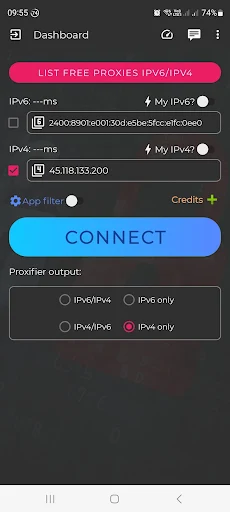
To get started, install SOCKS5 – IPv6 & IPv4 Proxy VPN and open its connection settings. Depending on the available options, enter the required proxy server information, including the server address, port, and authentication details if necessary.
Choose the appropriate IPv4 or IPv6 configuration based on your network and proxy provider. Review the settings carefully before establishing the connection. Incorrect server information or authentication details can prevent the proxy from working properly.
After connecting, test the connection with a simple browsing session. If performance is poor, check the server location, connection quality, and proxy configuration. Avoid using unknown or untrusted proxy servers for sensitive activities because the proxy operator may be able to observe or manipulate traffic that is not otherwise protected.
SOCKS5 – IPv6 & IPv4 Proxy VPN is a useful option for users who need mobile access to SOCKS5 proxy connections and want flexibility across IPv4 and IPv6 networks. Its focus on proxy routing makes it more specialized than a conventional VPN application.
The app is most suitable for users who understand proxy configuration or already have access to a trusted SOCKS5 server. Beginners may need to spend more time learning the differences between proxies and VPNs before configuring the service. Overall, if you need a convenient way to manage SOCKS5 connections on a mobile device, SOCKS5 – IPv6 & IPv4 Proxy VPN is worth considering.