
Litron Pro VPN
v11.0
• Premium
| Updated On | |
|---|---|
| Google Play ID | com.pengyou.cloneapp |
| Category | Tools |
| Version | 3.21.0 |
| Size | 73 MB |
| MOD Features | Unlocked |
| Requires | Android 7.0 |
| Price | |
| Free | |
| Content Rating | |
| Everyone | |
| Internet Required | |
| Unknow | |

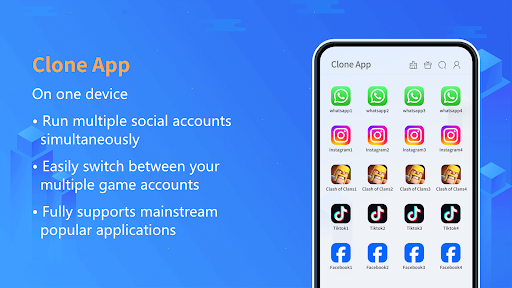
Clone App – Parallel Dual Space is an Android utility designed for users who want to run multiple accounts of supported applications on the same smartphone. Instead of repeatedly logging in and out of different profiles, the app provides a separate space where selected applications can be duplicated. This can be convenient for people who maintain separate personal and work accounts or need different profiles for everyday applications.
The main attraction of Clone App is its ability to create an additional environment for compatible applications. After an app is cloned, users can open the duplicated version independently from the original installation. This separation makes it easier to keep different accounts and their associated data organized on one device.
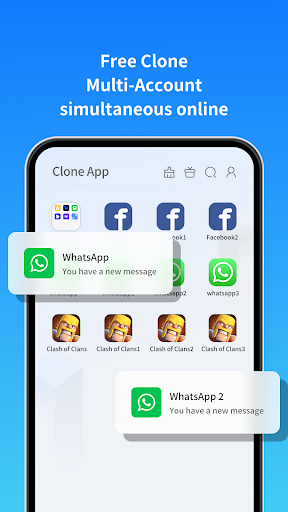
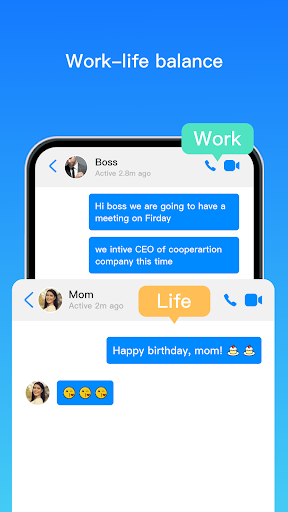
For example, someone with separate personal and professional profiles may use the original application for one account and the cloned version for another. This can reduce the inconvenience of switching between accounts and make daily communication or social activities easier to manage.
Parallel Dual Space is built around the idea of keeping multiple application environments accessible from a single device. Users can select compatible applications and add them to the separate space according to their needs. The approach can be useful for messaging, social networking, productivity, and other applications that support multiple accounts.
Having both versions available can also make it easier to distinguish between different profiles. Instead of mixing notifications and account information in one installation, users can manage each cloned environment separately where supported by the application.
One practical use of Clone App – Parallel Dual Space is separating personal activities from work-related accounts. Users who need to monitor different profiles may find a dual-app environment more convenient than constantly signing out and signing back in.
The same concept can also be useful for people who manage multiple social accounts or maintain separate profiles for different purposes. However, compatibility can vary between applications, and some apps may restrict cloning or require additional verification when running in a duplicated environment.
Begin by opening the application and reviewing the permissions it requests. Select an application that you want to duplicate from the available list, then create its additional version within the separate space. Once the cloning process is complete, open the duplicated app and sign in with the desired secondary account.
Keep the original and cloned applications clearly organized so you can identify the correct account before sending messages or performing other actions. It is also recommended to review notification and permission settings for each environment and remove cloned applications that are no longer necessary.
The main advantage of Clone App is convenience. It can reduce the need to switch accounts manually and provide a more organized way to access multiple profiles from one smartphone. The concept is especially useful for users who regularly work with two accounts in applications that do not provide a convenient built-in account-switching feature.
However, cloning applications can require additional storage, memory, and battery resources. Compatibility and functionality may also differ depending on the original application and Android version. Users should review permissions carefully and avoid cloning applications that contain particularly sensitive information unless they are comfortable with the security and privacy implications.
Clone App – Parallel Dual Space offers a practical approach to managing multiple supported application accounts on one Android device. By creating separate app environments, it can make personal, professional, and other profiles easier to access without repeatedly switching accounts. While compatibility, device resources, and privacy considerations should be taken into account, the app can be a useful solution for users who need a flexible dual-app experience.