
VPN PotatoVPN – WiFi Proxy
v64.0.1
• Premium
| Updated On | |
|---|---|
| Google Play ID | com.prisma3D.prisma3D |
| Category | Tools |
| Version | 3.3.7 |
| Size | 112 MB |
| MOD Features | Unlocked |
| Requires | Android 8.0 |
| Price | |
| Free | |
| Content Rating | |
| Everyone | |
| Internet Required | |
| Unknow | |

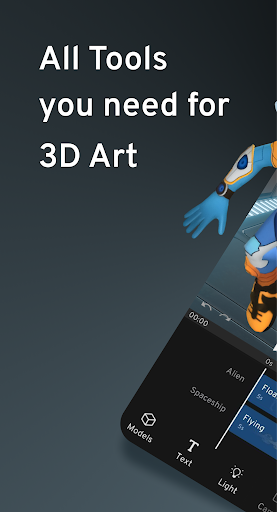
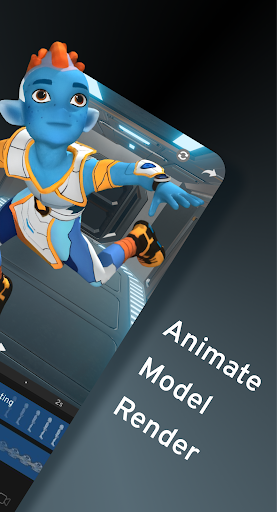
Prisma3D – Animation, Modeling is an Android creative tool for users who want to build 3D models and animated scenes on a mobile device. It combines modeling, animation, rendering, and visual effects in one workspace. The app supports creative projects ranging from character design and motion graphics to game-related models and 3D-printing projects.
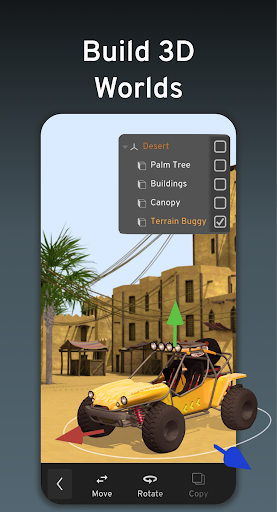
The modeling environment provides tools for creating and editing objects directly on an Android device. Users can work with 3D objects, lights, cameras, textures, colors, and text while developing their own scenes.
The app also supports grouping multiple models and includes digital drawing, sculpting, mesh creation, and vector graphics features. This gives beginners a practical way to explore different parts of the 3D creation process without immediately moving to desktop software.
Working with existing assets can be important when developing larger projects. Prisma3D supports importing and exporting several 3D formats, including OBJ, FBX, GLTF, STL, and PLY. This can make it easier to combine mobile-based editing with assets created in other 3D software.
The flexibility is useful for different creative workflows. Users can build original models, modify imported content, or prepare objects for projects such as animation, graphics, and 3D printing.
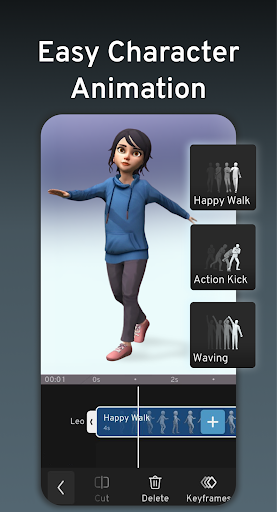
Animation is one of the main parts of the experience. The app uses a timeline and keyframes to control object positions at different points in time. Users can create movement, combine multiple elements, and produce animated scenes from their mobile devices.
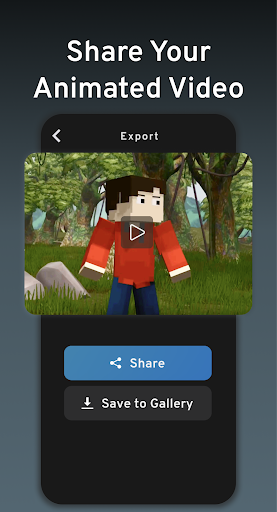
Additional tools include rigging, skinning, motion graphics, and visual effects. Rendering features can then be used to generate videos that are suitable for sharing through supported platforms.
Beginners should start with a simple scene instead of immediately creating a complex character or environment. Add a few objects, position the camera, and experiment with basic transformations before moving to more advanced modeling.
When learning animation, begin with a small number of keyframes. Move one object between two points and preview the result before adding more movements. This makes it easier to understand timing and gradually build more detailed sequences.
Imported models should also be tested individually before being added to a large scene. User reviews on Google Play mention that larger models and models with many rigs can cause noticeable loading or performance delays on some devices.
For larger projects, save work regularly and keep important source files available outside the app. A simple workflow with organized models, clear names, and manageable scenes can make mobile 3D creation easier to maintain.
Prisma3D – Animation, Modeling brings a broad set of 3D creation tools to Android. Its combination of modeling, animation, keyframes, importing, rendering, and visual effects gives users multiple ways to develop creative projects from a mobile device.
The learning process can take time, especially for users new to 3D modeling and animation. Starting with small projects and gradually exploring more advanced tools can make the experience easier to understand and more productive.