
Litron Pro VPN
v11.0
• Premium
| Updated On | |
|---|---|
| Google Play ID | com.tvremote.starnest |
| Category | Tools |
| Version | 70.0 |
| Size | 77 MB |
| MOD Features | Unlocked |
| Requires | Android 9 |
| Price | |
| Free | |
| Content Rating | |
| Everyone | |
| Internet Required | |
| Unknow | |

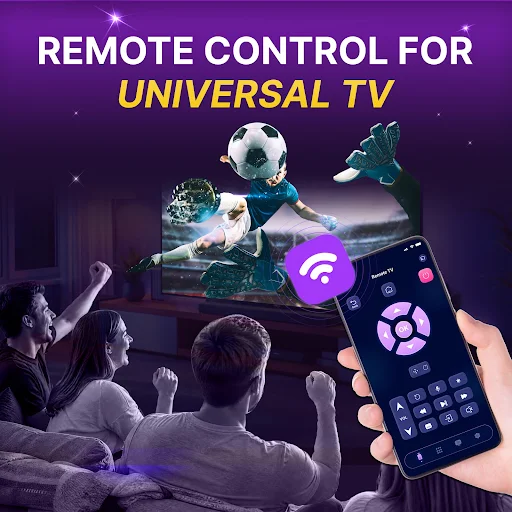
TV Remote: Universal Remote is an Android app designed to turn a compatible smartphone into a convenient remote control for television devices. Instead of searching for a physical remote whenever you want to change channels, adjust the volume, or navigate a menu, the app provides essential controls directly on your phone. Its practical concept can be useful at home, especially when the original remote is misplaced, unavailable, or inconvenient to use.
The main purpose of TV Remote: Universal Remote is to provide a digital alternative to a traditional television remote. Depending on device compatibility, users can connect their phone with a supported TV and access common controls from the mobile interface. These may include power, volume, channel navigation, input selection, and directional buttons. Having these functions on a smartphone can make everyday TV control more accessible.
Physical remotes are easy to misplace, particularly in busy households where several people use the same television. A phone-based remote can provide a convenient backup when this happens. The app also keeps the controls on a device that many users already carry throughout the day. This can reduce the need to keep looking for a separate remote whenever a quick adjustment is needed.
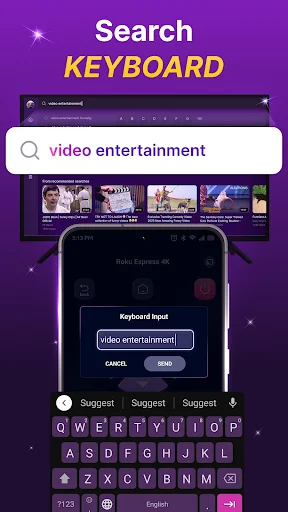
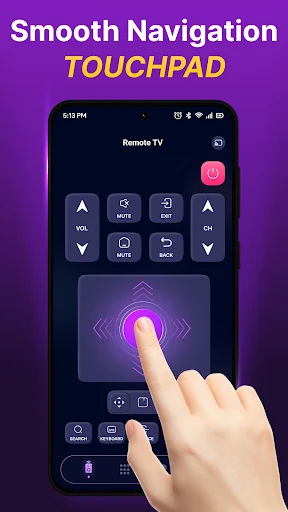
TV Remote: Universal Remote focuses on the controls users commonly need. Volume adjustment, channel switching, navigation, and input selection can be accessed from the phone when supported by the connected television. The layout is intended to make frequently used buttons easy to find. This can be particularly helpful when you need to make a quick change without handling a traditional controller.
Using a smartphone as a remote also offers a familiar touch-based experience. Instead of pressing small physical buttons, users can interact with digital controls directly on the screen. The exact connection method and supported functions can vary depending on the television and smartphone. Compatibility should therefore be checked before relying on the app as a primary remote.
Start by installing and opening TV Remote: Universal Remote on your Android device. Follow the connection instructions provided by the app and select the compatible television when available. Depending on the setup, the phone and TV may need to be connected through the same Wi-Fi network or use another supported communication method. Once connected, test basic controls such as volume and channel navigation.
After confirming that the television responds correctly, you can use the mobile remote during normal viewing. Keep the phone connected to the appropriate network when required. If the remote does not respond, check the TV’s compatibility, network connection, and any permissions requested by the app. These simple checks can help resolve common connection problems.
TV Remote: Universal Remote offers a practical way to control a compatible television through an Android smartphone. By bringing essential remote functions onto a device you already carry, the app can serve as a convenient alternative or backup for a physical controller. Its usefulness ultimately depends on device compatibility and the available connection method. For users who frequently misplace their remote or simply prefer controlling devices from their phone, this type of universal remote app can make everyday TV interaction more convenient.